-SA -64
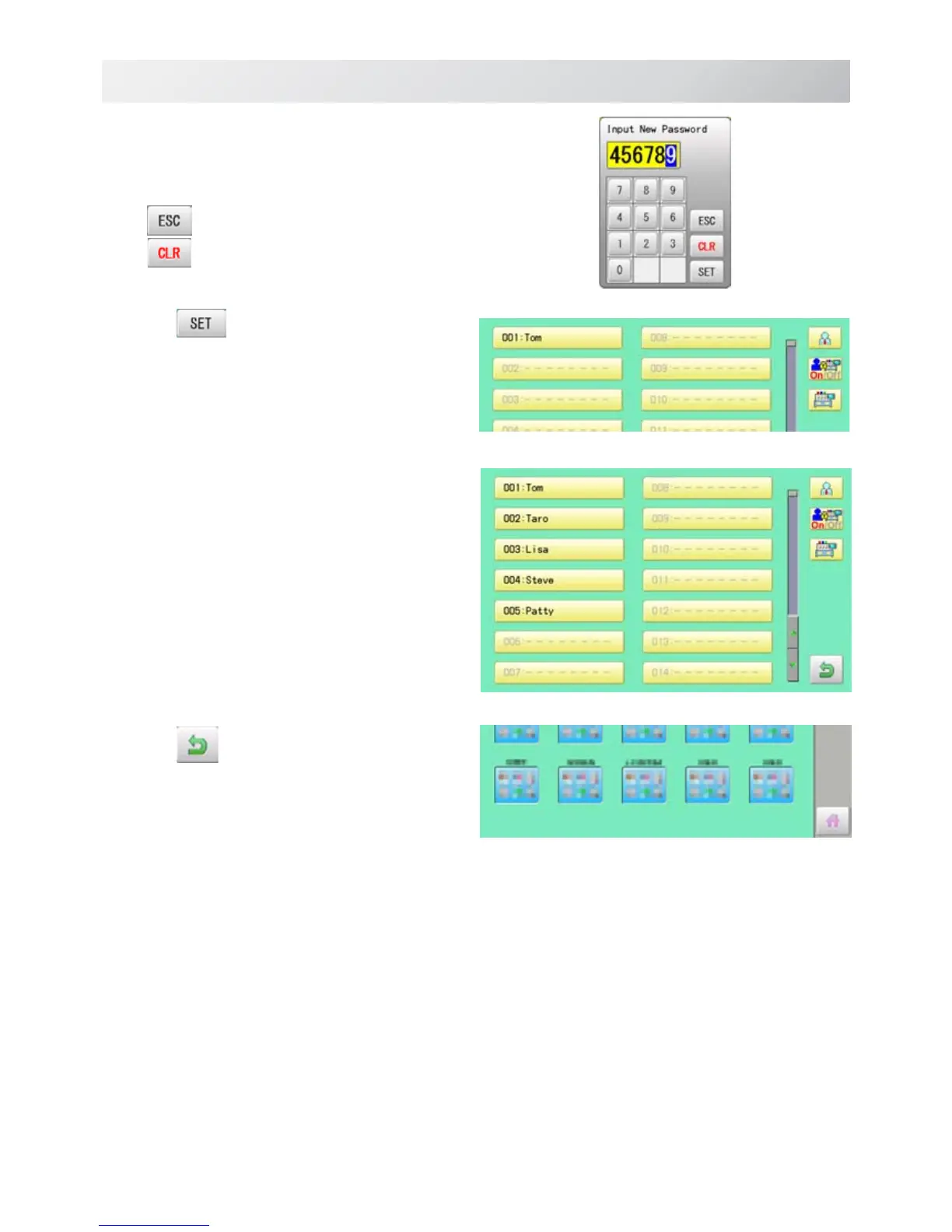
6. Enter arbitrary 6 digits number as pass-
word.
Enter "000000" if you do not want to use pass-
word.
Cancelled.
Numbers are deleted.
7. Press .
The setting is fixed.
8. To continue registering other user, repeat
the procedure from step 4 to 7.
Proceed to step 9, if you do not want to
register user name.
9. Press
.
The setting is fixed and to return to Menu mode.
USER MANAGEMENT
21_7 O901
22-7


 To Next Page