-DA -143
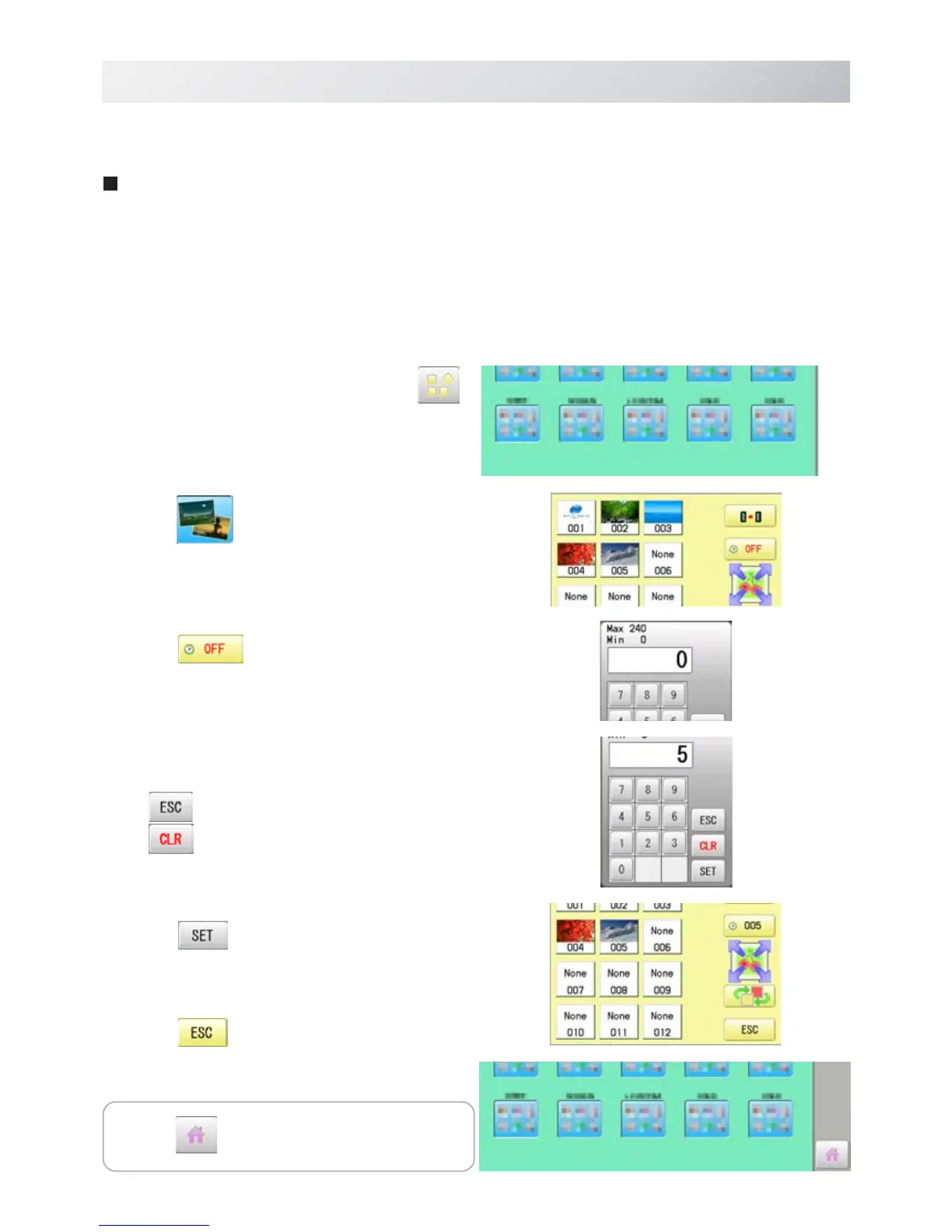
1. When the machine is stopped, press .
2. Select “SCREEN”.
3. Press
.
4. Select the number. (Unit : minute)
Changing is cancelled.
Numbers are deleted.
5. Press .
6. Press
.
The setting is fixed and display returns to MENU.
21-1
SCREEN SAVER
22_6 O901
If screen saver is set, images saved in the machine are displayed on the screen in numerical
order when the machine is stopped and is not in operation for a certain amount of time.
Screen saver is cancelled when any place on the touch screen is touched.
If the setting time of "display off timer" on "OPTION" is shorter than one of screen saver,
screen saver is not displayed.
Make sure the setting time of "display off timer" is longer than one of screen saver when both
screen saver and "display off timer" are used.
Start-up time
Set the time to start screen saver
Press to return to Drive mode.



 To Next Page