-DA -140
18-6
OTHER SETTINGS
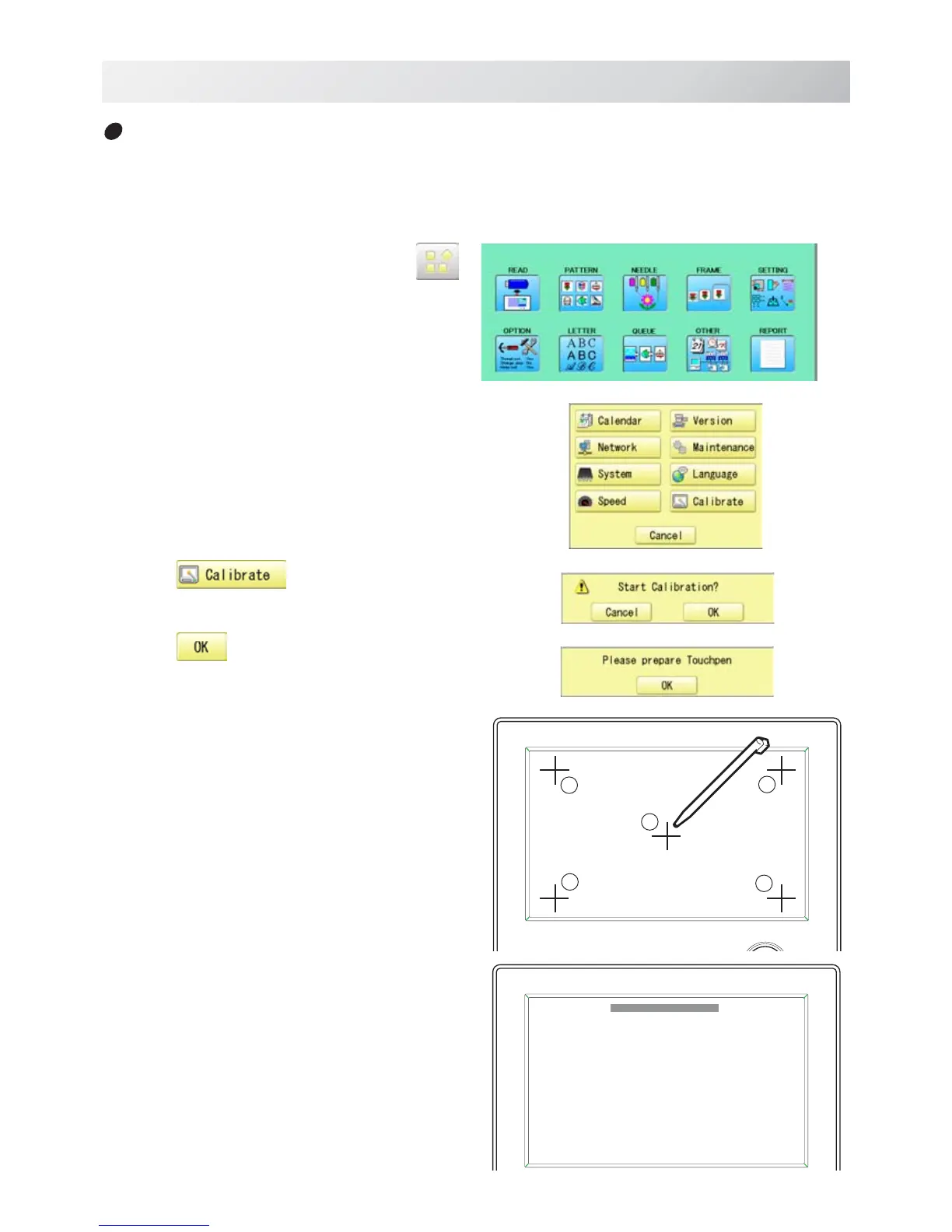
Calibrate
Calibration for the touch panel LCD.
Touch panel is already adjusted and you do not need adjustment of the panel.
If the screen does not recognize correct position of each icon and you cannot operate, please
adjust the screen as follows:
22_3 O901
3
4
5
1. When the machine is stopped, press .
2. Select "OTHER".
3. Press .
4. Press
.
Prepare built-in stylus.
5. Press the center of "+" displayed in screen
in numerical order by a stylus.
"+" will appear in numerical order.
6. Press the 5th "+" by stylus.
The screen shows "New calibration settings have
been measure ..." at small letters.



 To Next Page