-RA -35
15-3a
MACHINE SETTINGS
5_2c O901
13 Width data all
This function adds additional width to all satin
stitches in a design.
This is otherwise set in the "Settings" function
( 12-3), in which case any changes made to
the setting from this screen will have no effect.
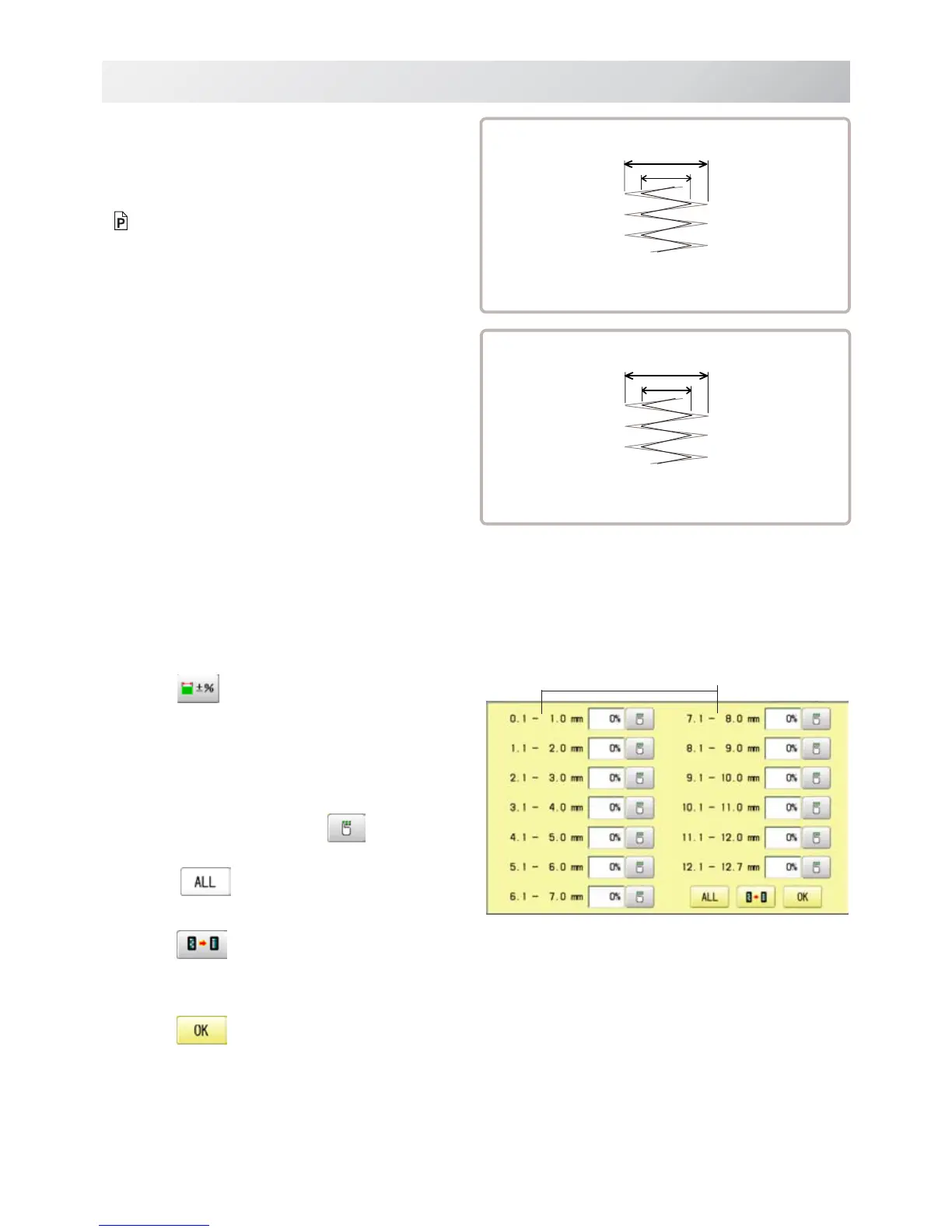
You can also set detailed adjustment with
using “Width data multi-step” function.
Please note that the value of "Width data all"
should be set “0.0mm” to activate above func-
tion.
The step of setting is as follows.
1. Follow the steps 1.- 3. on the previous page
and the display shows machine setting
page.
2. Press
.
3. Change the setting on the each width you
would like to change with
.
Press when the setting on all the each
width.
Press when returning the setting on all the
each t width to “ 0% “.
4. Press .
Width
Width data all
L
L + Xmm
Setting : X mm
Width data multi-step
L
L x X%
Setting : X%



 To Next Page