-SJ -59
12-5
NEEDLE BAR SELECTION
12_5 O512
Press to return to Menu mode.
Press to return to Drive mode.
4. Select the needle number or cloth (back-
ground color).
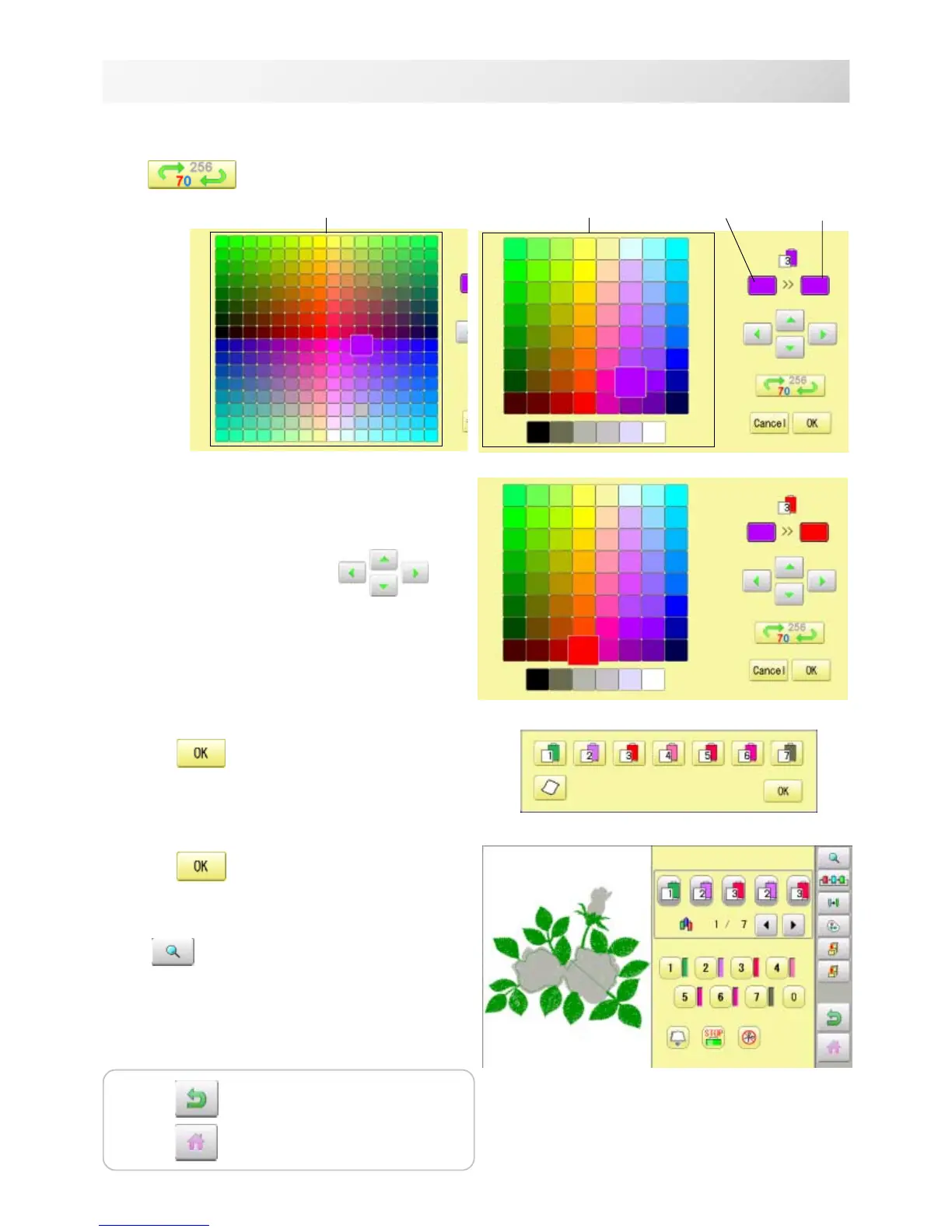
You chan change the color palette.
5. Select the color to be changed at the pal-
ette.
You can select the color with .
Current color will be shown.
6. Press .
7. Press
.
The setting is fixed.
Preview screen is displayed.
current color
Color to be
changed after
256 colors palette
70 colors palette


 To Next Page