-RA -33
MACHINE SETTINGS
15-2
5_2 OA24
No. Display
Setting
Default is underlined
Contents
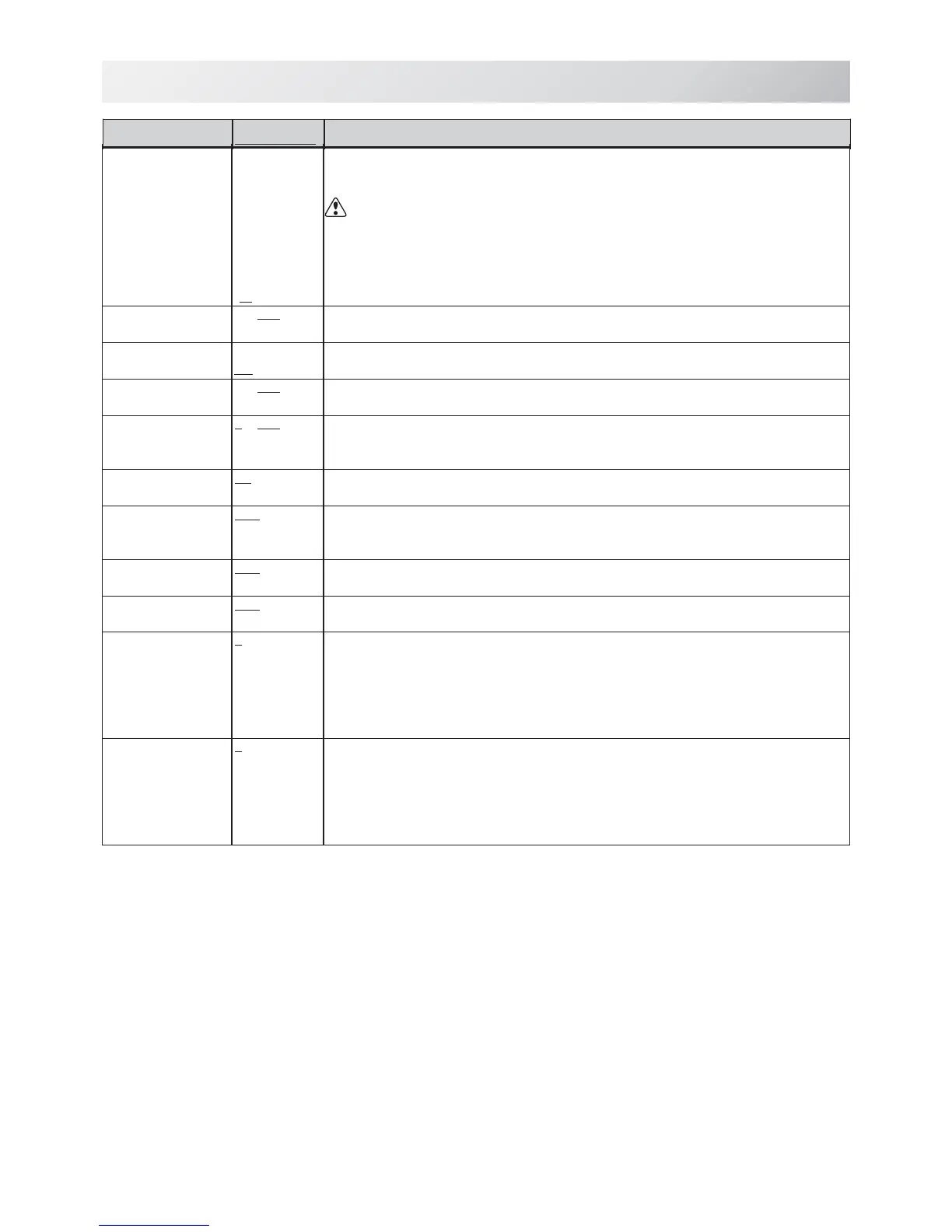
19 Expand cap
limit
1~10mm
0mm..........
The direction of Y-axis of the embroidery area (standard) is extended in the
direction of the brim of the cap.
If the embroidery area is extended too much, there is a possibility that a
needle and pressure foot may hit a frame and may be damaged.
Before start sewing, please check carefully the embroidery area by trace
function etc..
•The embroidery area is extended with the set-up size.
•The embroidery area is not extended.
20 Frameout
position
0~100
~ 780mm
Set movement of frameout in the drive menu.
21 Display inch
Yes
No
• Display the unit of dimensions at an inch.
• Display the unit of dimensions by millimeters meter.
22 Trace speed
0~100 ~ 300
You can change the Tracing speed. "100" mean the normal speed.
If you change the number bigger, the speed decrease.
23 Display off
timer
0 ~ 240 (min.)
The machine turns off the display screen when the time without any operation
exceeds the time entered in the parameter.
Timer function is "off" when setting value is set to "0"
24 Design disp
mode
All
Change
•When drive mode, highlight all color change number on the LCD Display.
• Highlight only current color change number.
25 Drawing
“ Real
Pattern”
Yes
No
Display pattern with realistic image on the screen.
26 Operation
Sound
Yes
No
Make beep sound when button or key of touch panel is pressed.
27 Notificati-
on Sound
Yes
No
Make beep sound when the machine is stopped.
28 FW/BW Lock
Count(1st.)
0 ~ 100
In "Stitch number forward", when the key is pressed continuously, the "Key
lock" function is activated and the frame will move by the one stitch
continuously even the finger is released from the key.
Set number of stitches until "Key lock" function is activated.
The "Key lock" function will be disabled when the number of stitches is set to
"0".
29 FW/BW Lock
Count(10st.)
0 ~ 100
In "Stitch number forward", when the key is pressed continuously, the "Fast
forward"(10 stitches) function is activated and the frame will move continuously
even the finger is released from the key.
Set number of stitches until "Fast forward" function is activated.
The “ Fast forward” function will be disabled when the number of stitches is
set to “ 0” .



 To Next Page