-SA -42
10-4
READING
14_6 NB01
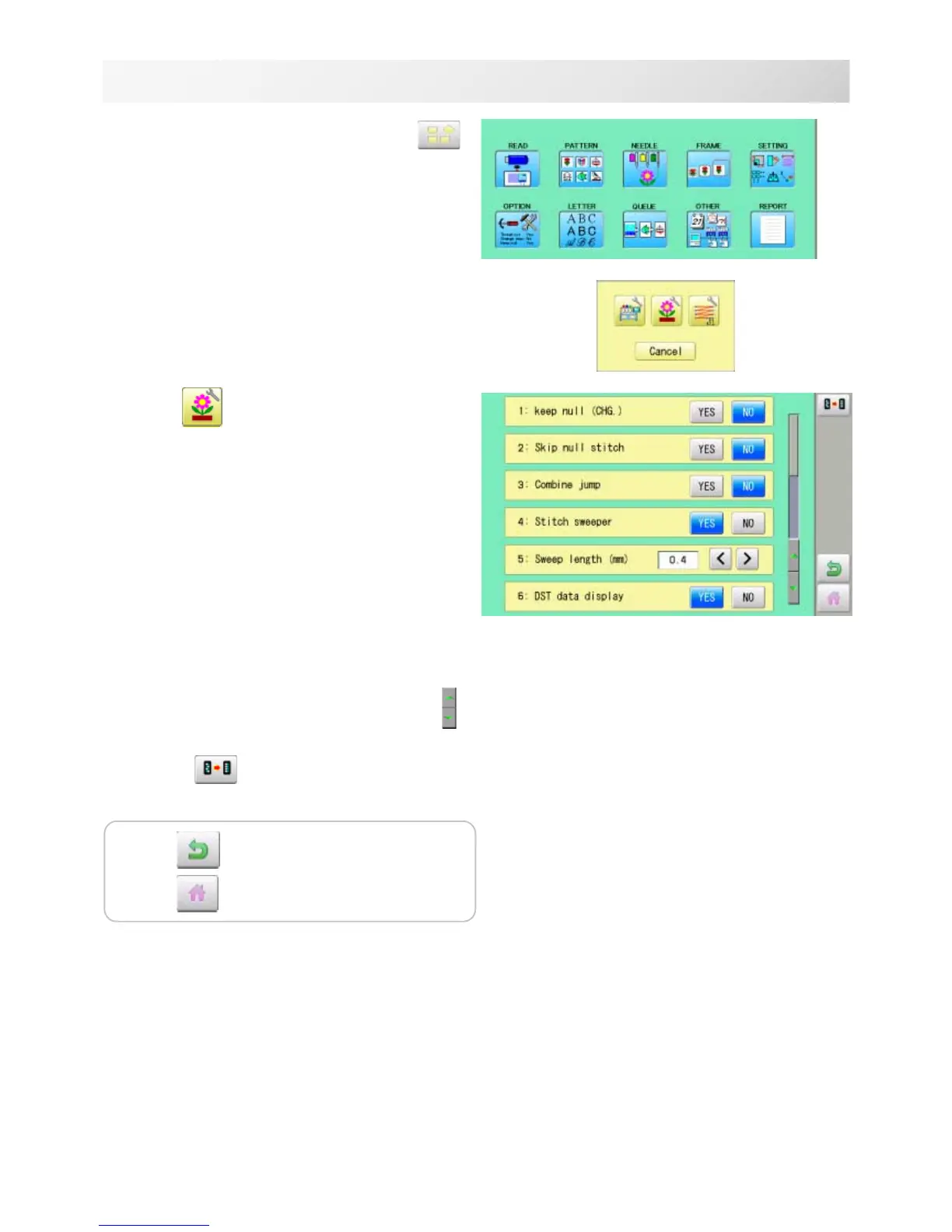
1. When the machine is stopped, press .
2. Select "OPTION".
3. Select
.
4. Select desired setting item and change the
setting.
You can move to next page by pressing .
Press , all settings are returned to the
default.
Press to return to Menu mode.
Press
to return to Drive mode.



 To Next Page