A
B
C
D
THE FIRST CAPTURE
Pressandholdthepowerbuttonforonesecondtoturnthe
CFVon.WhenthestatusLEDhasturnedgreenthecamerais
readytomaketherstcapture.
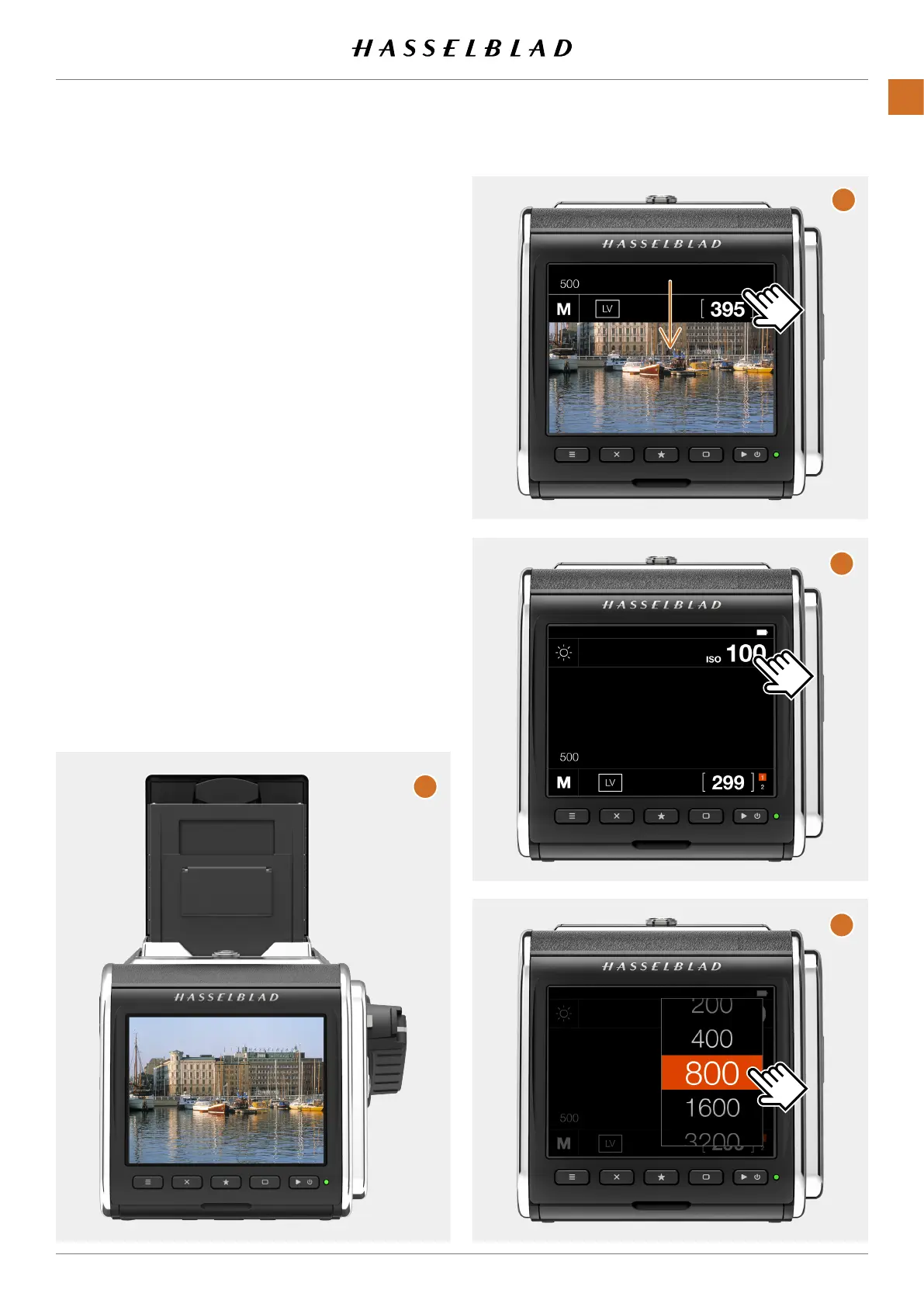
Setcorrectexposureparametersonthelensandreleasethe
camera.Withinacoupleofsecondsyouwillseetheresulton
the LCD
(A)
.
Ifnoimageisshownpleasemakesurethecorrectcamera
modelissetbyfollowingtheprocedureonpage69.
TosetadifferentISOvalue,usethefollowingsteps:
● Ifthedisplayisnotactivatedpressanyoftherear
buttons.
● Placeyourngeratthetopofthescreenandslide
downtorevealthecontrolscreen
(B)
.Youcandothis
fromanyscreen.
● TaptheISOvalueinthetoprightarea
(C)
.Scroll
throughthelistofISOvaluesbyslidingup/downand
tap the required value
(D)
toconrmthenewISOvalue
Note!
Fromthecontrolscreenyoucanalsochangewhitebalanceby
tappingthewhitebalanceiconinthetopleftcorner.
Seealsopage40.
CFV II 50C USER GUIDE www.hasselblad.com
19
QUICKSTART
CONTENTS



 To Next Page
 Loading...










