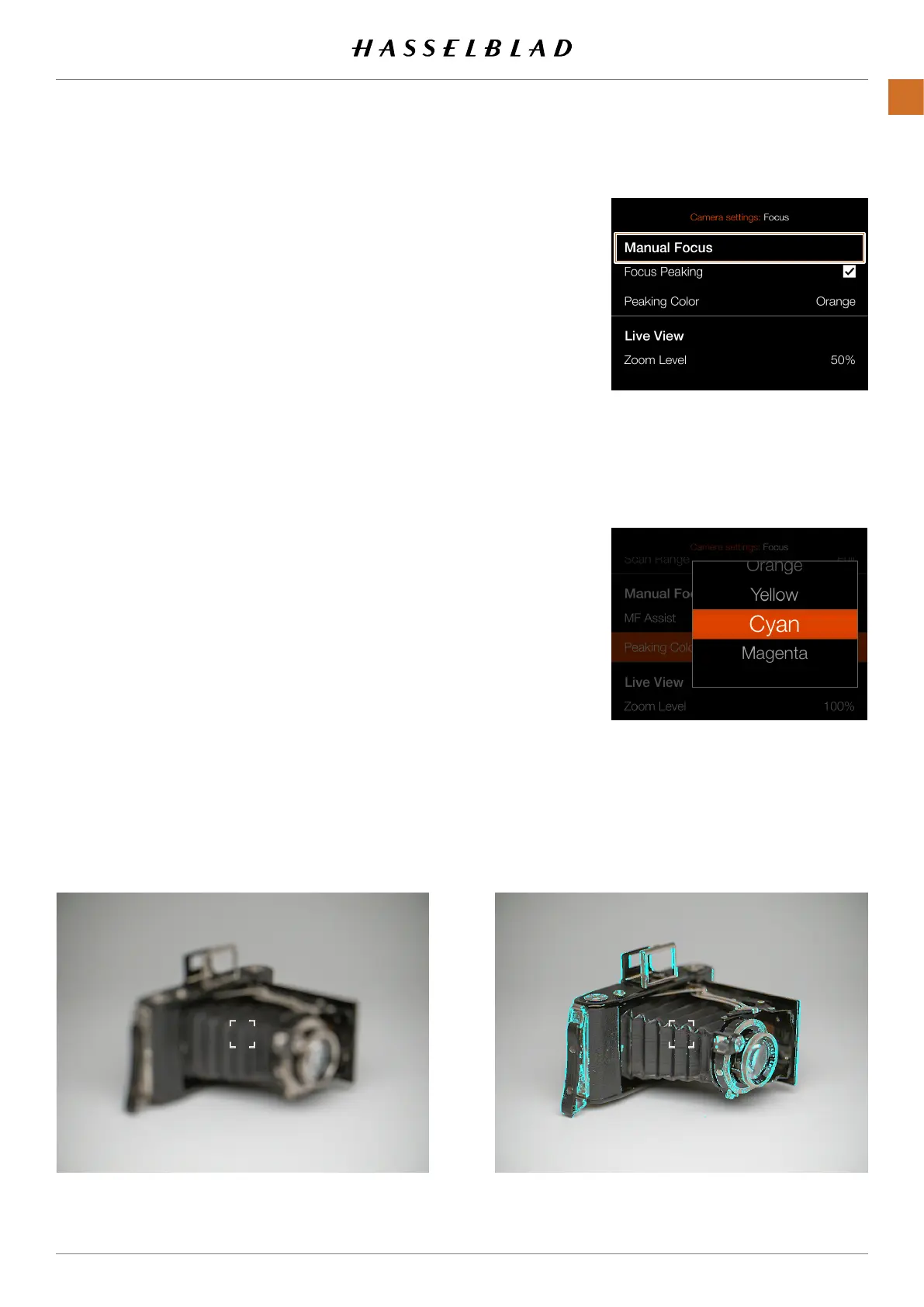
Focussettingsmenu
Peakingcolorsetting
FOCUS SETTINGS
MAINMENU>CAMERASETTINGS>FOCUS
1 Pressthecameraicononthetouchdisplay.
2 Thecamerasettingsmenuappears.
3 Pressthefocussettingsmenu.
SwiperightorpresstheMenubuttontogetbacktothemain
menu.
Manual Focus settings:
Thefocuspeakingfunctionisamanualfocustooltohelp
youidentifywhatareasofthesubjectthatareinfocus.
Focuspeakingisnotactiveinautofocusmode.
Whenthefocuspeakingisactiveandfocusisadjusted
manually,thefocusedareaofthesubject(magentainthis
case)movesindepthasyoumovethefocus.
Focus Peaking:
Select between:
● On
● Off
Peaking Color:
Select between:
● Orange
● Yellow
● Cyan
● Magenta
Subjectnotinfocuswhenfocuspeakingisactive
Focuspeakingdisplaywhensubjectpartsareinfocus
CFV II 50C USER GUIDE www.hasselblad.com
75
SETTINGS
CONTENTS



 To Next Page
 Loading...










