4.3 DISPLAY AND SCREENS
TOUCH
ThedisplayoftheCFVistouchsensitiveandyoucanuseitin
thesamewayasasmartphone.ForexampleSwipe,Tap,Pinch
andSpreadtoZoom.Youcanalsonavigatebyusingthe5
buttons.Thisisfurtherexplainedstartingatpage40.
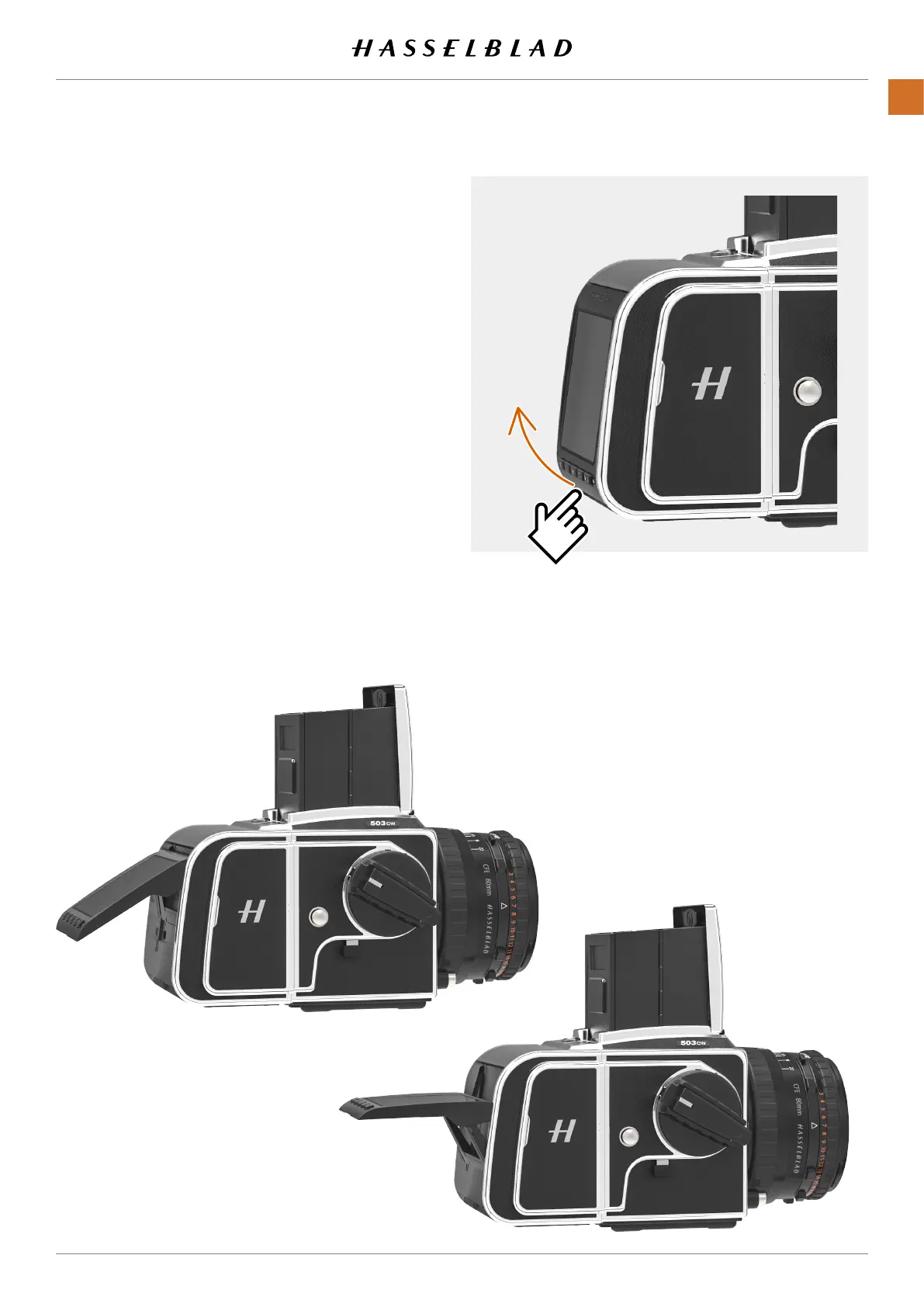
TILT DISPL AY
Thedisplaycanbetilted90degreesupforconvenient
operationinmanysituations.E.g.whenshootingfromalow
cameraangle.Totiltthedisplay,insertangerinthegroove
atthebottomofthedisplayandtiltthedisplayupwards.
Thereareclick-stopsfor45and90degrees,butanyanglein
between can be used.
Note!
Alwaysremembertofoldthescreentonormalpositionbefore
transportingthecamera.
CFV II 50C USER GUIDE www.hasselblad.com
31
PARTS&CONTROLS
CONTENTS



 To Next Page
 Loading...










