5.9 THE CFV ON AN SWC CAMERA
TheSWCsettinginthecamerabodymenu(seepage69)
includesthefollowingcameramodels:
● SWC/M
● 903SWC
● 905SWC
OlderversionsoftheSWCcamerascannotbeused.
Thebasicoperationisdescribedinthequickstartchapteron
page16.
Note!
YoucanreleasethecameraeveniftheCFVisnotreadyfora
capture.PleasemakesurethestatusLEDontheCFVisgreen
beforereleasingthecamera.
● SetcamerabodytypetoSWCasdescribedonpage
69.
START LIVE VIEW WITH A SWC CAMERA
1 SetBmodeonthelens.
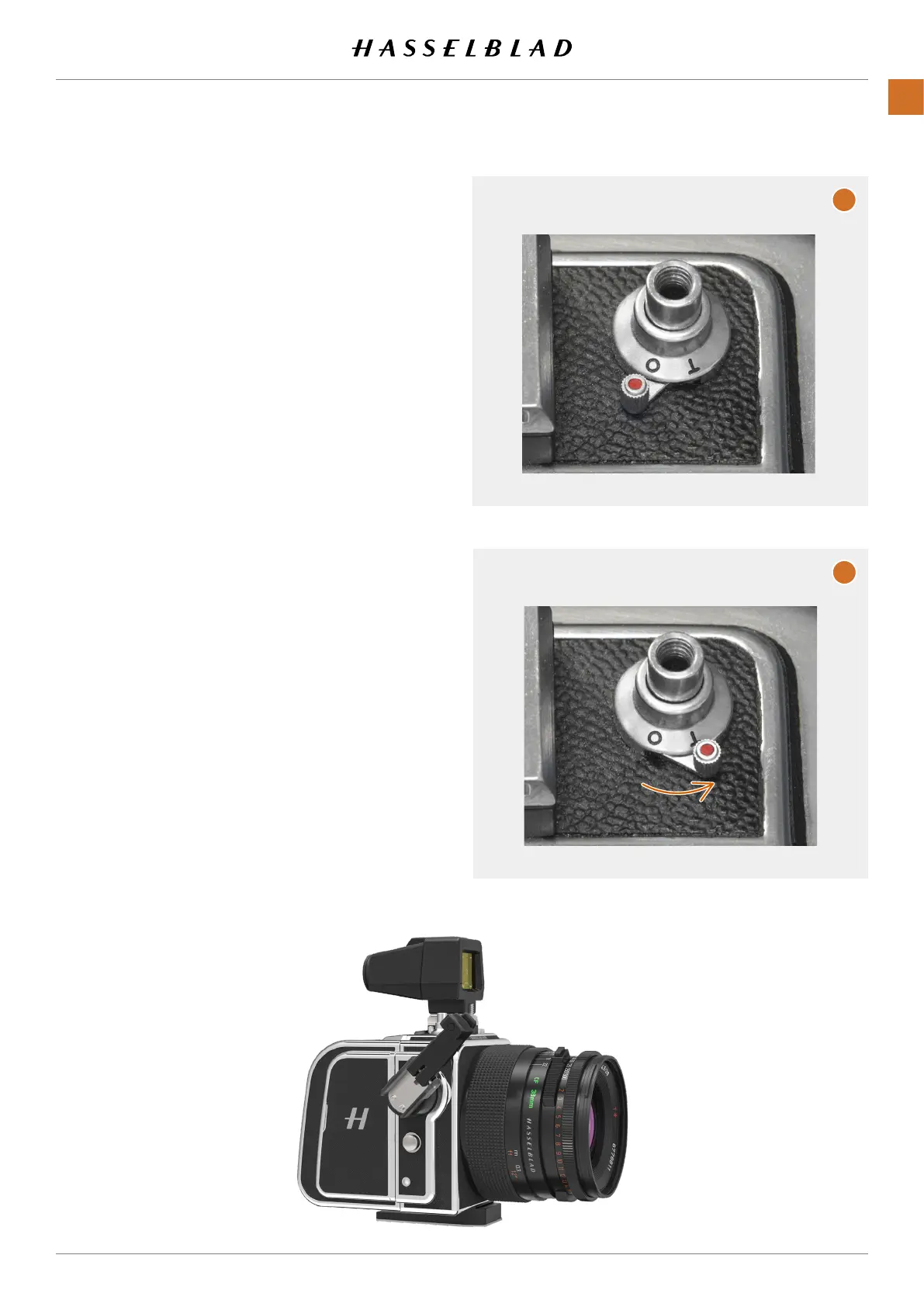
2 OntheSWCcameras,thereisasmalllever(timecatch)(A)
thatyoucanswitchfrom0toTposition(B).Thiswilllock
thereleasebuttonintheinposition.
3 Press the shutter release.
4 Activate live view.
5 PresstheMenubuttonorPlay/On-OffbuttontoendLive
View.
6 Movethetimecatchbacktothe0position.
Normalmode
Timemode.Releasebuttonwillbe
lockedinthein-position.
A
B
CFV II 50C USER GUIDE www.hasselblad.com
53
USINGTHECFV
CONTENTS



 To Next Page
 Loading...










