5.14 WORKING WITH FLASH
FlashcanbeusedwithmostcombinationsofCFVandcamera
bodyexceptfortheAny(ElectronicShutter)setting.The
followingsectionwillcoverimportantthingstoconsiderin
ordernottocausedamagetotheequipment.
Note!
Forstudiousewhereyouhaveadesktopcomputeranda
ashsystemconnectedtothemainsoutlet,itisimportant
thatboththecomputerandtheashareconnectedtomains
outletswithacommonground.
Alternativelyyoucanuseremoteashtriggertoelectrically
separatetheashfromthecameraandcomputer.
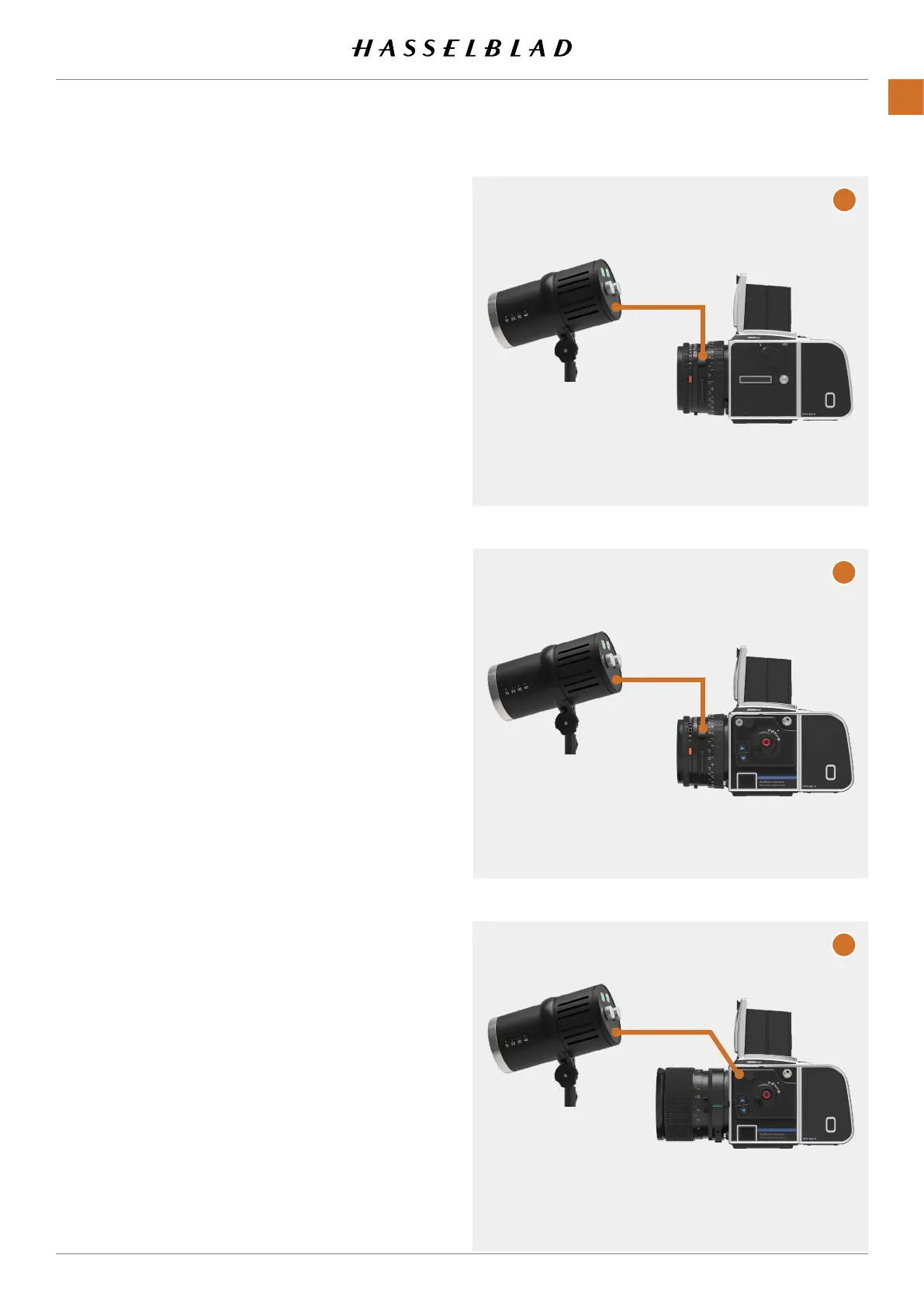
500 type cameras
Theashsynccablecanbeconnecteddirectlytothesync
socketofthelensasshownin(A).
Modied 200 cameras with a C type lens
WhenusingaCtypelensinCshuttermode,connecttheash
synccabletothesyncsocketofthelensasshownin(B).
Modied 200 cameras with a F type lens
WhenusingaFtypelensoraCtypelensinFshuttermode,
connecttheashsynccabletothesyncsocketofthecamera
bodyasshownin(C).
Note!
Flashcannotbeusedincombinationwithcamerabodytype
Any(ElectronicShutter).
Continuedonthenextpage.
B
A
C
CFV II 50C USER GUIDE www.hasselblad.com
66
USINGTHECFV
CONTENTS



 To Next Page
 Loading...










