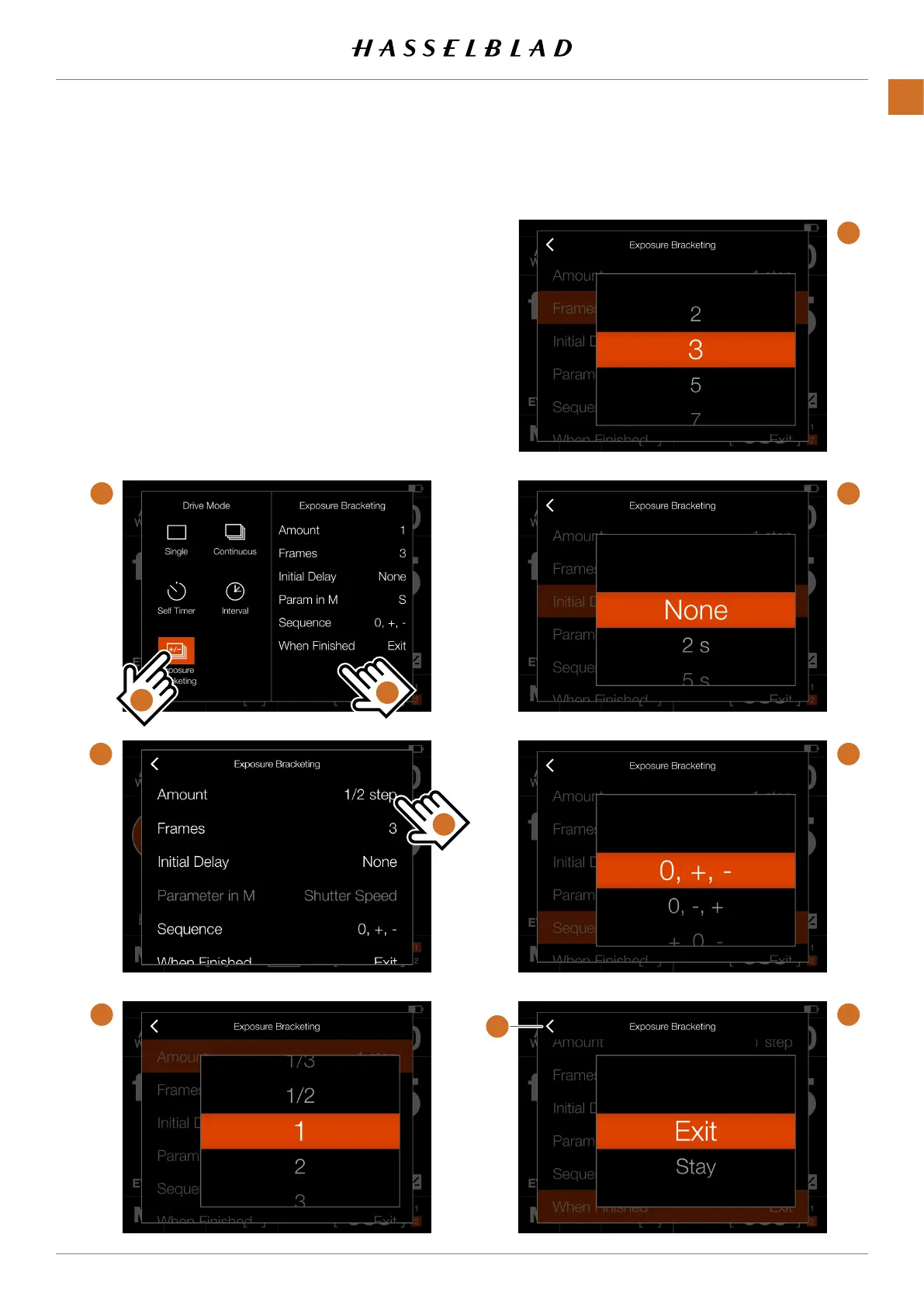
EXPOSURE BRACKETING SETTINGS
Onthecontrolscreentapthedrivemodeiconwhichbrings
upthesettingsscreen(A).Taptheexposurebracketingicon
(1).Tochangesettings,taptherightpanel(2)toshowthe
settingsmenu(B).Tochangeanyofthesettings,tapthevalue
tobringupanyofthescreens(C)to (H).
Whenthesettingshavebeenmade,taptheleftarrow(4)
toreturntothedrivemodesettingsscreen.Finally,tapthe
exposurebracketingiconagaintomakeitactive.
C
D
D
E
F
A
1
2
B
3
4
CFV II 50C USER GUIDE www.hasselblad.com
65
USINGTHECFV
CONTENTS



 To Next Page
 Loading...










