Date×ettingsmenu
DATE & TIME SETTINGS
MAINMENU>GENERALSETTINGS>DATE&TIME
1 Pressthegeneralsettingsicononthetouchdisplay.
2 Thegeneralsettingsmenuappears.
3 Pressthedate×ettingsMenu.
SwiperightorpresstheMenubuttontogetbacktothemain
menu.
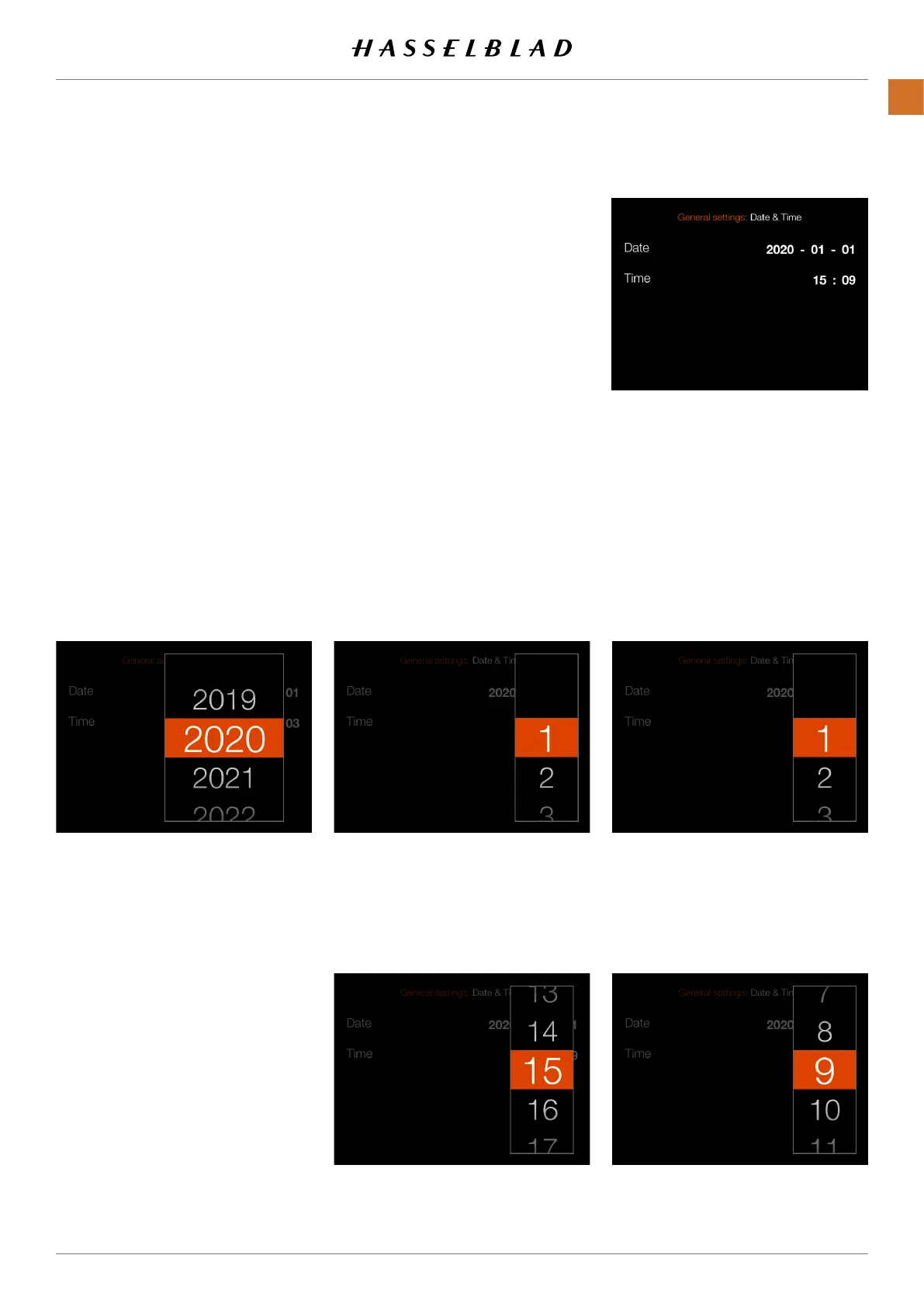
Date & Time settings:
Date
:
TapYear,Monthanddaytobringupthesetting.
Setcurrentdateasshownin(A)
Time:
TapHourandMinutetobringupthesetting.
Setcurrenttimeasshownin(B)
Yearsetting Monthsetting Daysetting
Hoursetting Minutesetting
CFV II 50C USER GUIDE www.hasselblad.com
86
SETTINGS
CONTENTS



 To Next Page
 Loading...










