5 .11 THE CFV ON AN ELD CAMERA
TheELDsettinginthecamerabodymenu(seepage69)
isforthe555ELDcameraonly.Thismodelhasdedicated
contactstotheCFVenablingthefollowingextrafeatures:
● Cable-freeremotecontrolfromPhocus
● ExposurewillbeblockediftheCFVisnotreadyto
make a capture
Thebasicoperationisdescribedinthequickstartchapteron
page16.
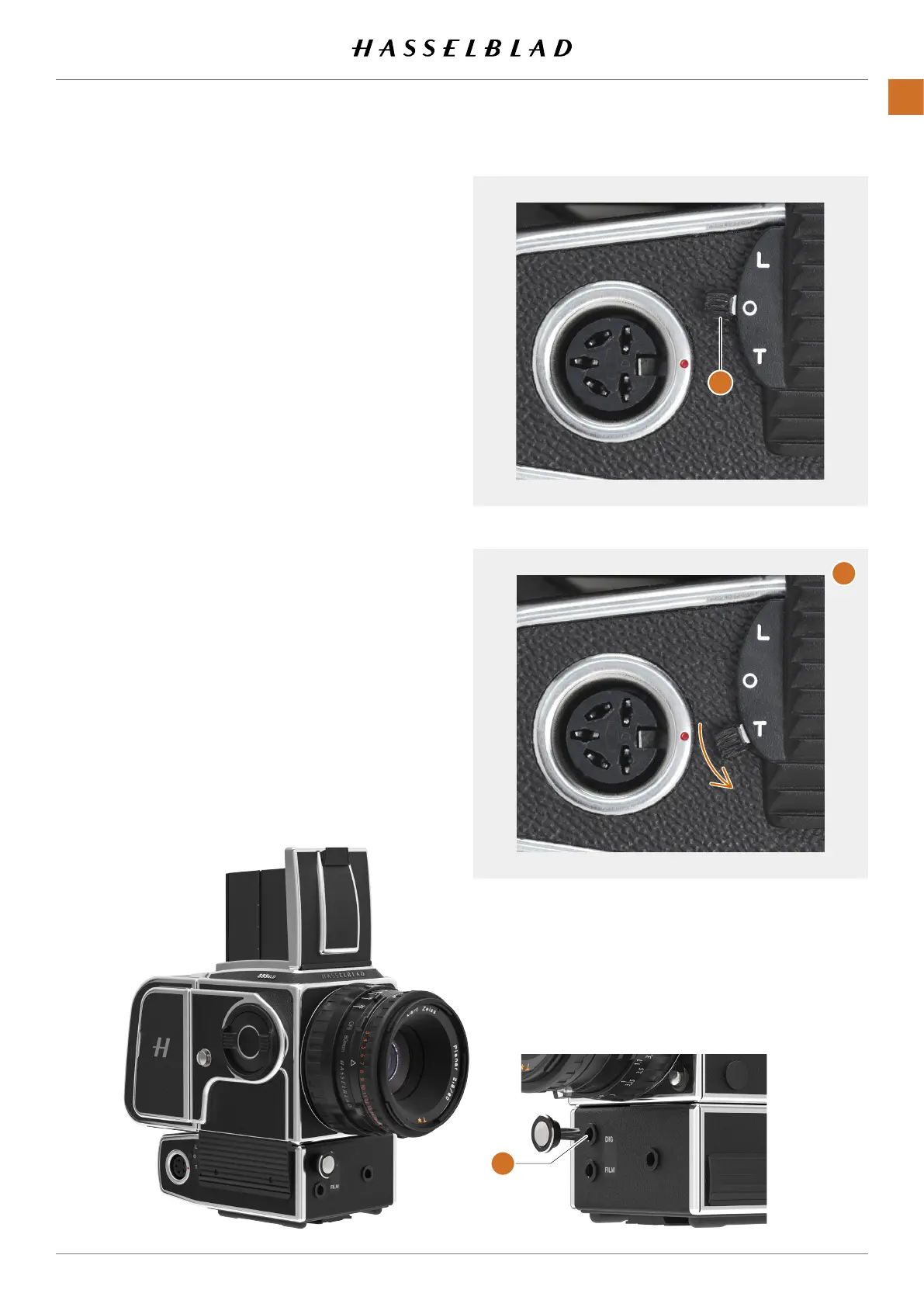
WhenusingtheCFVontheELDCamera,thereleasebutton
shallbeplacedintheDIGinput(A).ThiswillallowtheCFVto
blockexposureifitisnotreadyforacapture.
● SetcamerabodytypetoELDasdescribedonpage
69.
● MakesurethattheReleasebutton(C)isplacedinthe
DIGsocket.
START LIVE VIEW WITH A ELD CAMERA
1 SetBmodeonthelens.
2 Movethelocklever(A)from0toTposition(B). This will
lockthecameraopen.
3 Activate live view
4 PresstheMenubuttonorPlay/On-OffbuttontoendLive
View.
5 Movethelockleverbacktothe0position.
A
B
C
CFV II 50C USER GUIDE www.hasselblad.com
55
USINGTHECFV
CONTENTS



 To Next Page
 Loading...










