Focussettingsmenu
FOCUS SETTINGS
MAINMENU>CAMERASETTINGS>FOCUS
1 Pressthecameraicononthetouchdisplay.
2 Thecamerasettingsmenuappears.
3 Pressthefocussettingsmenu.
SwiperightorpresstheMenubuttontogetbacktothemain
menu.
Live View settings:
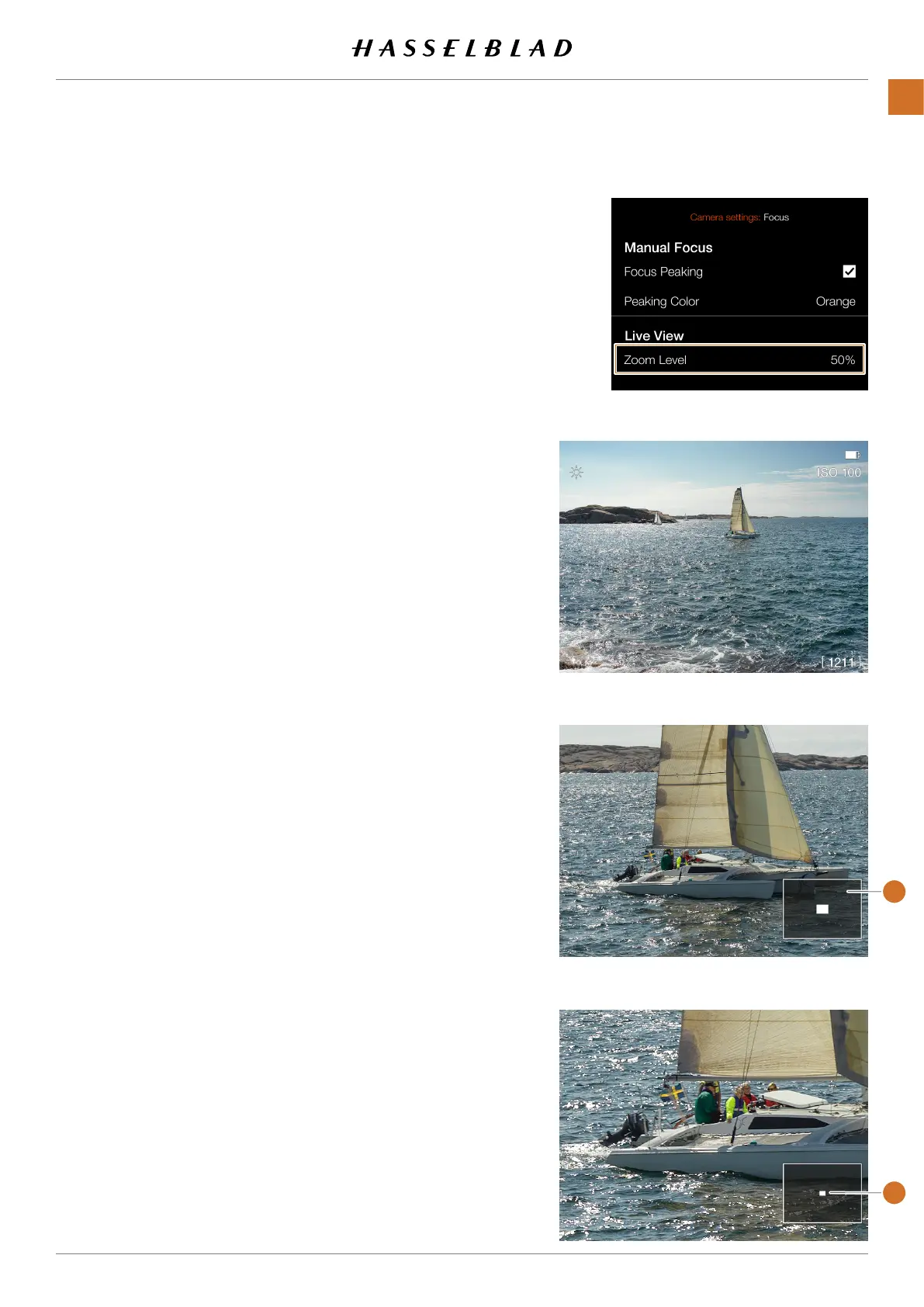
Thezoomlevelsettingcontrolsthezoom-inlevelinlive
viewandbrowsemodes.
Zoom Level:
Select between:
● 50%
● 100%
Whenzoomed-in,agreyrectangle
(1)
inshowninthelower
rightcorner.Thesmallwhiterectangle
(2)
indicates the
positionintheimageandwillmoveasyoupanintheimage.
Liveview,fullimage
Liveview,50%zoom
LiveView,100%zoom
CFV II 50C USER GUIDE www.hasselblad.com
76
SETTINGS
CONTENTS
2
1



 To Next Page
 Loading...










