C
D
BROWSING IMAGES
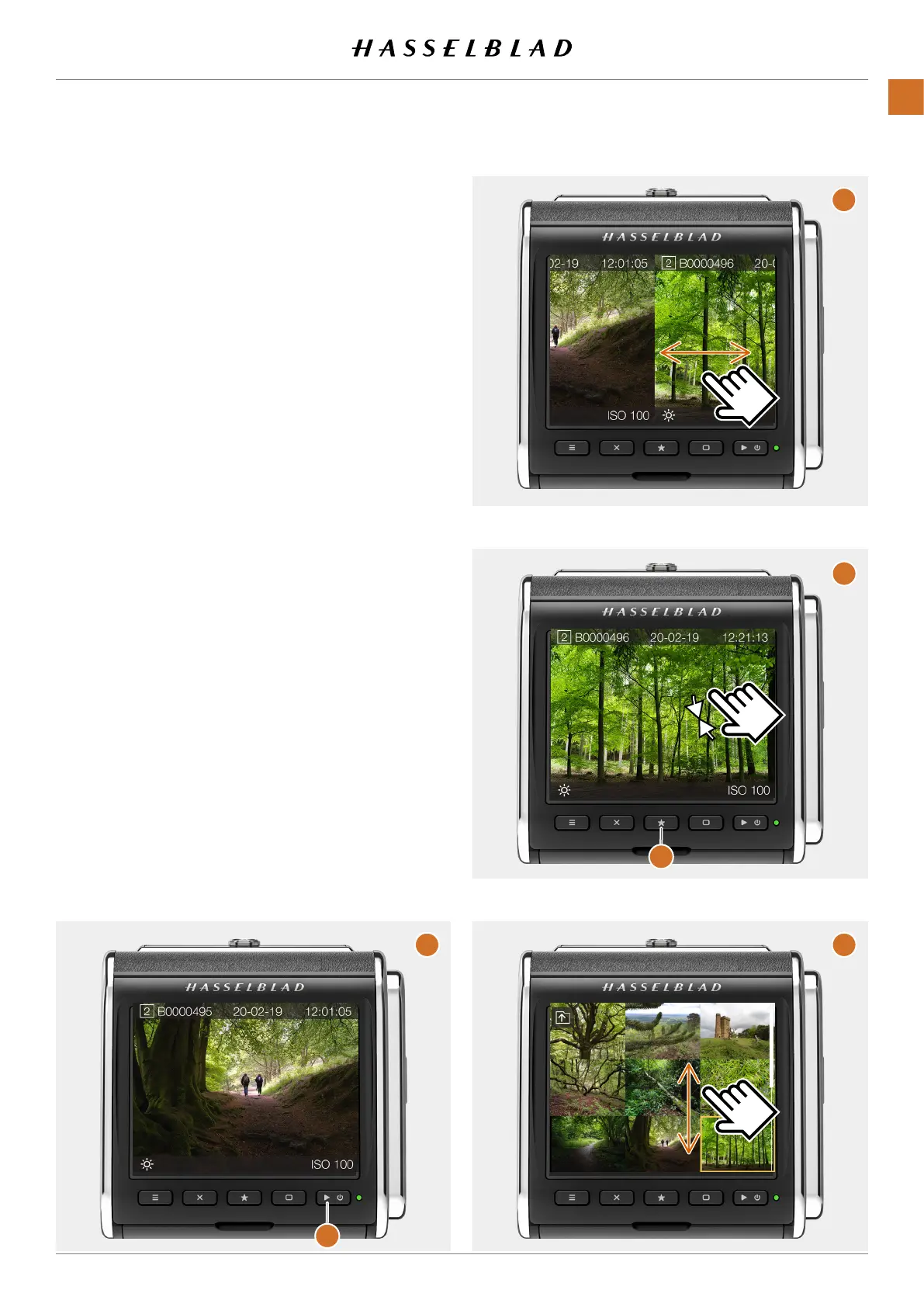
One-view
Youcanpreviewimagesontheactivememorycardby
clickingthePlay/On-Offbutton
(B)
.Thelastcapturedimage
willbeshown.Toviewotherimagesswipehorizontallyonthe
screen
(C)
.
Nine-view
Ifyoupinch-zoom
(D)
(movetwongerstogetheronthe
screen)orpresstheStarButton
(E)
,nineimageswillbeshown
atthesametime.Toviewanotherimage,justtapthesmall
thumbnail.Ifyouhavemanyimagesonthecard,youcan
swipeverticallytoviewtherest
(F)
.
A
B
E
F
CFV II 50C USER GUIDE www.hasselblad.com
37
PARTS&CONTROLS
CONTENTS



 To Next Page
 Loading...










