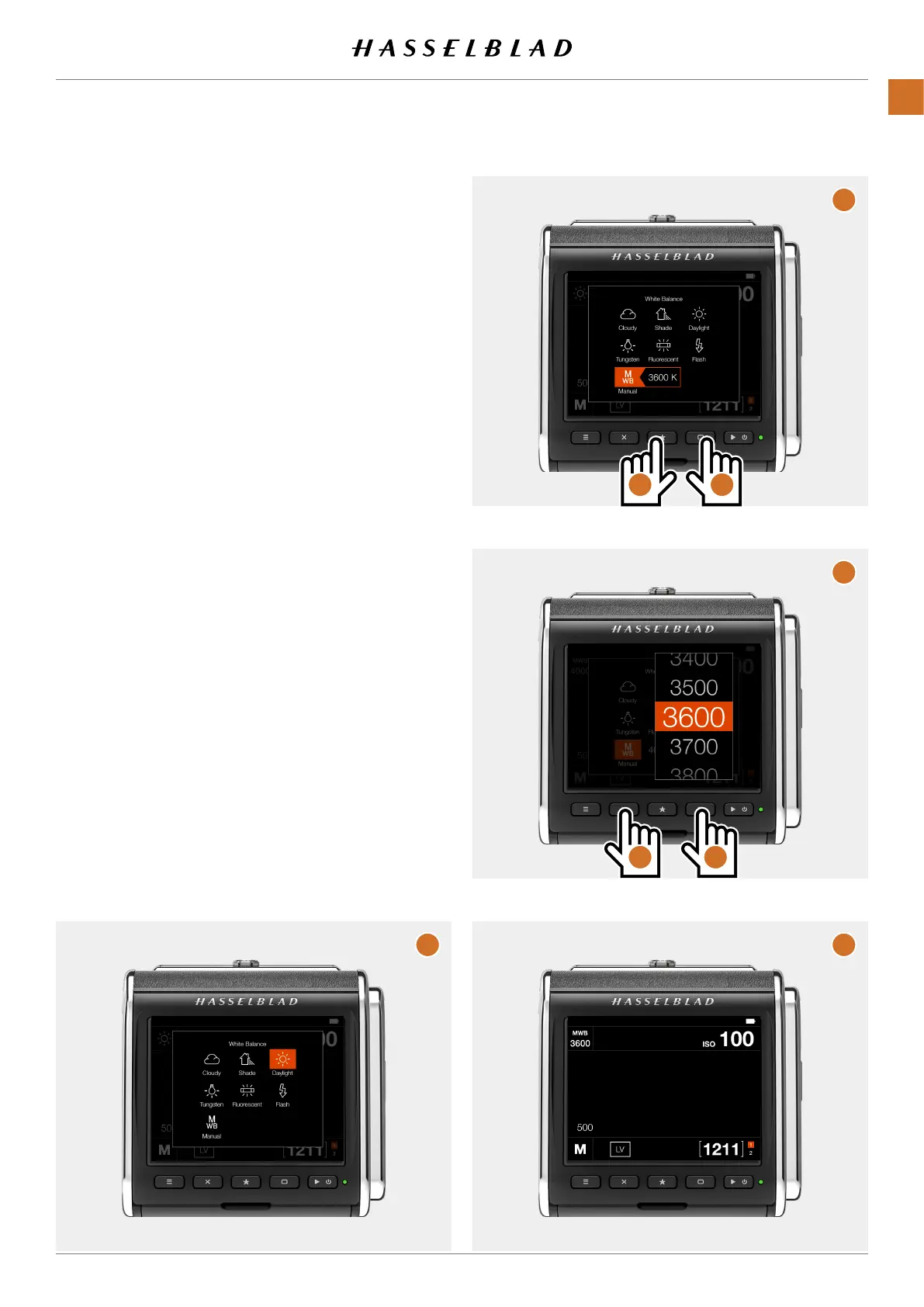
Set manual white balance using buttons:
ShowtheWBsettingscreenasdescribedonpage42 (A).
PresstheRectanglebutton(C)untilbothMWBandthevalue
are selected (B).
PresstheStarbutton(D)toshowthesettingslist(E).
UsetheCrossbutton(F)andtheRectanglebutton(G)to
select a new value.
PresstheStarbuttontostorethenewvalue.Thiswillreturnto
a screen like (B) but with the new value.
PresstheMenubuttontoexitthesetting.Thenewvalueis
shownintheupperleftpartofthescreen(H).
B
E
F G
D C
H
A
CFV II 50C USER GUIDE www.hasselblad.com
45
USINGTHECFV
CONTENTS



 To Next Page
 Loading...










