MANUAL WHITE BALANCE
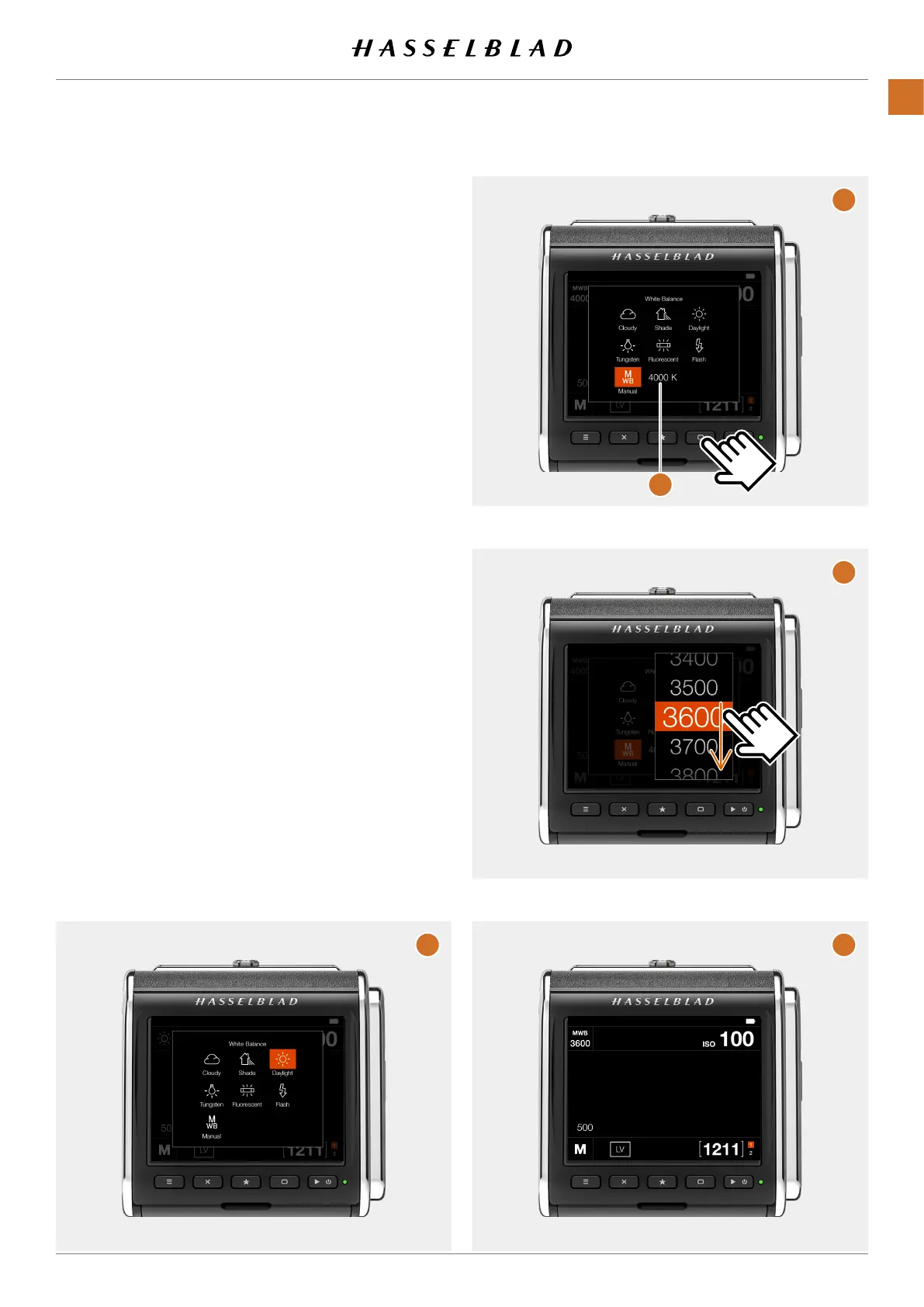
Manualwhitebalance(MWB)canbesetinKelvinfromthe
whitebalancesettingscreen.Youcanusebothtouchand
buttonstoselectanewvalue.
Set MWB using touch:
ShowtheWBsettingscreenasdescribedonpage42 (A)
TapMWBtoselect.
Thevalue(4000K)(B)showsthecurrentlysetmanualwhite
balance.Tochange,tapthevalue.Alistofvalueswith100°K
incrementisshown(C).
Swipethelistuntilyouseethedesiredvalueandtapitto
conrm.
A
A
C
B
D
CFV II 50C USER GUIDE www.hasselblad.com
44
USINGTHECFV
CONTENTS



 To Next Page
 Loading...










