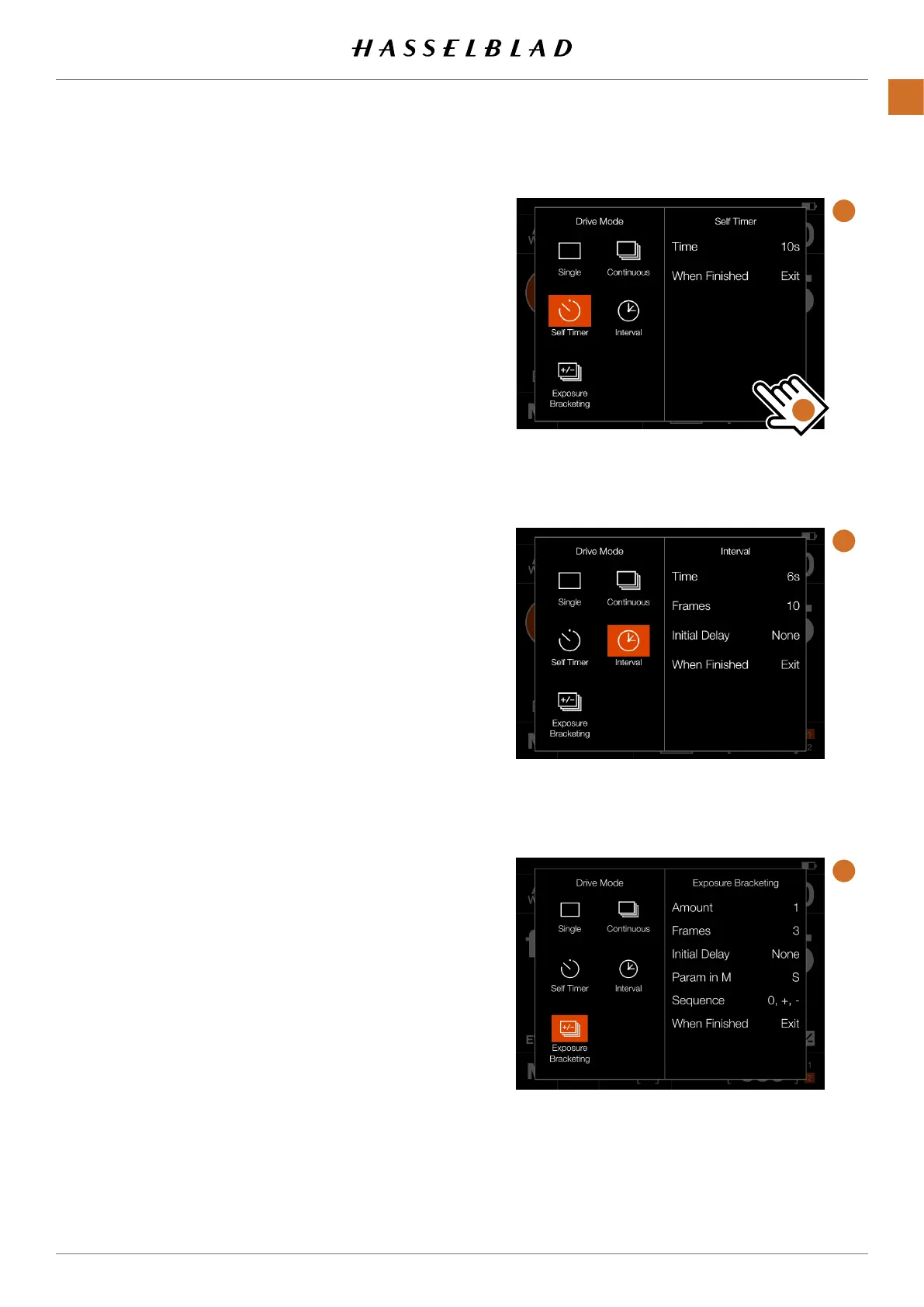
● Self Timer (A)
Thecamerawillwaitapre-settimetomakethe
exposureaftertheShutterreleasebuttonispressed.
Time:Delaybetweenshutterreleaseandexposure.
When Finished:Determinesifthefunctionshallbe
activeafteracompletedcycleornot.IfsettoExit, the
SelfTimerisdisabledaftertheexposure.
● Interval (B)
Thecamerawillmakeapre-determinednumberof
exposureswithapre-setintervaltime.
Time:Thetimebetweenexposures.
Frames:Howmanyexposureswillbemade.
Initial Delay:Delaybetweenshutterreleaseandrst
exposure.
● Exposure bracketing (C)
Thecamerawillautomaticallymakeapre-determined
numberofexposureswithapre-setadjustmenttothe
shutterspeedbetweeneachframe.
Amount:Howmuchexposuredifferencebetween
eachexposure.
Frames:Thenumberofexposuresinthesequence.
Initial Delay: A delay between shutter release and the
rstexposure.
Initial Delay:Delaybetweenshutterreleaseandrst
exposure.
Param in M:Thisfunctionisonlyavailablewhenusing
the907Xcamerabody.
Sequence:Determineswhichorderexposureadjust-
ment is added.
When Finished:Determinesifthefunctionshallbe
activeafteracompletedcycleornot.
ForSelf Timer, Interval and Exposure bracketingtheleft
partofthepaneldisplaysthecurrentsetting.Ifnochanges
arerequired,tapthefunctioniconagaintomakeitactive.
Tochangeanyoftheparameters,taptherightpartofthe
screen (D).Thiswillbringupthededicatedsettingsforthe
function.Seedetailsonthefollowingpages.
SelfTimer
ExposureBracketing
Interval
A
B
C
D
CFV II 50C USER GUIDE www.hasselblad.com
61
USINGTHECFV
CONTENTS



 To Next Page
 Loading...










