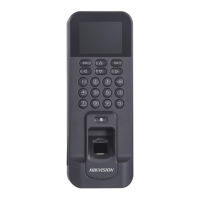
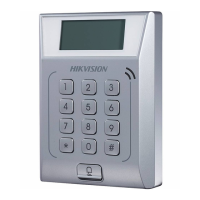
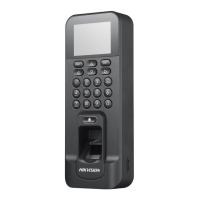
Chapter 2 Features
• Physical doorbell
buon design, supports connecng external doorbell
• Integrated management of access control and the
aendance
• 2.4-inch LCD screen to display the
me, the date and swiping/ngerprint authencaon results
• Transmission modes of wired network (TCP/IP) and wireless network
• Max. 3000 users, Max. 3000
ngerprints, Max. 100,000 event records, and Max. 150,000
aendance records
• Dierent authencaon types can be congured according to dierent situaons
• Stand-alone operaon: locally adds person, card and ngerprint informaon
• Exports the swiping card data and the aendance report to the USB ash drive
• Up to 32 normal shis, up to 32 man-hour shis, and up to 32 aendance holiday schedules can
be
congured
• Generates the aendance report automacally
• Terminal authencaon and user authencaon
• EM card reading (For DS-K1T804BEF)
• Mifare card reading, including card No. reading (For DS-K1T804BMF)
• Tampering
detecon, unlocking overme alarm, invalid card swiping over mes alarm, duress
card alarm, and so on
• Supports
mulple languages: English, Vietnamese, Brazilian Portuguese, Spanish, French, Italian,
Arabic, and Thai
• Accurate data and
me display provided by built-in electronic clock
• Check the device running status via the Watchdog. When excepon status occurs, the system
will reboot automacally
• Data can be permanently saved aer power-o
• Remotely control via the client soware
• Supports the third party arming
• Supports transming data via ISUP to realize the whole network transming
• Operates via Hik-Connect mobile client
• NFC tag an-cloning
DS-K1T804B Series Fingerprint Access Control Terminal User Manual
2


 To Next Page
 Loading...