114
1
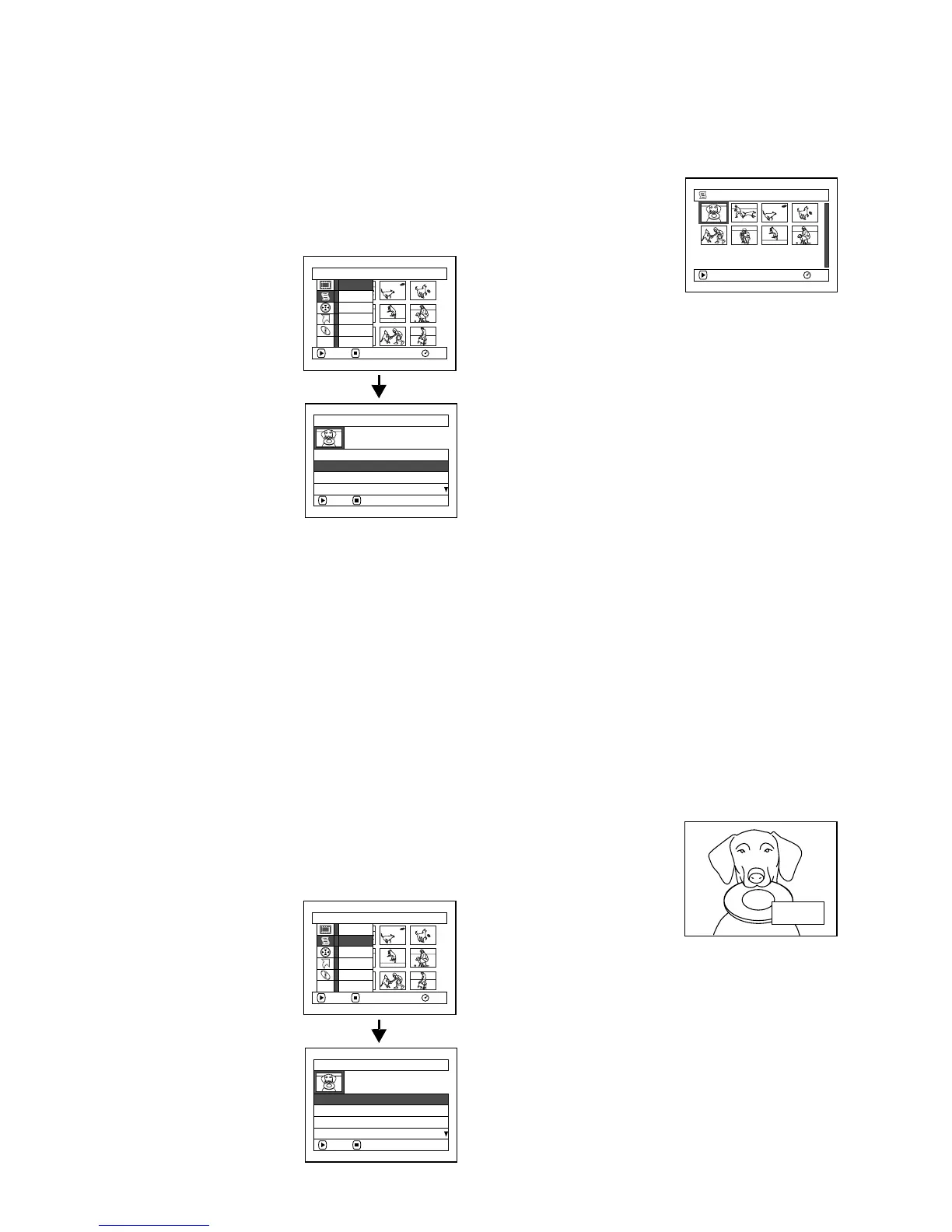
SWITCHING TO DISPLAY OF EACH PLAY LIST (SWITCH)
Select the desired one of multiple play lists: The Disc Navigation screen of the selected play list will
appear.
1 Press the DISC NAVIGATION button.
2 Press the MENU button.
3 Use the f/e/d/
c/A buttons to
choose “Switch” on the
“PlayList” menu
screen, and then press
the A button.
4 Use the “Switch
Playlist” screen to select
the play list you wish to
display, and then press
the A button.
The Disc Navigation
screen of the selected play list will be
displayed.
Note:
To display the Disc Navigation screen showing all
programmes (all recorded scenes), choose “All
Programs” on the “Switch PlayList” screen.
●Editing on play list
When making settings on play list, such as
changing title, setting skip, adding fade, etc., use
the same procedure for setting on programme or
scenes. Perform these settings, referring to the
following reference pages:
1
PLAYING BACK A PLAY LIST (PLAY)
1 Press the DISC NAVIGATION button.
2 Press the MENU button.
3 Use the f/e/d/
c/A buttons to
choose “Play” on the
“PlayList” menu screen,
and then press the A
button.
4 Use the “Start Playlist”
screen to select the play
list to be played back,
and then press the A
button.
The selected play list
will be played back from the first scene. To
cancel playback midway, press the C button:
The Disc navigation screen of the play list
being played back will appear.
Note:
If “Repeat Play:On” is specified, the play list will be
repeatedly played back (see page 125).
Switch PlayList
A l l Pr ogr a
m
s
ENTER RETURN
01 30/ 8/2006 12:30
02 10/ 9/ 2006 8: 00
03 12/ 9/ 2006 9: 30
PlayList
RAM
ENTER RETURN
Create
Ed i t
Sw i t c h
Play
Ti tle
Delete
ETC
001/ 008
PLAY
RAM
01 30/ 8 / 2006 1 2: . .
Deleting scene, p. 99
Changing thumbnail, p. 105
Setting skip, p. 104
Adding fade, p. 103
Combining scenes, p. 102
Dividing a scene, p. 101
Copying to card, p. 106
Changing title, p. 111, 119
Arranging order of scenes
(only on play list)
p. 118
Start PlayList
ENTER RETURN
01 30/ 8/2006 12:30
02 10/ 9/ 2006 8: 00
03 12/ 9/ 2006 9: 30
04 20/ 9/ 2006 15 :15
PlayList
RAM
ENTER RETURN
Create
Ed i t
Sw i t c h
Play
Ti tle
Delete
ETC
12: 30
30 / 8/ 2006









 To Next Page