83
12
SETTING TO WIDE TV SCREEN MODE (16:9 MODE)
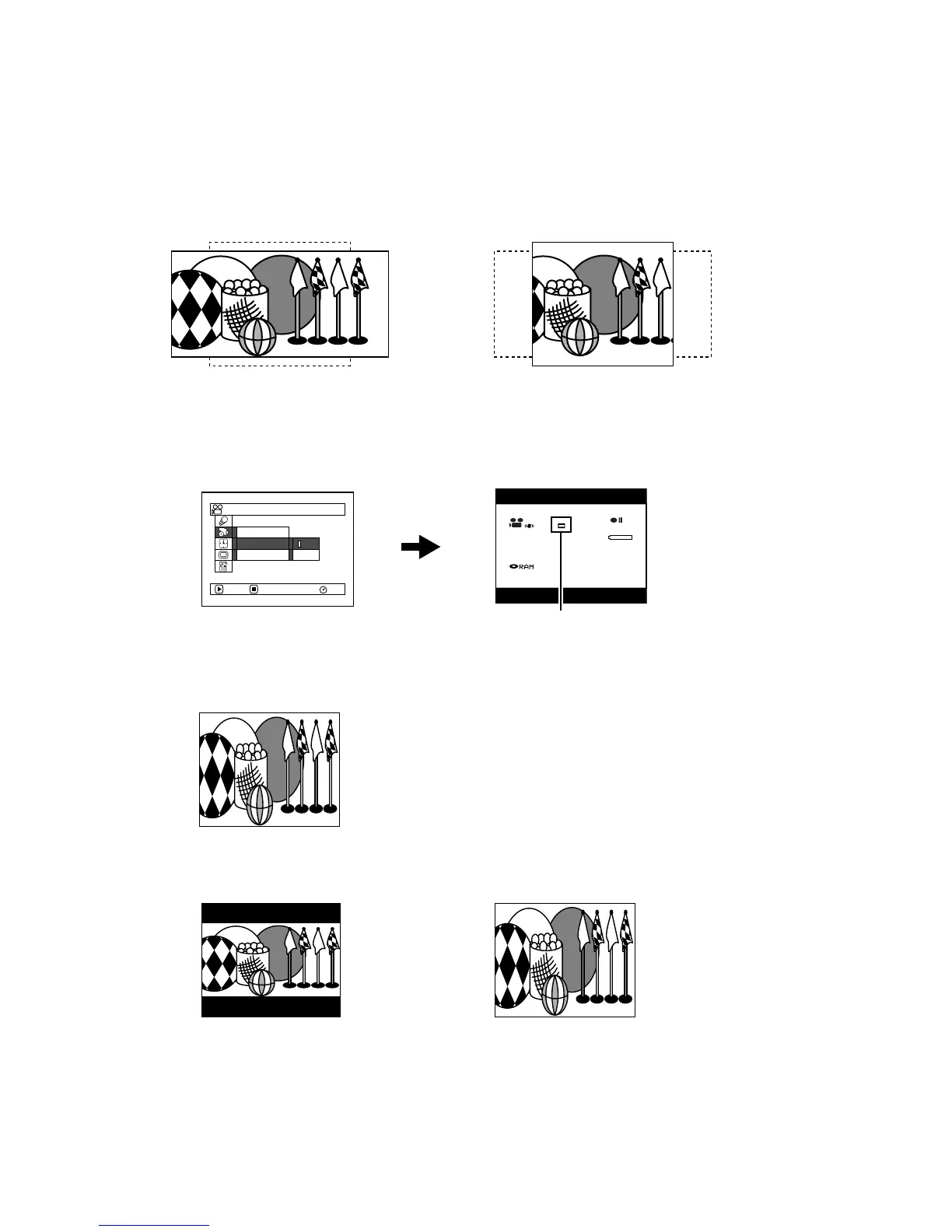
When viewing recorded images later on a wide-screen TV (aspect ratio 16:9), specify wide-screen
(16:9) mode “On”: You can also record images with the aspect ratio changed (the aspect ratio with
“Off” is 4:3).
1 Press the MENU button, choose “16:9” on the
“Record Functions Setup” menu screen, and
then press the A button.
2 Choose “On”, and then press the A button.
3 Press the MENU button to end the setting.
When viewing playback on an ordinary TV screen later, specify “16:9 Off”: Recording with “16:9 On”
specified will be played back on an ordinary TV with longer vertical direction of image.
An image recorded with “16:9 On” specified will appear as follows:
“16:9 Off” specified
(aspect ratio 4:3)
“16:9 On” specified
(aspect ratio 16:9)
3 0 MIN
0:00:00
REM
FINE
8:00
30/ 9/2006
RAM
ENTER RETURN
On
Of f
OSD Ou t p u t
Record Funct i ons Setup
V I DEO Mode
16:9
16:9 mode icon
Display on LCD monitor screen Display in viewfinder













 To Next Page