116
1
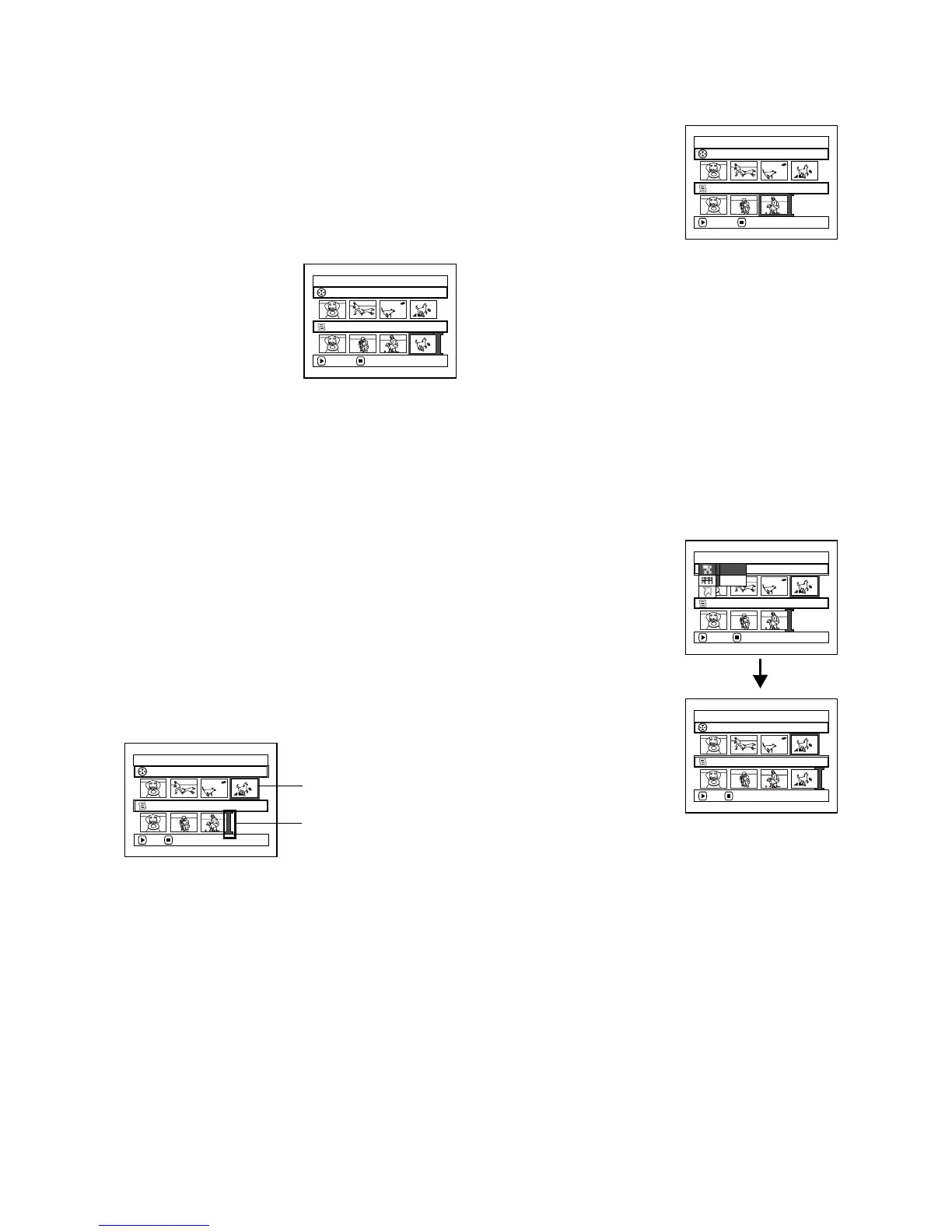
DELETING SCENES FROM PLAY LIST (EDITING PLAY LIST)
1 Press the DISC NAVIGATION button.
2 Display the editing screen of the play list to
be edited.
Perform steps 2 – 4 on page 115.
3 Move the cursor to the
play list in lower row,
and place the cursor on
the scene to be deleted.
4 Press the A button.
Repeat steps 3 and 4 to
delete other scenes.
5 Press the C button: The
screen for verifying exit
will appear.
Note:
• You can also select multiple scenes (p. 95).
1
ADDING SCENES USING SUBMENU FOR EDITING (EDITING PLAY LIST)
You can use the menu screen to add scenes to a play list.
1 Press the DISC NAVIGATION button.
2 Display the editing screen of the play list to
be edited.
Perform steps 2 – 4 on page 115.
3 From the play list in lower row, select the
position where you wish to insert a scene.
4 Select the scenes to be added from the upper
row.
5 Press the MENU button.
6 Choose “Add”, and
then press the A
button.
Repeat steps 3 – 6 to
add other scenes.
7 Press the C button: The
screen for verifying exit
will appear.
Note:
• The selected scenes will be added in the insertion
position.
• You can also select multiple scenes (p. 95).
Edit PlayList
PlayList No.02
Al l Progra
ms
004/014
008/008
EX ITDELETE
Edit PlayList
PlayList No.02
Al l Progra
ms
004/014
007/007
EX ITDELETE
Edit PlayList
PlayList No.03
Al l Progra
ms
004/014
007/007
ADD EX I T
Scene to be added
Insertion position
Ed i t
Al l Progra
ms
ENTER RETURN
007/007PlayList No.03
004/014
Ex i t
Add
Edit PlayList
PlayList No.03
Al l Progra
ms
004/014
008/008
ADD EX I T













 To Next Page