52
123
Zooming
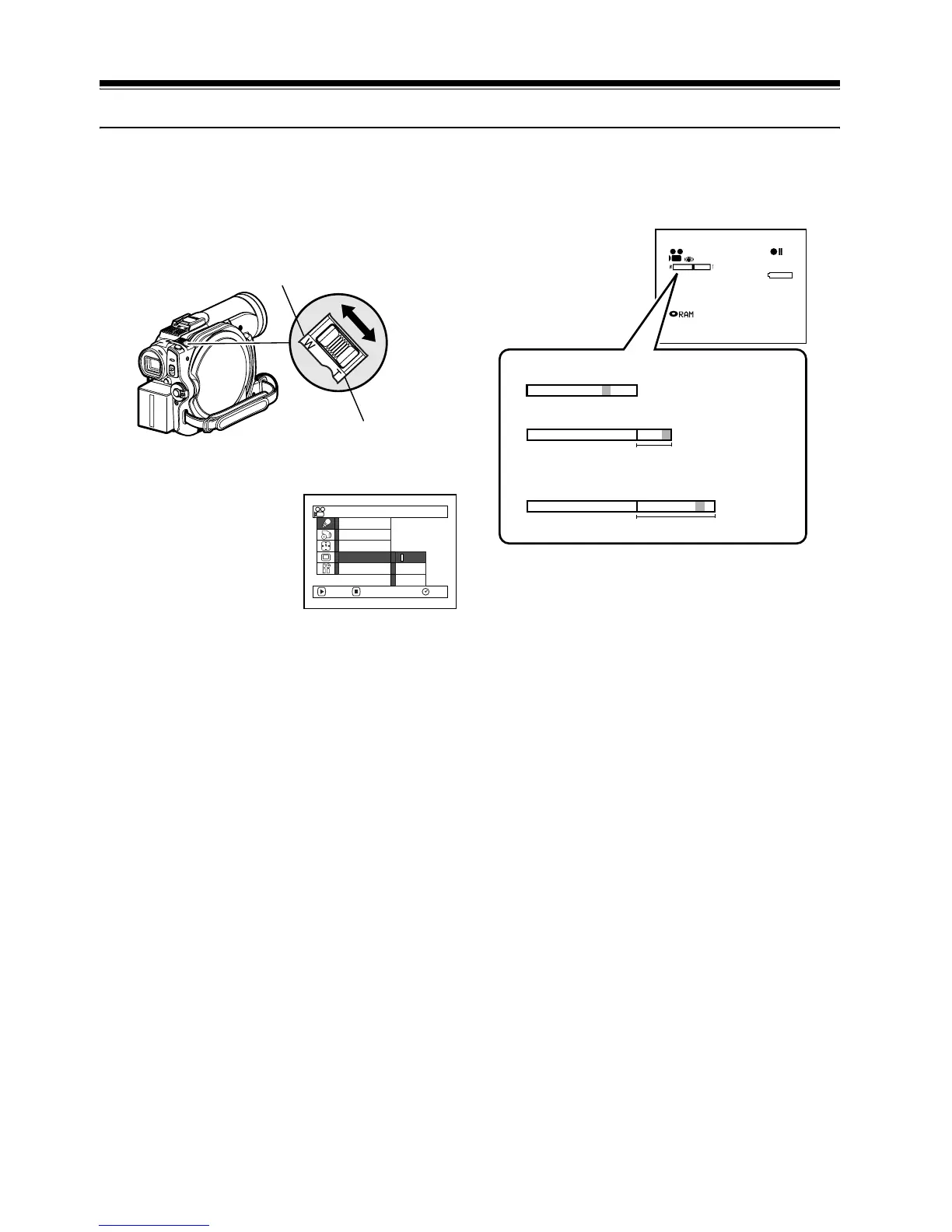
If you continue to hold the zoom lever on the
“T” control side with Dig. Zoom 40× or 240×
specified, the digital zoom will be activated
midway (when optical 16-power is exceeded).
You can zoom up to 240-power.
1 Press the MENU
button, choose “Dig.
Zoom” on the “Camera
Functions Setup” menu
screen, and then press
the A button.
2 Choose the desired magnification, and then
press the A button.
3 Press the MENU button to end the setting.
Moving the zoom lever will display the
digital zoom bar.
Note:
• The digital zoom setting will be stored in memory
even if the DVD video camera/recorder is turned off.
• If you set zoom to “240×” when recording photo, the
digital zoom will be up to 40×.
• When a subject is zoomed, it may be momentarily out
of focus.
• When digital zoom is engaged, the image quality will
be rougher.
W: recording wide area
(wide-angle)
T: recording enlarged
image (telephoto)
Progra
m
AE
W
hi te Bal.
Dig. Z
oom
EIS
40x
240x
ENTER RETURN
RAM
Of f
MIC.Fi l ter
Ca
m
era Funct i ons Setup
3 0 MIN
0:00:00
REM
FINE
W
W
W
T
When Dig. Zoom is “Off”
When Dig. Zoom is “On” (40x)
When Dig. Zoom is “On” (240x)
(only in movie recording)
8:00
30/ 9/2006
T
T
Digital zoom range
Digital zoom range













 To Next Page