19
12
Try Recording and Playing Back using Disc
(Video and Photo)
You can record both videos and photos on DVD-RAM disc; only videos on DVD-R disc.
Before You Begin
• It is recommended that you use a DVD-RAM disc for trial recording,
since you can delete the recorded contents (p. 23).
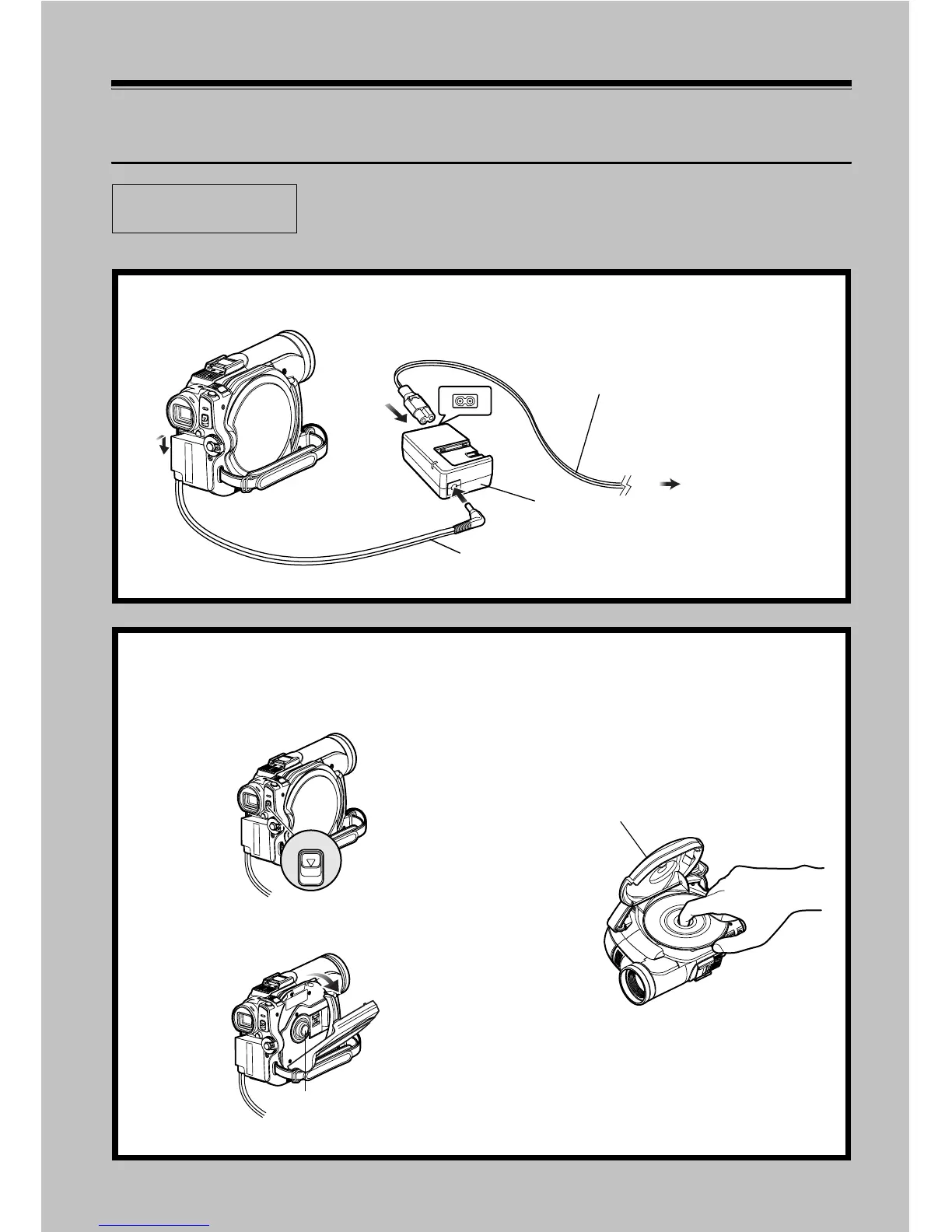
1 Connect a power supply (p. 39).
1
3
2
4
Mains lead
AC adapter/charger
DC power cord
To AC outlet
2 Insert a disc (p. 41).
1 Press down the DISC EJECT button once
and release it.
2 Gently open the cover until it stops.
3 Push the disc against the turntable at the
centre of disc insertion block to lock it
until a click is heard, and then close the
cover of disc insertion block: Do not touch
the disc recording surface or pickup lens
at this time.
DISC EJECT
Tur nt able
Disc cover













 To Next Page