21
3
Try Recording and Playing Back using Card
(Photo)
Photos can only be recorded on card sold separately.
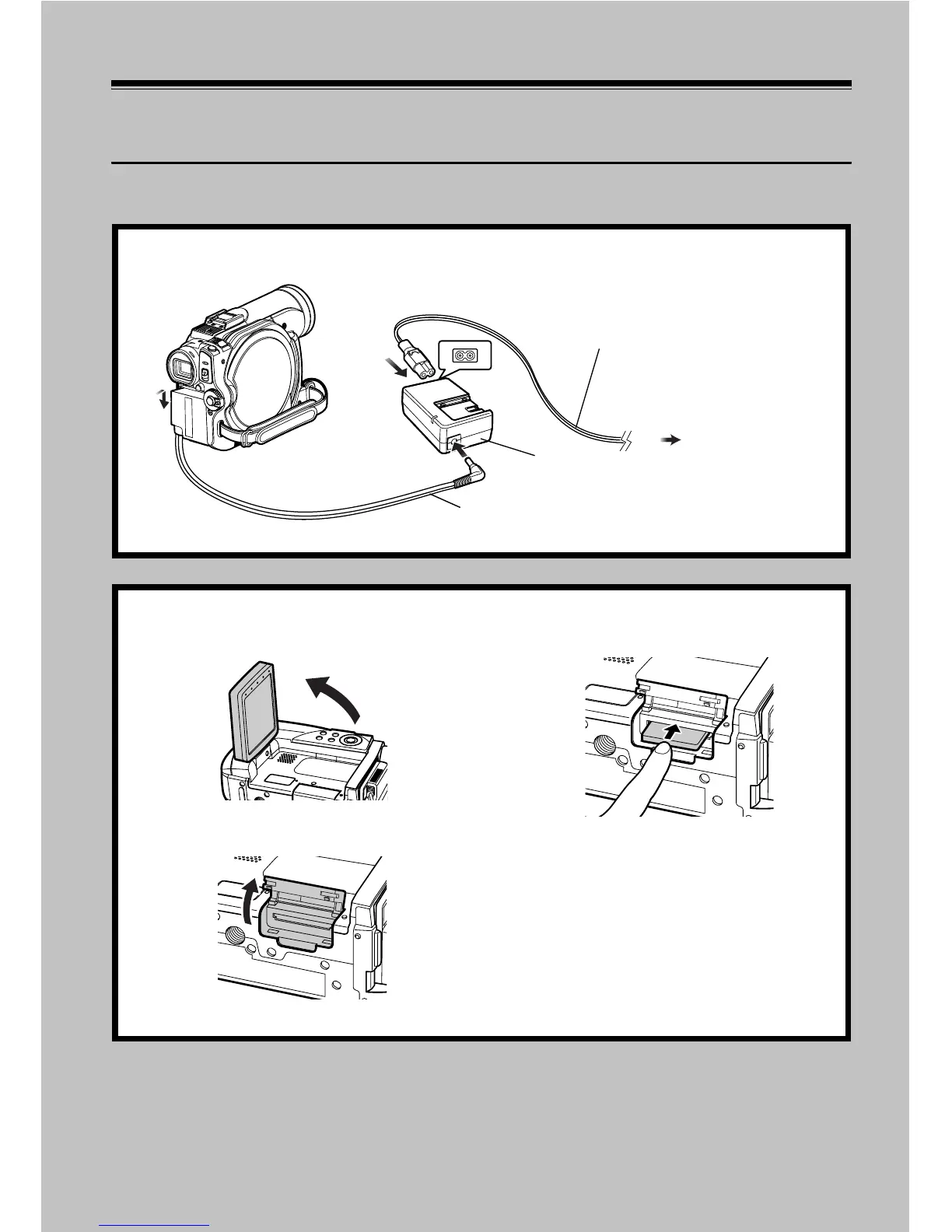
1 Connect a power supply (p. 39).
1
3
2
4
Mains lead
AC adapter/charger
DC power cord
To AC outlet
2 Insert a card (p. 44).
1 Open the LCD monitor (p. 31).
2 Open the cover of card insertion block
with power turned off.
3 Put in a card.
4 Insert the card all the way until it locks,
and then close the cover of card insertion
block.








 To Next Page