45
Basic Techniques
This section explains about recording of movies and still images, and also basic settings on
DVD video camera/recorder.
12
Recording Movie
1
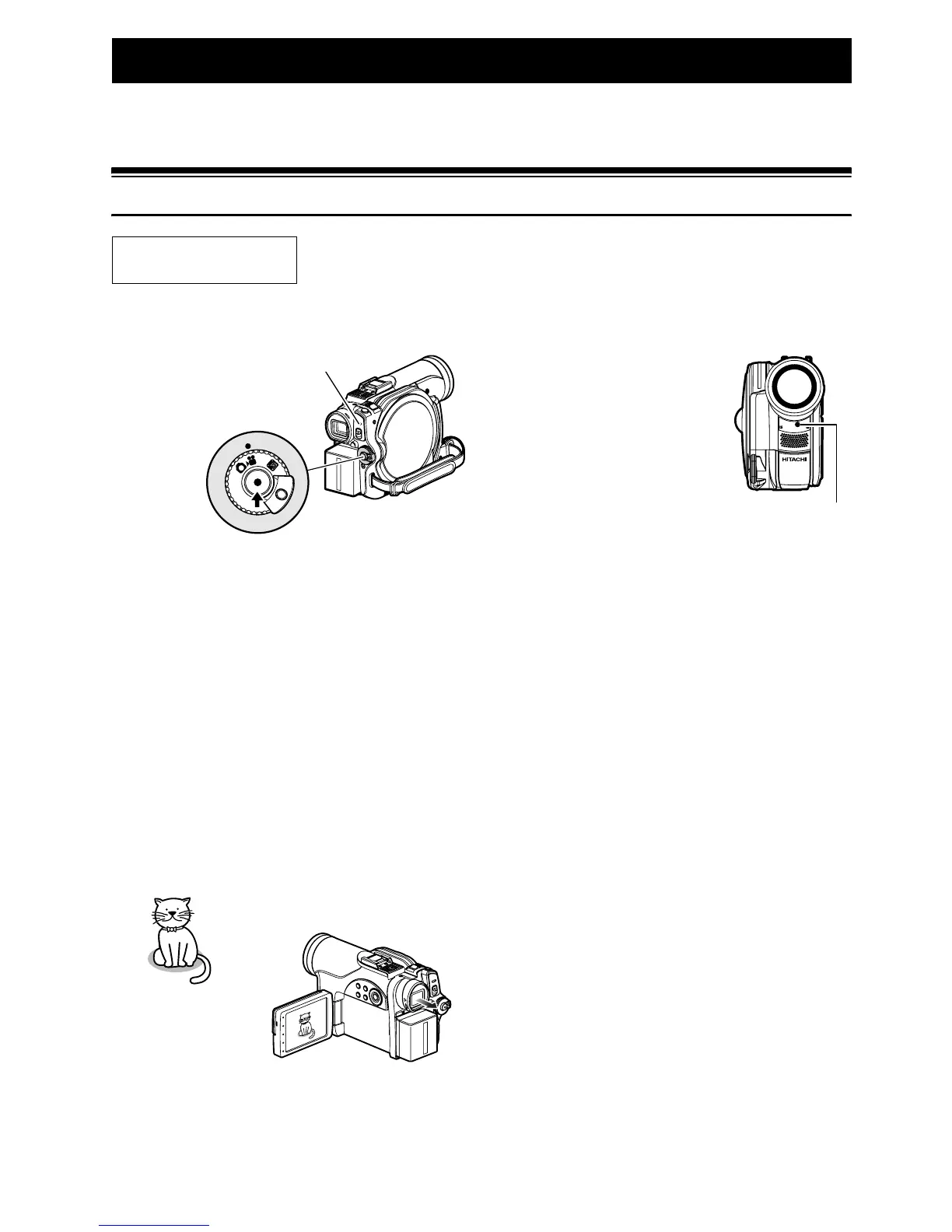
Remove the lens cap, and then point the DVD
video camera/recorder at subject.
2 Turn the DVD camera/recorder on.
Set the power switch to “O” to turn the DVD
video camera/recorder on.
After the ACCESS indicator goes out,
perform the subsequent operation:
3 Check the subject on the screen (viewfinder
or LCD).
When using the viewfinder, close the LCD
monitor before pulling out the viewfinder.
4 Press the REC button.
The “m” mark in the
viewfinder or on the LCD
screen will change to the
“n” mark, and recording
will start.
During recording, the
recording indicator on the
front of DVD video camera/
recorder will light.
Pressing REC again during
recording will set the DVD
video camera/recorder to
the recording pause status.
5 When recording is finished, turn the DVD
video camera/recorder off.
Before You Begin
• Insert a recordable DVD-RAM or DVD-R disc into this DVD video camera/
recorder.
OFF
Pressing REC
once will start
recording;
pressing it once
again will
temporarily stop
recording.
ACCESS indicator
Recording
indicator













 To Next Page