29
Setups
This section explains preparations for recording – setting up the DVD video camera/recorder
and battery.
Setting Up the DVD Video Camera/Recorder
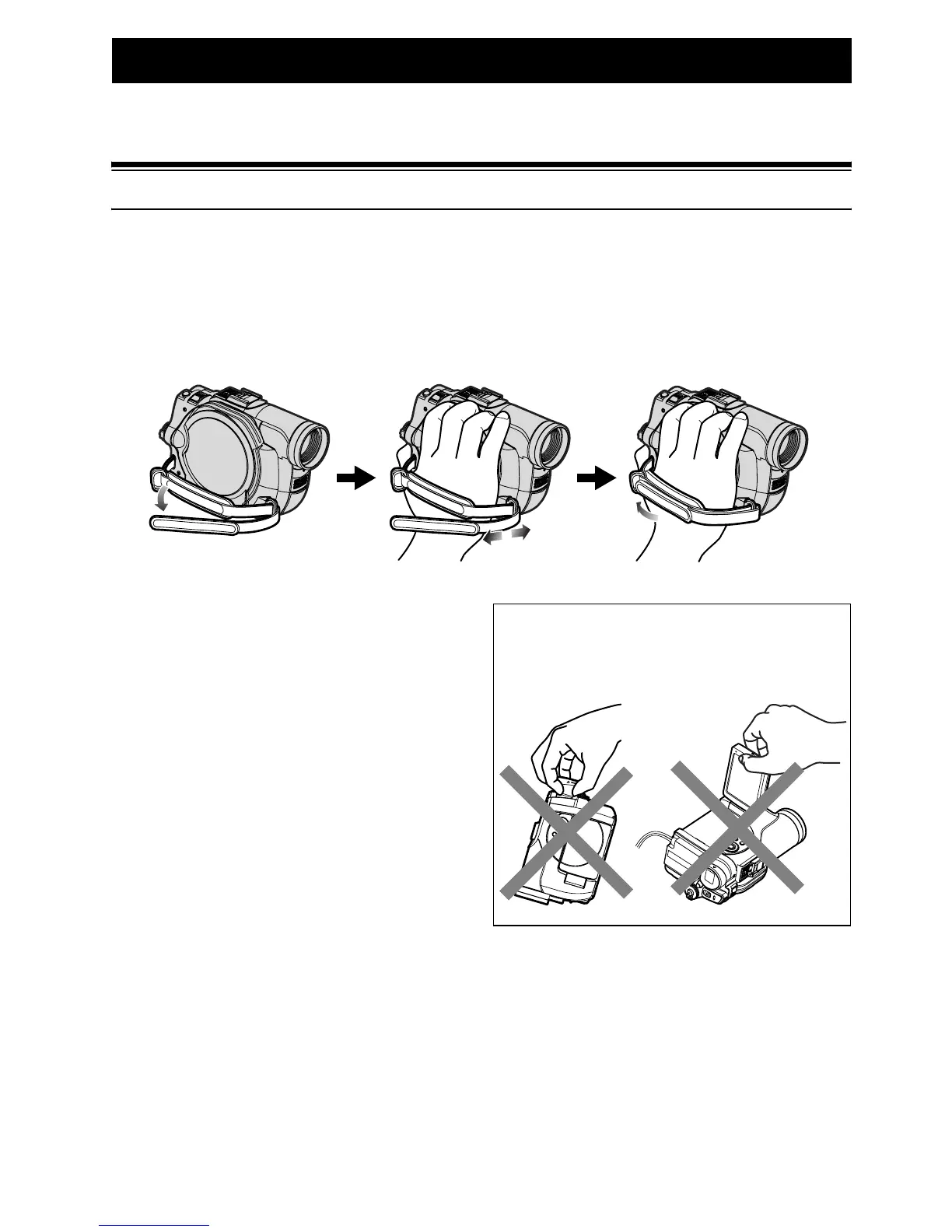
HOLDING DVD VIDEO CAMERA/RECORDER
Insert your right hand from the bottom of DVD video camera/recorder up to the base of your
thumb.
Put your hand in a position where you can easily operate the REC button and the Zoom lever.
Adjust the length of hand strap so that the DVD video camera/recorder is stable when you press the
REC button with your thumb.
Note:
Do not adjust the hand strap while holding the DVD
video camera/recorder: Doing this could cause the DVD
video camera/recorder to fall and be damaged.
Caution:
Do not lift the DVD video camera/recorder by
holding the viewfinder or LCD monitor: If the
viewfinder or LCD monitor comes off, the DVD video
camera/recorder will fall.













 To Next Page