EasyManua.ls Logo

HITEC OPTIC 6 - Page 48

HITEC OPTIC 6
60 pages
Print Icon
To Next Page IconTo Next Page
To Previous Page IconTo Previous Page
Loading...
For more information - www.modelflight.com.au
Helicopter
Setup
Instructions
16.
Collective
Pitch
.
The
blade collective
pitch
angle
(controlled
by
CH6
on
a
conventional
helicopter)
should
vary
from
-2
°
to
+10
°
with
full
stick
motion,
in
the
"
NOR
"
or
hovering
Flt
Mode
.
We
recommend
setting
the
hovering
pitch
(pitch
with
throttle
stick
at
center)
to
+4.5
°
.
Adjust
servo
arms
and
EPA
values
to
get
the
desired
travel
at
the
end
points,
measuring
with
a
pitch
meter.
17.
Engine
Servo
travel.
On
the
regular
display
menu,
enter
a
value
of
-25%
for
throttle
trim.
Use
the
EPA
menu
to
set
up
the
carburetor
pushrod
so
that
at
full
throttle
there
is
no
binding,
and
so
the
engine
idles
smoothly
at
low
throttle.
18.
Throttle
Cut
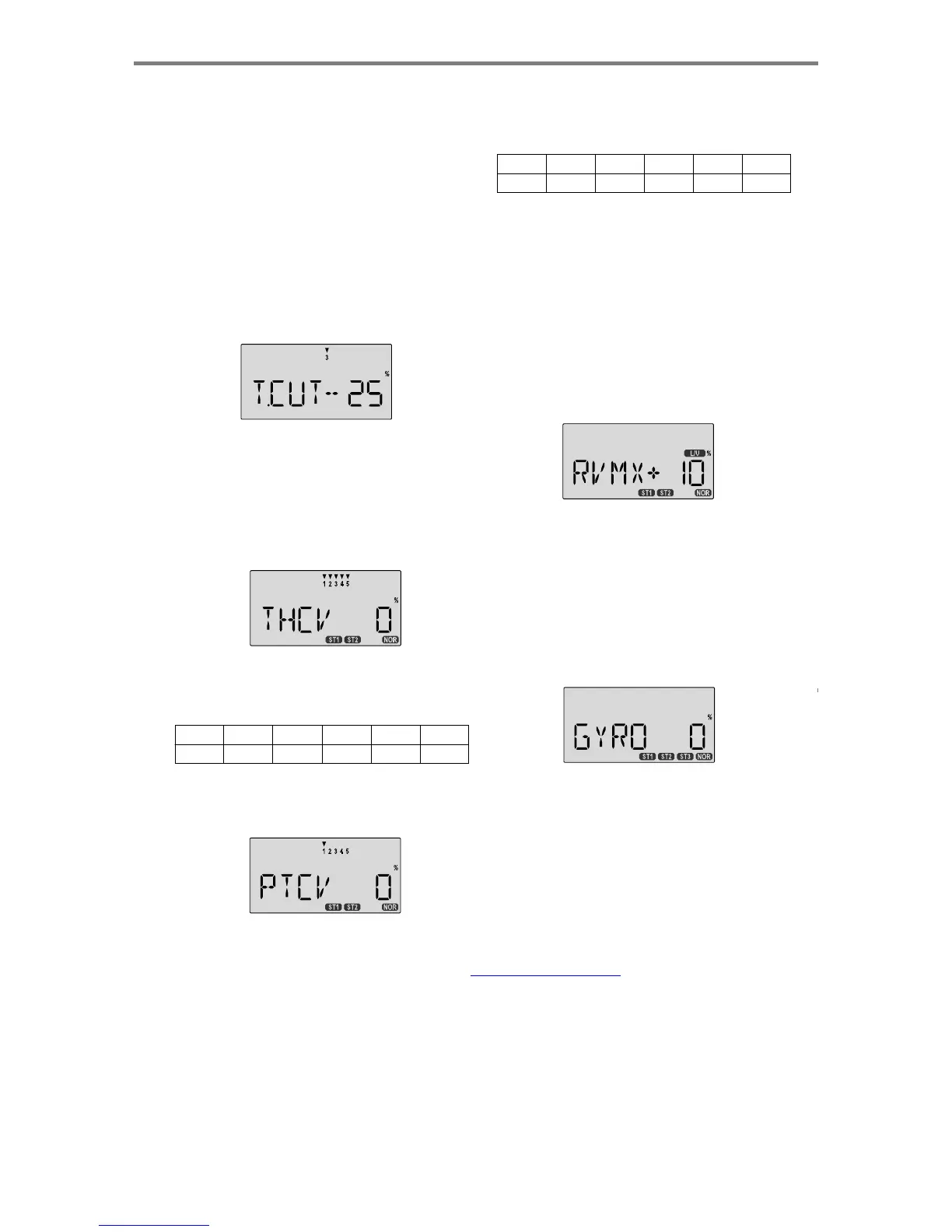
.
Enter
the
throttle
cut
(
T.CUT
)
menu
and
enter
a
value
of
-25%
or
so.
Press
the
Cut
button
and
be
sure that
the
carburetor
fully
closes,
which
will
shut
off
the
engine. Don't
pick
too
large
a
number,
or
binding
may
occur.
Your
model's
instructions
may
provide
suggested
values
for
the
blade
pitch
angles.
If
not,
you
may
want
to
start
with
the
following:
Pitch
Curve
NOR
Point
1
(low)
2
3
4
5
(high)
Pitch
0
deg.
+5
+6.5
+8.0
+10.0
A
fter
you've
set
the
pitch
at
each
of
the
five
points,
be
sure
to
check
that
both
aileron
and
elevator
motions
do
not
cause
binding
at
extreme
pitch
settings.
If
they
do,
use
EPA
to
reduce
travels.
21.
Revolution
mixing
(RVMX)
uses
the
tail
rotor
to
suppress
the
torque
reaction
of
the
main
rotor
due
to
changes
in
collective
pitch.
It
is
disabled
whenever
Idle-Up,
ST2,
ST3
or
Throttle
Hold
are
activated.
RVMX
may
be
set
on
either
side
of
the
stick
(note
the
letters
R/D
and
L/U
displayed).
Adjust
RVMX
mixing
for
both
travel
directions
as
described
in
the
trimming
instructions
on
page
56.
19.
Throttle
Curve
.
You
can
use
the
Throttle
Curve
(
THCV
)
menu's
five-point
setting
curves
to
fine-tune
the
engine
servo's
response.
Adjust
the
throttle
position
for
hover
to
get
the
desired
head
RPM.
You
can
change
the
curve
values
to
make
a
steeper
curve
near
idle
and
shallower
curve
past
hover.
See
the
THCV
menu
description
on
page
52
for
more
details.
If
your
instructions
don't
give
any
suggested
values,
you
may
start
with
the
following
settings:
22.
Gyro
settings.
You
can
select
an
independent
value
of gyro
gain
for
each
flight
condition
by
using
the
GYRO
menu. Press
one
of
the
Cursor
keys
to
activate
the
Gyro
gain
Function.Select
the
desired
flight
condition,
with
the
FLT
Mode
SW-4
or
SW-1
Switch.
Then
use
the
Data
keys
to
choose
the
desired
value.
The
gyro
must
be
plugged
into
CH5
.
You
cannot
independently
control
this
channel.
It
is
for
gyro
gain
control
functions
only.
See
page
51
for
more
information
on
the
Gyro
gain
set-up.
Throttle
Curve
NOR
Point
1
(low)
2
3
4
5
(high)
%
0
26
45
72
100
20.
Pitch
Curve
.
You
can
use
the
Pitch
Curve
(
PTCV
)
menu's
five-point
setting
curves
to
make
finer
adjustments
to
the
endpoints
and
the
middle
of
travel
of
the
pitch
servo.
23.
Aerobatic
Setups
and
Flight
Conditions
.
Your
Optic
system
has
three
built-in
flight
condition
menus
in
addition
to
the
normal
(
NOR
)
hovering
mode.
Two
--
ST1
and
ST2
--
are
typically
used
for
aerobatics,
including
540
°
stall
turns
,
looping,
and
rolling
stall
turns.
ST3
is
used
for
"throttle
hold
"
so
that
the
throttle
servo
is
disengaged
during
autorotations
.
These
functions
are
switched
on
as
follows:
-
NOR
:
ON
when
FLT
MODE
Switch
is
forward.
-
ST1
:
ON
,
when
FLT
MODE
Switch
is
centered
Helico
p
ter
Setu
p
Instructions
-
Pa
g
e
49

Table of Contents

Other manuals for HITEC OPTIC 6

Related product manuals