Portable
PLUS
computer
Troubleshooting
8·37
7.
Load
and
run
the disc-based diagnostic program. Type
c:stest2
(Return ). The disc-based diagnos-
tic menu should
appear
in
the
display.
8.
Press
(Shift)@
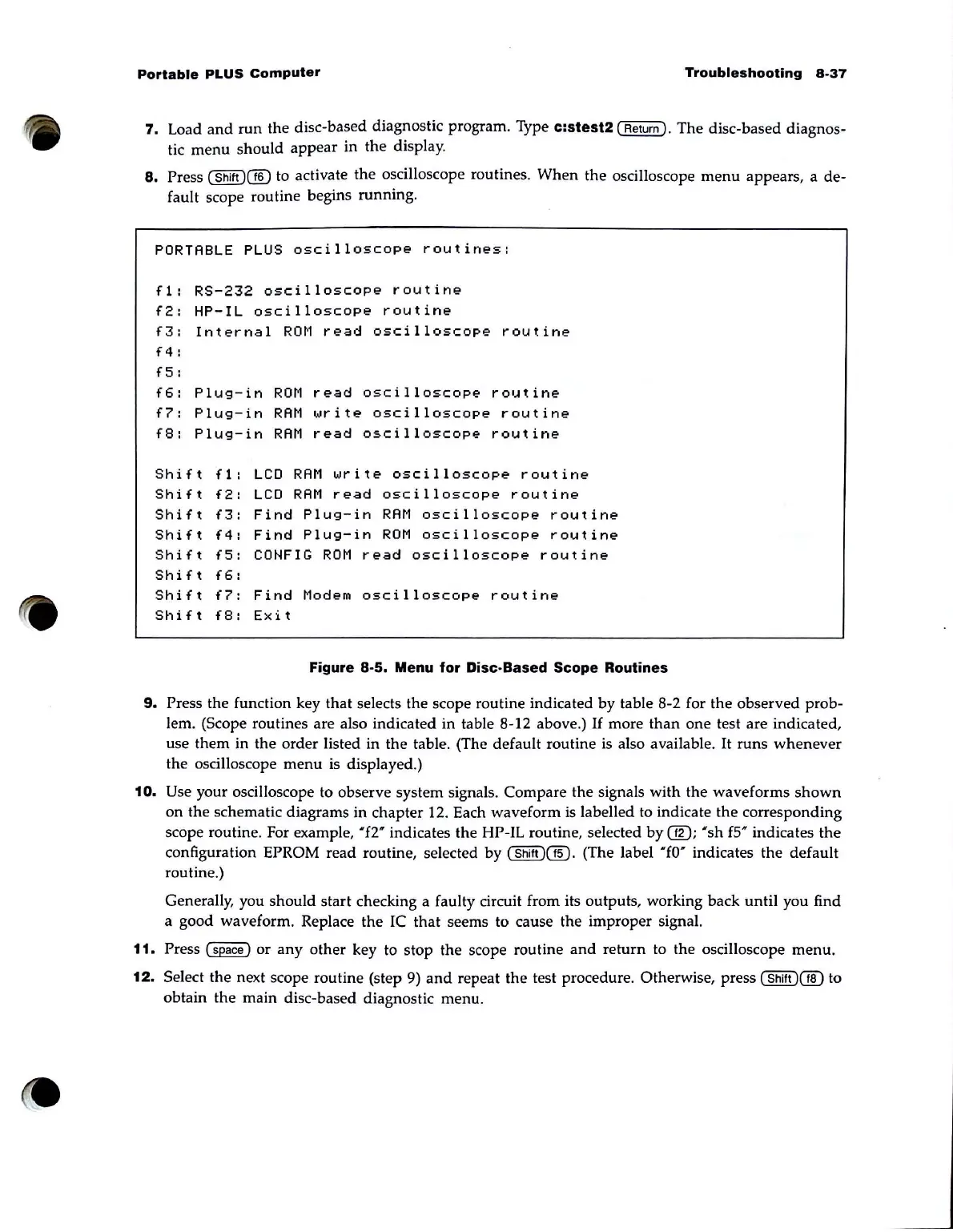
to activate the oscilloscope routines. When
the
oscilloscope
menu
appears, a de-
fault scope routine begins running.
PORTABLE
PLUS
oscilloscope
routines:
fl:
RS-232
oscilloscope
routine
f2:
HP-IL
oscilloscope
routine
f3:
Internal
ROM
read
oscilloscope
routine
f4:
f5:
f6:
Plug-in
ROM
read
oscilloscope
routine
f7:
Plug-in
RAM
write
oscilloscope
routine
f8:
Plug-in
RAM
read
oscilloscope
routine
Shift
fl:
Shift
f2:
Shift
f3:
Shift
f4:
Shift
f5:
Shift
f6:
Shift
f7:
Shift
f8:
LCD
RAM
write
oscilloscope
routine
LCD
RAM
read
oscilloscope
routine
Find
Plug-in
RAM
oscilloscope
routine
Find
Plug-in
ROM
oscilloscope
routine
CONFIG
ROM
read
oscilloscope
routine
Find
Modem
oscilloscope
routine
Exit
Figure
8·5.
Menu
for
Disc·Based Scope Routines
9.
Press the function key that selects the scope routine indicated by table 8-2 for the observed prob-
lem. (Scope routines are also indicated
in
table 8-12 above.)
If
more
than
one
test are indicated,
use them in the order listed in the table. (The default routine
is
also available.
It
runs
whenever
the oscilloscope
menu
is
displayed.)
10.
Use your oscilloscope to observe system signals. Compare
the
signals with the waveforms
shown
on
the schematic diagrams in chapter 12. Each waveform is labelled to indicate the corresponding
scope routine. For example,
'f2"
indicates the HP-IL routine, selected
by
@;
'sh
fS' indicates
the
configuration EPROM read routine, selected by
(Shift
)@.
(The label '£0" indicates the default
routine.)
Generally, you should start checking a faulty circuit from its outputs, working back until you find
a good waveform. Replace the IC
that
seems to cause the improper signal.
11.
Press
~
or
any
other key to stop the scope routine
and
return to the oscilloscope menu.
12.
Select
the
next scope routine (step 9)
and
repeat the test procedure. Otherwise, press
(Shift
)(][)
to
obtain the main disc-based diagnostic menu.



 To Next Page