•
Portable
PLUS
Computer
Removal
and
Replacement
6·7
6.5
Replacing
the
peAs
After disconnecting the battery
and
separating the case (sections 6.2
and
6.4):
1.
If
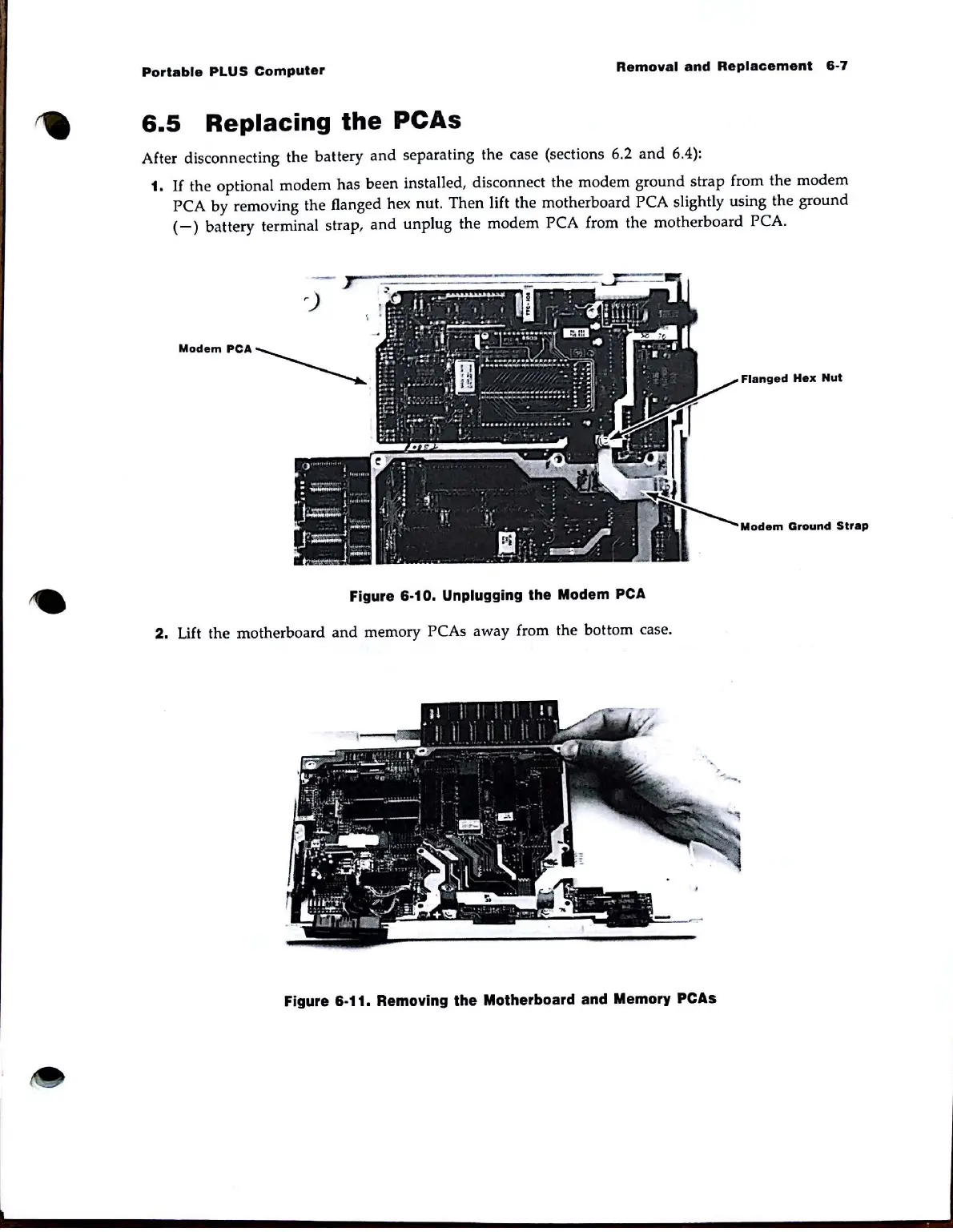
the optional modem has been installed, disconnect the modem ground
strap
from the modem
PCA by removing the flanged hex nut. Then lift the motherboard PCA slightly using the ground
(-)
battery terminal strap,
and
unplug the modem PCA from the motherboard PCA.
MOdempCA~
Flanged
Hell
Nut
Modem
Ground
Strap
Figure 6·10. Unplugging the Modem
PCA
2.
Lift the motherboard
and
memory PCAs away from the bottom case.
Figure 6·11. Removing the Motherboard and Memory
PCAs



 To Next Page