8·26
Troubleshooting
Portable
PLUS
Computer
Table 8·8. Repairing the Display
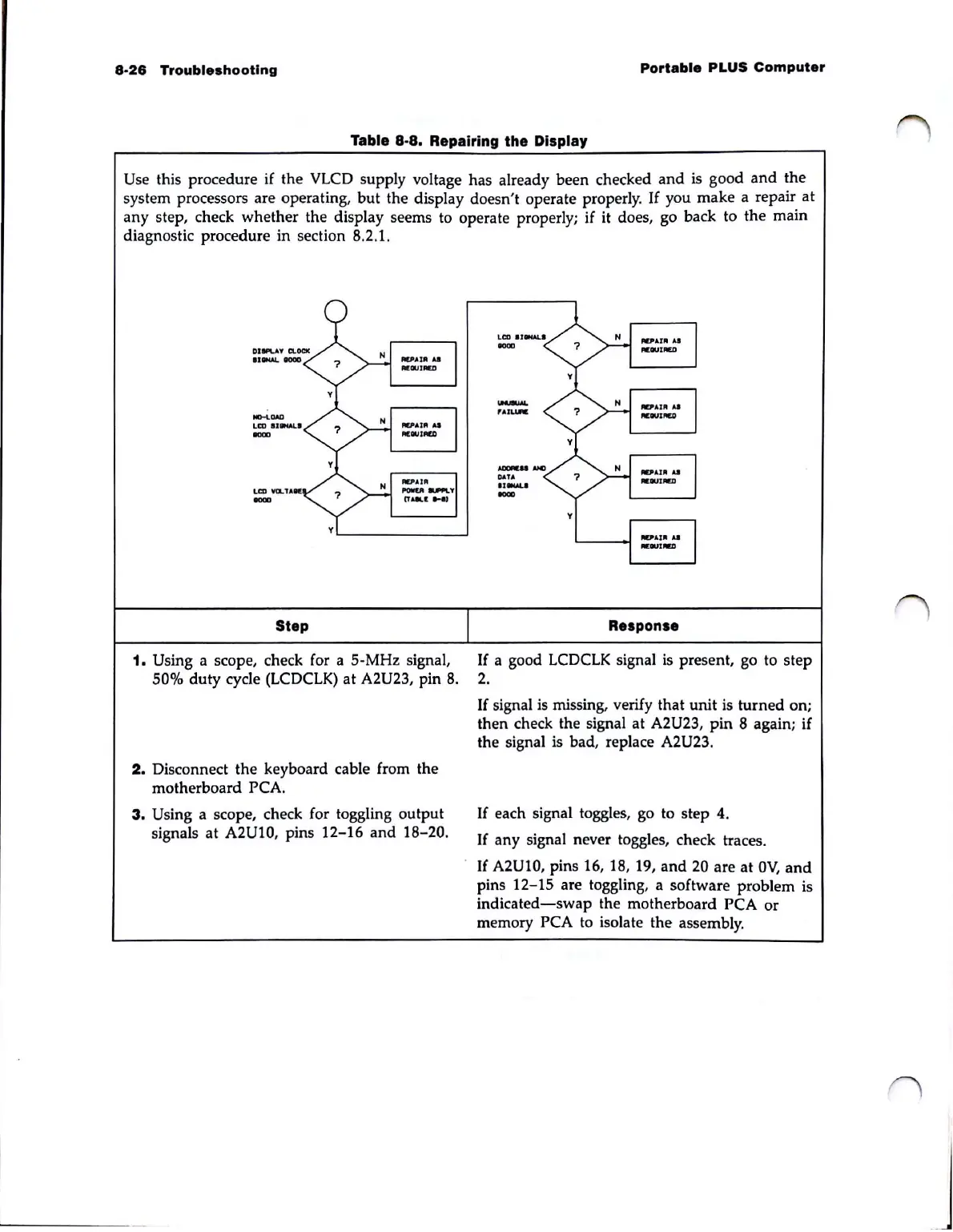
Use this procedure if the VLCD supply voltage has already been checked
and
is good
and
the
system processors are operating,
but
the display doesn't operate properly.
If
you make a repair
at
any step, check whether the display seems to operate properly; if
it
does, go back to the main
diagnostic procedure in section 8.2.1.
.......
OAD
LCD
IJIfW..'
0000
Step
1. Using a scope, check for a 5-MHz signal,
50% duty cycle
(LCDCLK)
at
A2U23, pin
8.
2.
Disconnect the keyboard cable from the
motherboard
PCA.
3.
Using a scope, check for toggling output
signals
at
A2U10, pins
12-16
and
18-20.
La)
IJ8fW..I
0000
...........
'AIIJ.IIC
--
DAn
..........
0000
y
Response
If
a good
LCDCLK
signal
is
present, go to step
2.
If
signal
is
missing, verify that
unit
is turned on;
then check the signal at
A2U23,
pin
8 again; if
the signal is bad, replace
A2U23.
If
each signal toggles, go to step 4.
If
any signal never toggles, check traces.
If
A2U10, pins 16, 18, 19,
and
20 are
at
OV,
and
pins 12-15 are toggling, a software problem is
indicated-swap
the motherboard PCA
or
memory PCA to isolate the assembly.



 To Next Page