Portable PLUS Computer Removal and Replacement
6·5
6.4
Separating
the
Case
After disconnecting or removing the battery (sections 6.2
or
6.3):
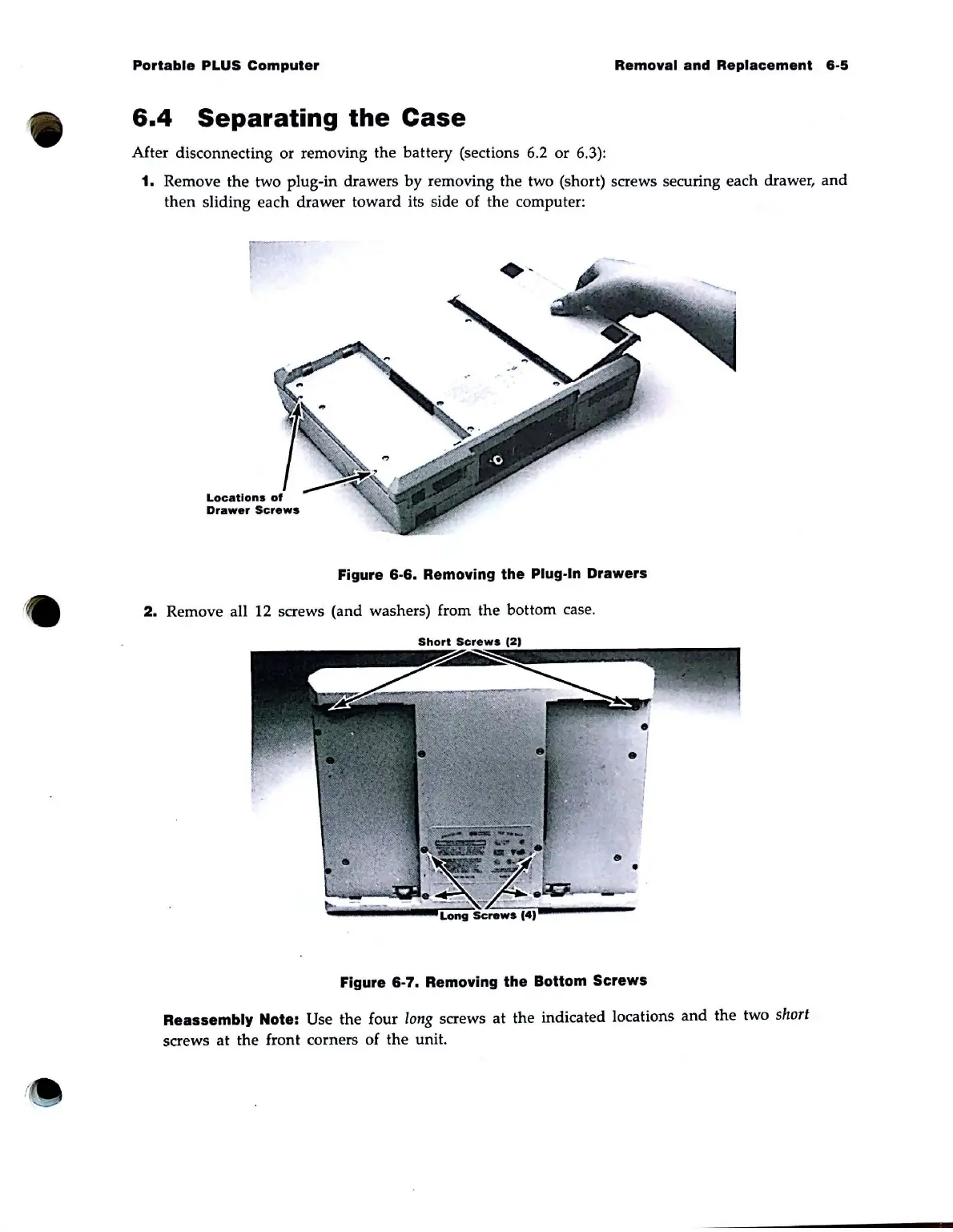
1. Remove
the
two plug-in drawers
by
removing
the
two (short) screws securing each drawer,
and
then
sliding each drawer toward its side
of
the computer:
Figure
6·6.
Removing the Plug·ln Drawers
2.
Remove all 12 screws (and washers) from
the
bottom case.
Short
Screws
(2,
•
•
Figure
6·7.
Removing
the
Bottom
Screws
Reassembly Note: Use
the
four
long
screws
at
the
indicated locations
and
the
two short
screws
at
the
front corners
of
the
unit.



 To Next Page