•
Chapter
3
Installation
and
Configuration
3.1
Preparation
The Portable PLUS is a truly portable computer: it can be used
at
a
fixed
work station,
and
it can be
carried to practically
any
location.
A typical work station might require space for peripheral devices, such as a disc drive
and
a printer. A
power outlet is
needed
for recharging the computer's battery
and
for recharging or plugging in periph-
eral devices.
For portable use, the computer can be used almost anywhere, since it contains its own battery power.
(Refer to the environmental specifications in table 1-2.) Battery-powered peripheral devices might also
be used. However,
the
computer provides
an
internal'
electronic
disc'
(mass storage memory), which
reduces the
need
for a peripheral mass storage device during remote operation.
3.2
Installation
Installation isn't required to operate the Portable PLUS. However, the battery jumper (located in the
battery compartment) must be installed in the
'ON'
position for the unit to operate.
If
the computer's
. battery is sufficiently charged, (at least 20% battery charge shows in the main
PAM
screen) the unit is
ready to operate as a stand-alone computer.
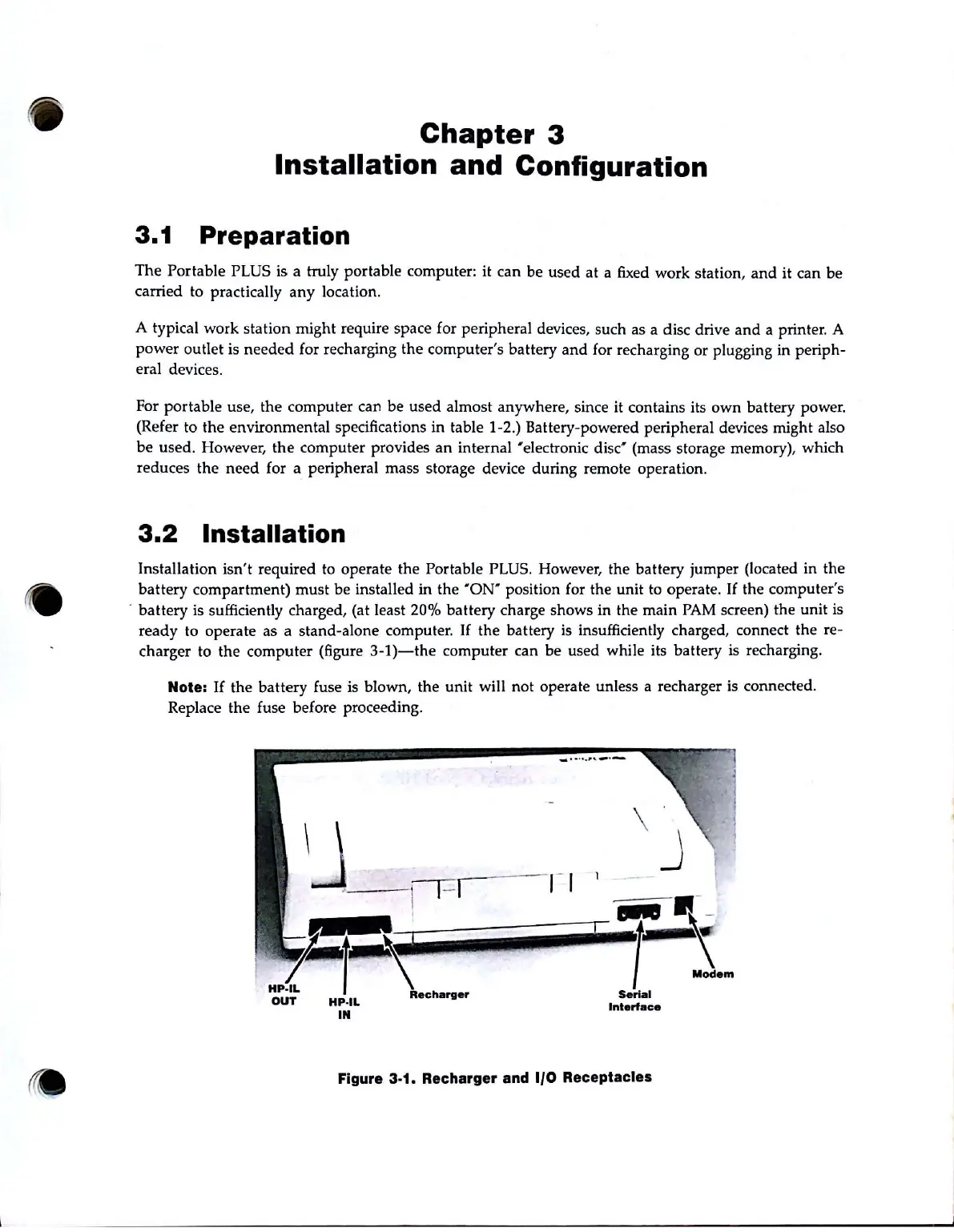
If
the battery
is
insufficiently charged, connect the re-
charger to the computer (figure
3-1)-the
computer can be used while its battery is recharging.
Note: If the battery fuse is blown, the unit will not operate unless a recharger is connected.
Replace the fuse before proceeding.
HP·IL
IN
_ ...
.....
_.-
1 _
Sori.1
Interface
Figure 3-1. Recharger and 1/0 Receptacles



 To Next Page