6-18
Removal
and
Replacement
Portable
PLUS
Computer
CAUTION
Xersin ·2005 multicore solder (part number 8090-0873) is recommended because its special flux
does not have to be removed.
If
another
solder
is
used,
be
sure
that
the
flux
is
remov
ed
from
the
PCA-flux
contamination can cause conditions that may damage components or cause the sys-
tem to malfunction.
4.
Install the new IC using a conventional soldering tool.
5.
If
Xersin 2005 multicore solder was not used in step
4,
remove all
flux
from the PCA using
alcohol
and
a stiff brush.
6.11
Replacing Plug-In
Drawer
peAs
The following steps describe the procedure for removing
and
replacing the PCA inside a plug-in
drawer, such as a software (ROM) drawer or a memory
(RAM)
drawer. Although the drawers have
different types of metal
cases, they all use the same construction.
After removing the drawer from the unit:
1.
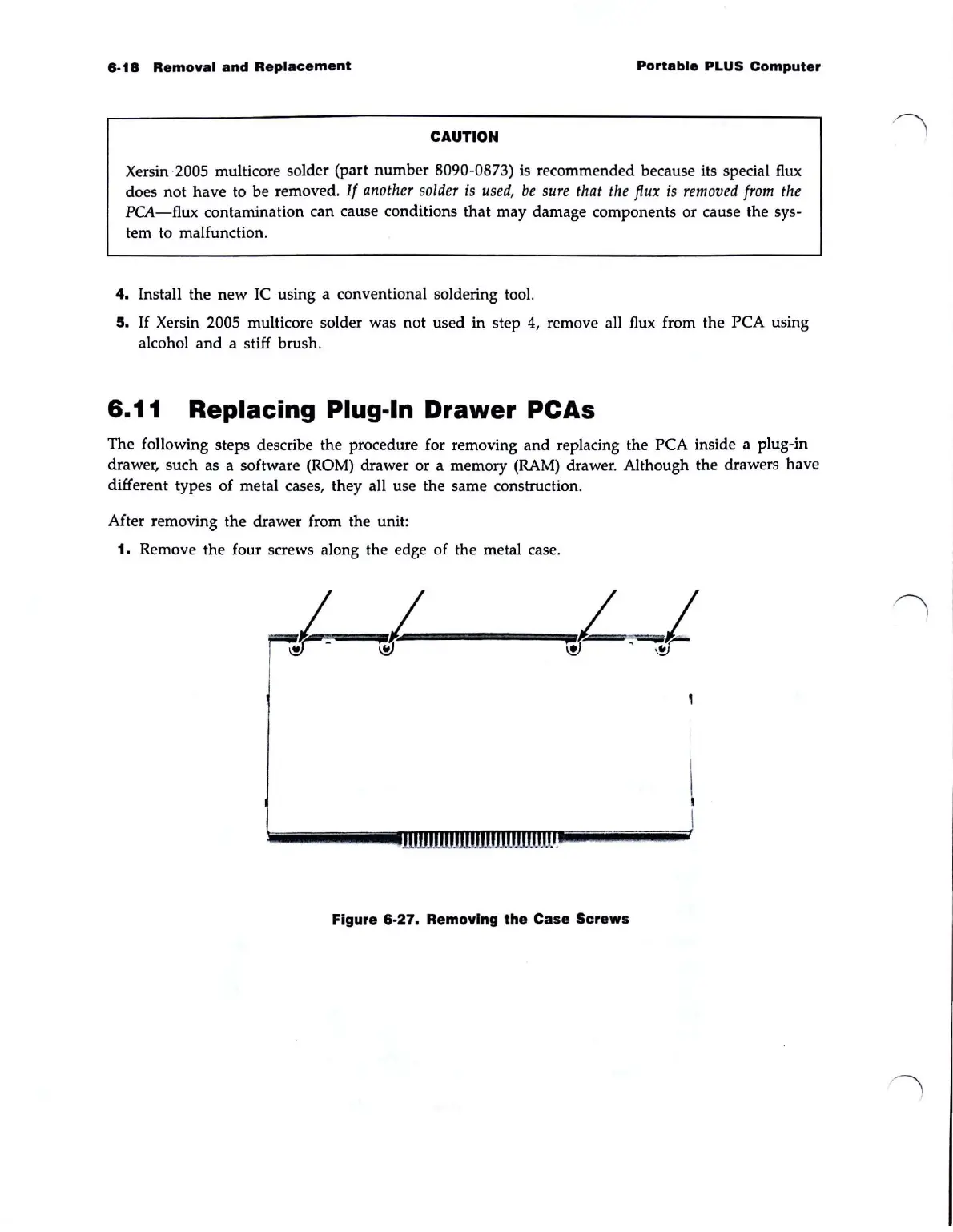
Remove the four screws along the edge of the metal case.
Figure 6-27. Removing the Case Screws



 To Next Page