Portable
PLUS
Computer
Removal
and
Replacement
6-17
6.10
Removing
ICs
The (ollowing steps describe the proper procedure (or using the optional desolderer (extractor) to re-
move a
'through-hole'
28-pin
IC
from a
rcA.
(This procedure
doe
slI'/ apply
to
surfilce-mounted ICs.)
A(ter removing the
battery, separating the
ca
s
e,
nnd removing the PCAs
(s
ections 6.3, 6.4,
and
6.5):
1. Straighten
any
bent pins
on
the underside of the
rCA.
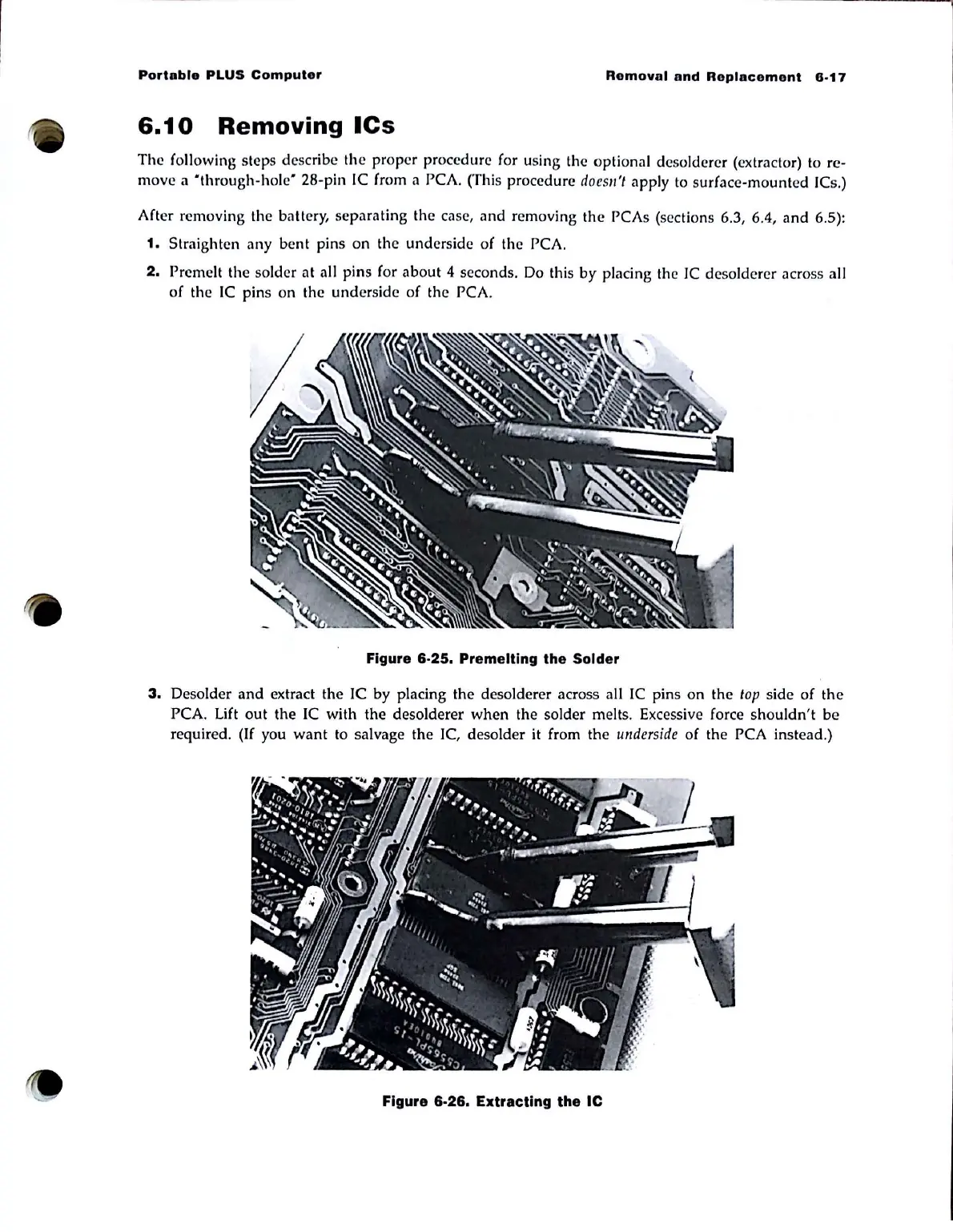
2.
Premelt the solder
at
all pins (or
about
4 seconds.
Do
this
by
placing the
IC
desolderer across illl
of the
IC
pins on the underside o( the
rCA.
Figure 6-25. Premelting the Solder
3.
DesoIder
and
extrilct the
Ie
by placing the desolderer across nil
IC
pins on the
top
side of
the
PCA. Lift
out
the
IC
with the desolderer
when
the solder melts. Excessive force
shouldn't
be
required. (If you
want
to
sil)vage the
Ie,
desolder it from the
underside
of the PCA instend.)
Figure 6-26. Extracting the Ie



 To Next Page