EasyManua.ls Logo

HP Portable PLUS - Page 62

HP Portable PLUS
177 pages
Print Icon
To Next Page IconTo Next Page
To Previous Page IconTo Previous Page
Loading...
6.16
Removal
and
Replacement
Portable
PLUS
Computer
_
.....
-_
.
-::::
.,..----
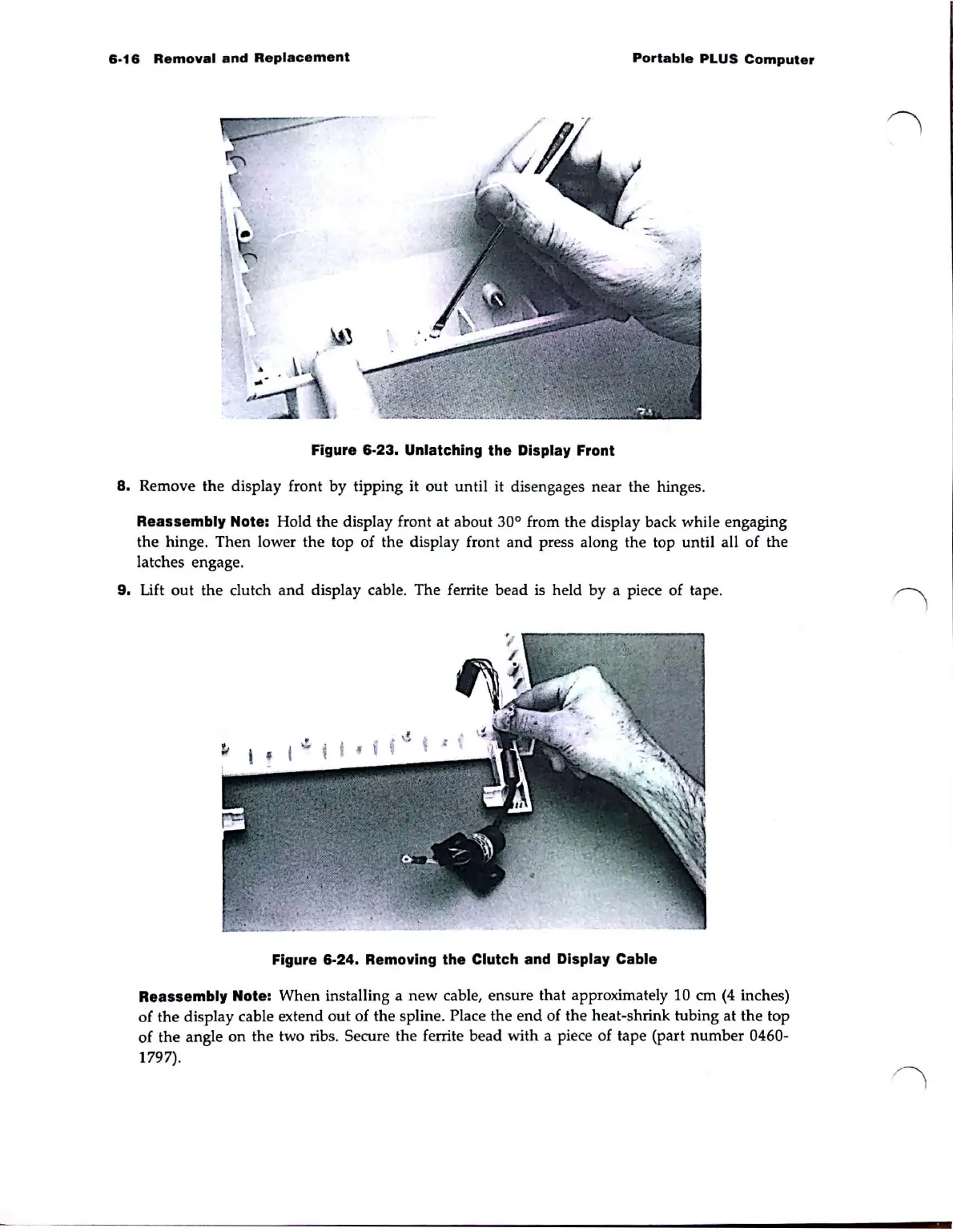
Figure 6·23. Unlatching the Display Front
8.
Remove
the
display
front
by
tipping it
out
until
it disengages
near
the hinges.
Reassembly Note:
Hold
the
display front
at
about
30° from the display back
while
engaging
the
hinge.
Then
lower
the
top
of
the
display front
and
press along the top
until
all
of
the
latches engage.
9.
Lift
out
the
clutch
and
display cable.
The
ferrite
bead
is held by a piece
of
tape.
Figure 6·24. Removing the Clutch and Display Cable
Reassembly Note:
When
installing a
new
cable,
ensure
that
approximately 10
cm
(4 inches)
of
the
display
cable extend
out
of
the
spline_ Place
the
end
of
the
heat-shrink
tubing
at
the
top
of
the
angle
on
the
two ribs. Secure the ferrite
bead
with
a piece
of
tape
(part
number
0460-
1797).

Table of Contents

Related product manuals