Portable
PLUS
Computer
Troubleshooting
8·23
Table
8·7.
Repairing
the
Processors
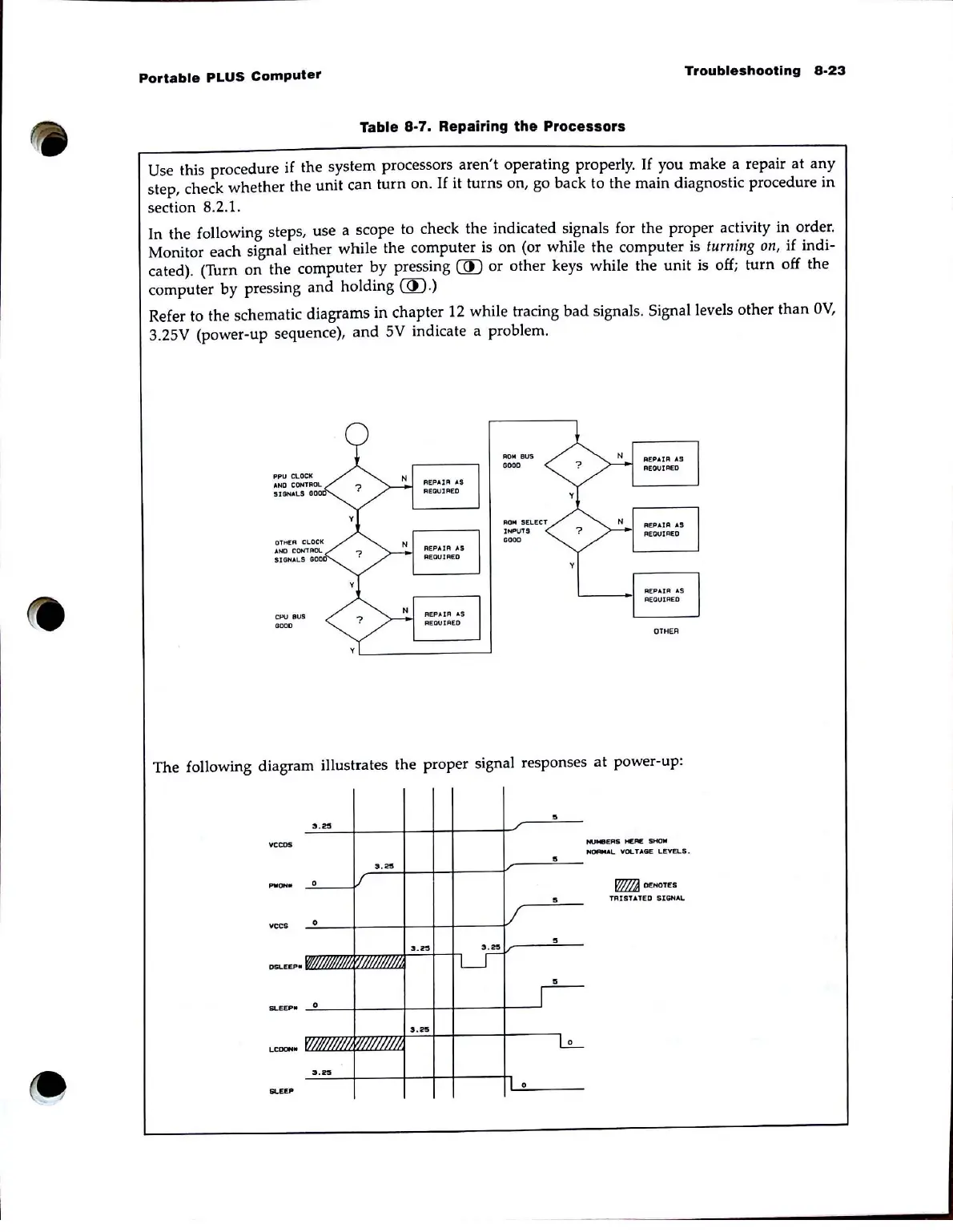
Use this procedure
if
the system processors
aren't
operating properly.
If
you make a repair at
any
step, check
whether
the unit can
turn
on.
If
it turns on, go back to the main diagnostic procedure
in
section 8.2.1.
In the following steps, use a scope to check the indicated signals for the proper activity in order.
Monitor each signal either
while
the computer
is
on
(or while
the
computer is
turning
on,
if
indi-
cated). (Turn
on
the computer
by
pressing
C1D
or
other keys while the unit is off;
turn
off the
computer by pressing
and
holding
CID
·)
Refer to the schematic diagrams in chapter 12 while tracing
bad
signals. Signal levels other
than
OV,
3.2SV (power-up sequence),
and
SV
indicate a problem.
PPU
CLOCK
ANO
CONTROL
SIGNALS
GO
CPU BUS
••
00
OTHER
The following diagram illustrates the proper signal responses
at
power·up:
..
...
vccos
3.215
....,...
0
1/
\Ices
0
DSI.
.....
0
Pl7llll7ll.1,
WIIIIIII
.....
......
1/
..
...
~
..
...
1 0
•
•
•
•
•
0
NJMt!I£AS
~PIf:
SHOM
HC.If'MAL
VOLTAGE
LEVELS .
~DE:NOTIES
TRISTUED
SIGNAL



 To Next Page