For safe system operation, when smart cooling product components are started,
the following coupling relationships are presented:
● When the compressor (including xed frequency and frequency-converting) is
started, the indoor fans, outdoor fans, and the liquid solenoid valve
automatically start.
● When the electric heater is started, the corresponding indoor fan automatically
starts.
● When the electrode
humidier is started, the corresponding indoor fan
automatically starts.
● When the infrared humidier is started, the corresponding indoor fan and
water supply valve automatically start.
● If you need to manually turn on or o system components in diagnostic
mode, log in as the Admin or Engineer user. Ensure that the smart cooling
product is started before operation.
● For details about the parameters and
specications to be set, see the
commissioning chapter in the user manual of each smart cooling product.
● This chapter describes how to commission smart cooling product components,
using the electric heater as an example.
Procedure
Step 1 Enter diagnostic mode.
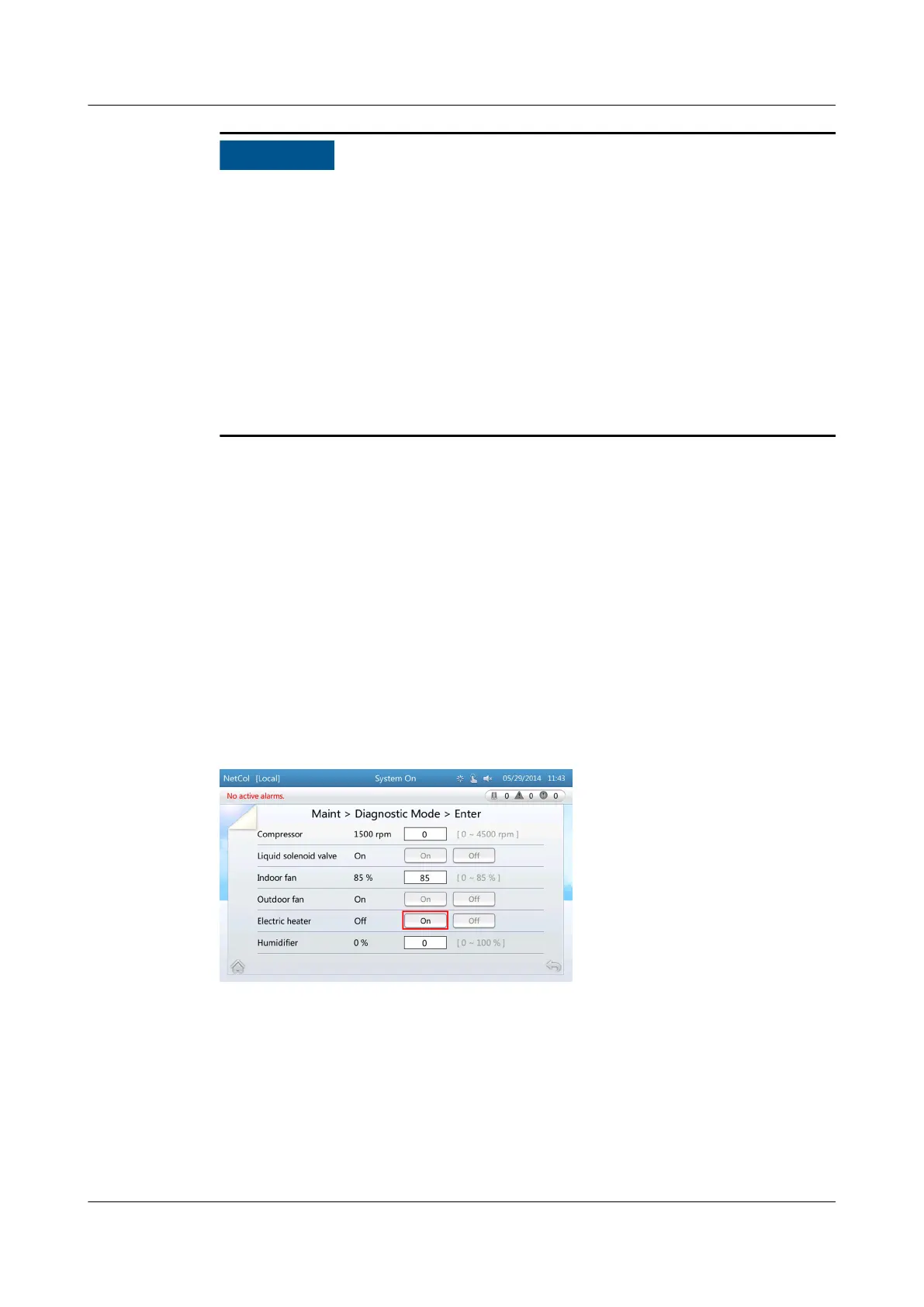
Step 2 Tap On for Electric heater, as shown in Figure 4-17.
Figure 4-17 Starting up the electric heater
After the electric heater is started, the O following the Electric heater turns into
On.
----End
4.6 Maintenance Guide
NetCol5000-A(025, 035) In-row Air Cooled Smart
Cooling Product
User Manual (600 mm Width) 4 ACC Introduction
Issue 17 (2020-10-22) Copyright © Huawei Technologies Co., Ltd. 108



 To Next Page