4.5.3 Commissioning Guide
4.5.3.1 Entering Diagnostic Mode
Context
● On the diagnostic mode screen, you can turn on or o components, and
control their output ratio.
● If you need to manually turn on or
o system components in diagnostic
mode, log in as the Admin or Engineer user. Ensure that the smart cooling
product is started before operation.
Procedure
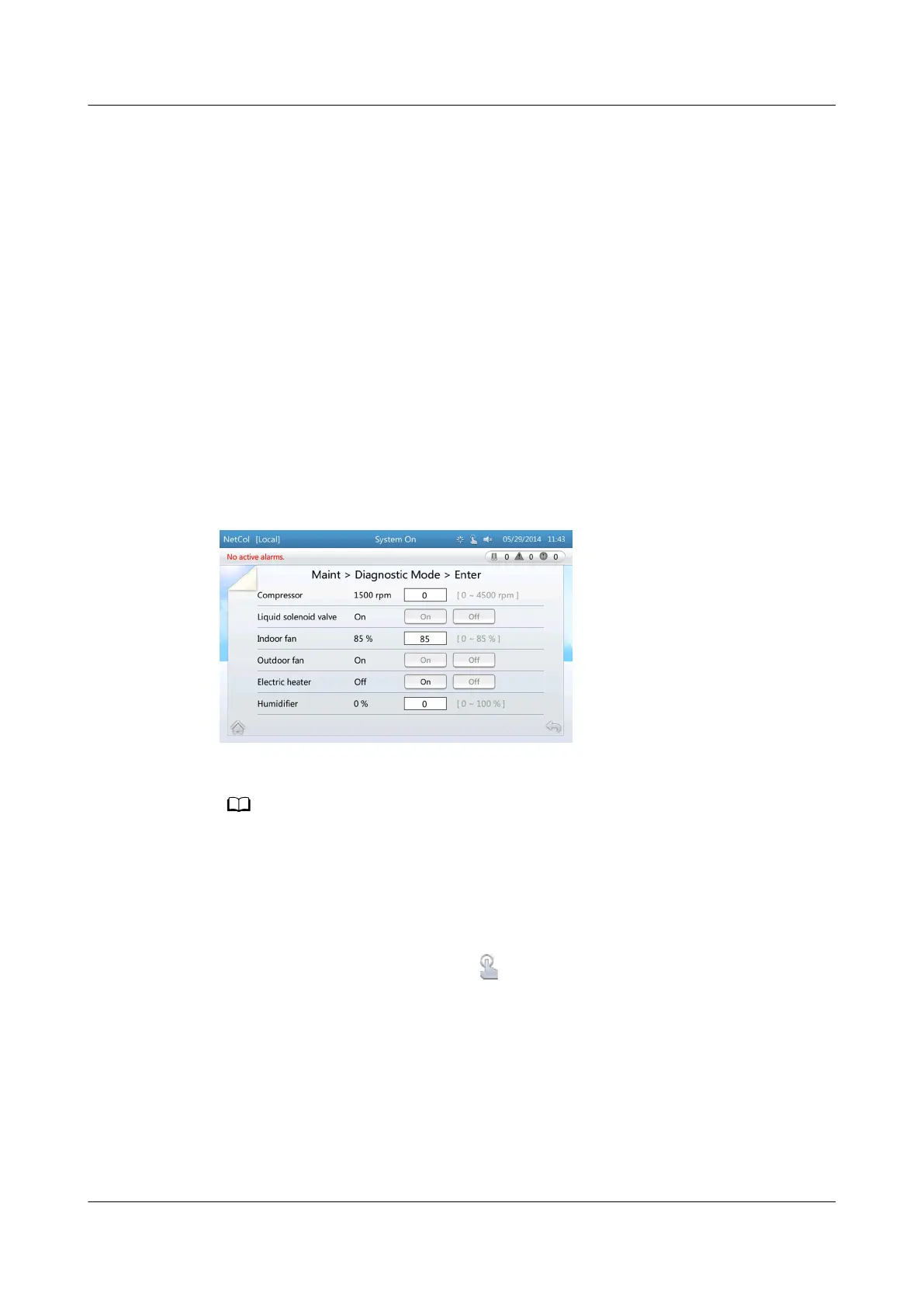
Step 1 Choose Maint > Diagnostic Mode > Enter > Yes. Figure 4-16 is displayed.
Figure 4-16 Entering the diagnostic mode
The screen for entering the diagnostic mode:
● Components are interlocked. Therefore, buttons for turning on or o certain
components are in gray, indicating that operations of the components are not allowed.
● To ensure system security, a component may not promptly respond to operations
performed on this screen. For example, the compressor does not respond promptly after
the
O (On) button is tapped if the shortest running (shutdown) time is not met.
● To exit the diagnostic mode, tap on the status bar.
● The system automatically exits diagnostic mode when it reaches the maximum
diagnostic mode duration.
----End
4.5.3.2 Commissioning Smart Cooling Product Components
Context
NetCol5000-A(025, 035) In-row Air Cooled Smart
Cooling Product
User Manual (600 mm Width) 4 ACC Introduction
Issue 17 (2020-10-22) Copyright © Huawei Technologies Co., Ltd. 107







 To Next Page