4.6.2.3 Exporting Data
Context
Active alarms, historical alarms, logs, congurations, and run logs can be
exported. The export method for the ve data is the same. This section uses how
to exporting active alarms as an example to explain the operation method.
Table 4-8 lists USB
ash drives with good compatibility. You are advised to use
these USB
ash drives to perform data export.
Table 4-8 Recommended USB
ash drives
Model Capacity
Netac U188 4 GB
Kingston DT101G2 8 GB
Before using a USB ash drive, ensure that its data has been scanned by antivirus
software and is secure.
● Before exporting active alarms, historical alarms, logs, and congurations, ensure that
the USB ash drive has been successfully identied. The position of the USB port is
shown in Figure 4-2.
● If the USB ash drive has been successfully identied, is displayed at the status bar.
● If the USB
ash drive is not properly connected, the system will notify that the USB
ash drive is not detected.
Procedure
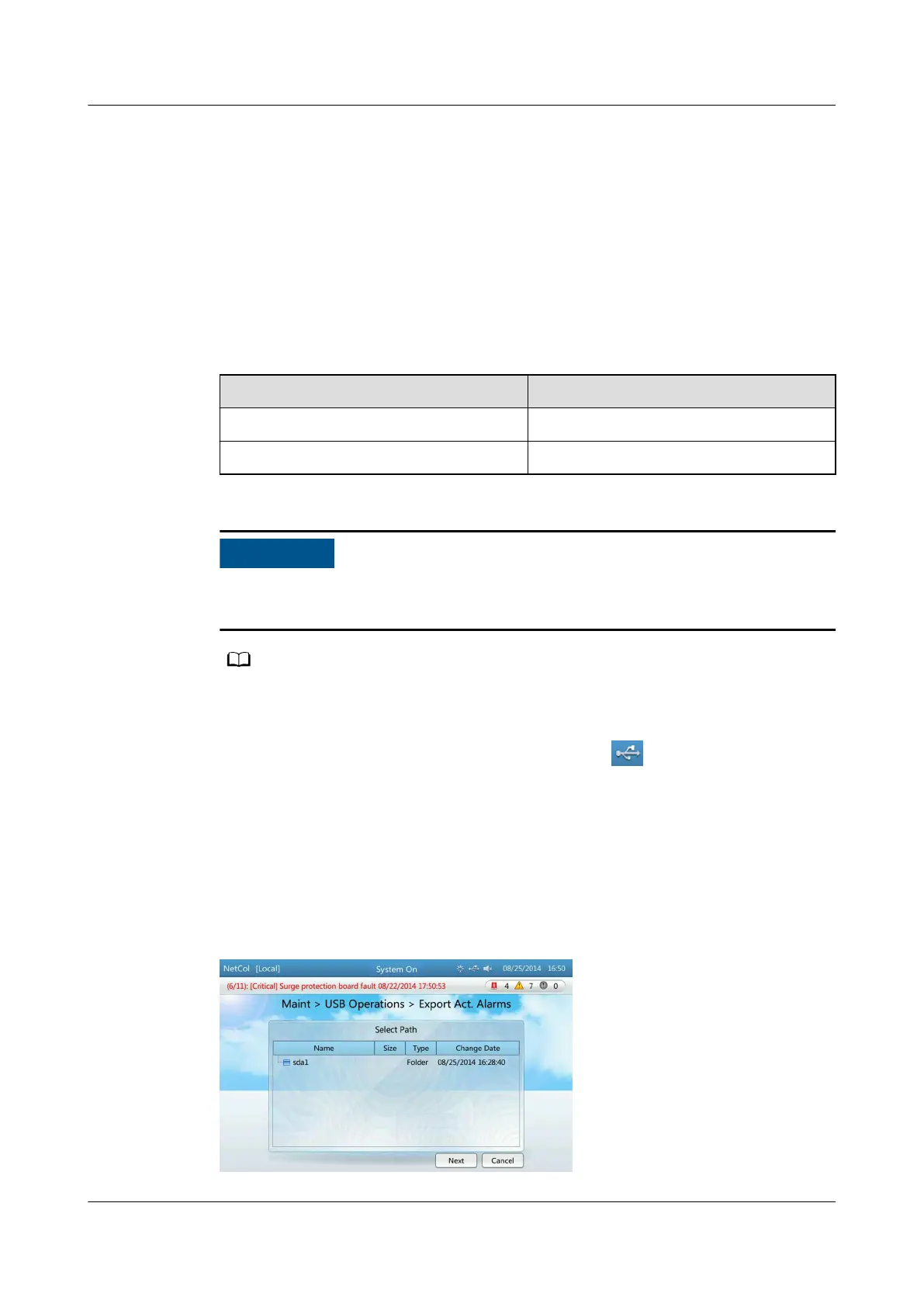
Step 1 Tap Maint > USB Operations > Export Act. Alarms to enter the Select Path
screen, as shown in Figure 4-30.
Figure 4-30 Select path
NetCol5000-A(025, 035) In-row Air Cooled Smart
Cooling Product
User Manual (600 mm Width) 4 ACC Introduction
Issue 17 (2020-10-22) Copyright © Huawei Technologies Co., Ltd. 117







 To Next Page