Procedure
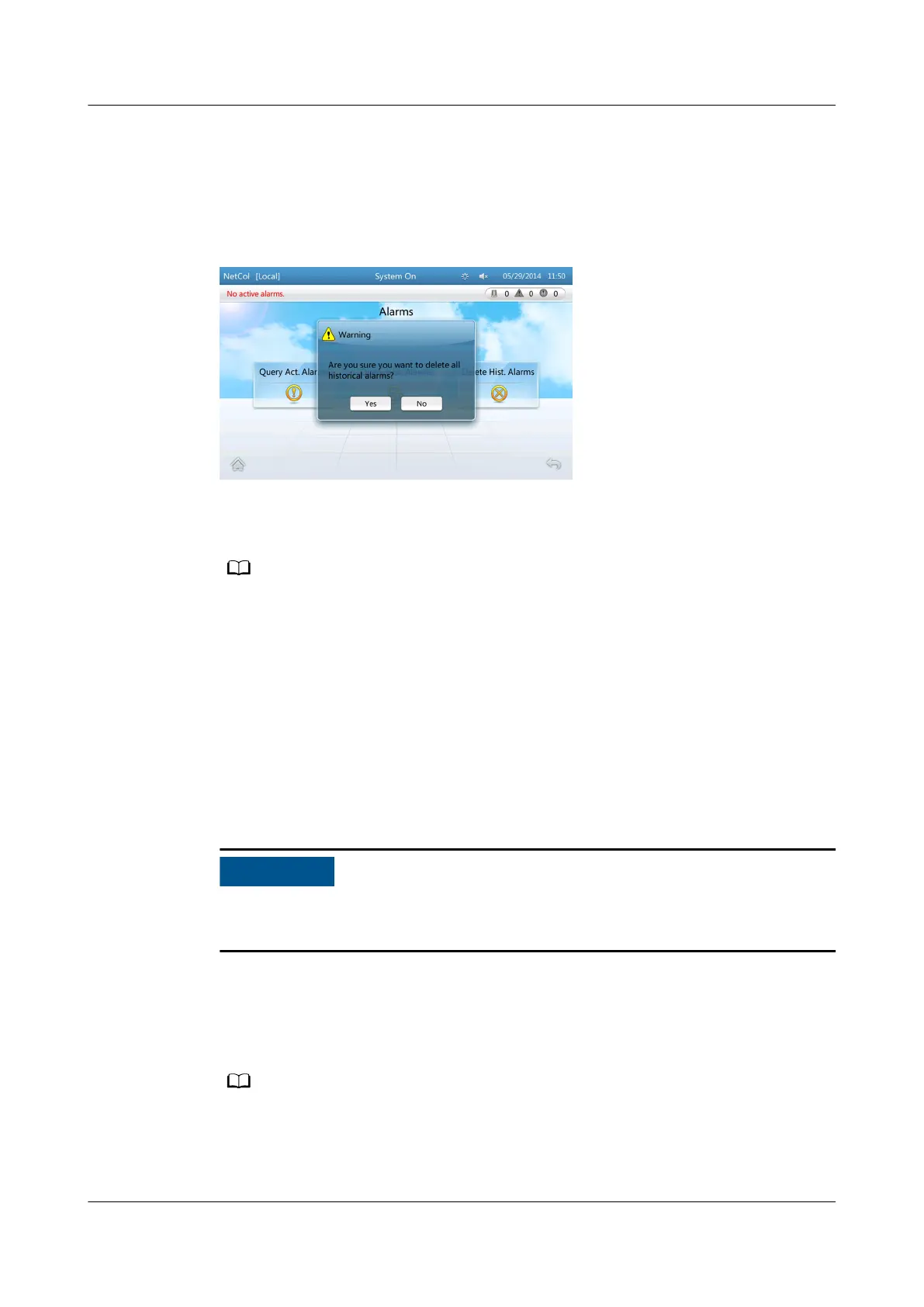
Step 1 On the home screen, choose Alarms > Delete Hist. Alarms to enter the Delete
Hist. Alarms screen shown in Figure 4-29.
Figure 4-29 Delete hist. alarms screen
Step 2 Tap Yes to delete all historical alarms.
After alarms are deleted, the operation is recorded in logs.
----End
4.6.2.2 Deleting Logs
Context
● Logs can be deleted in a one-click manner.
● To delete logs, log in as the Admin user.
If you perform this operation, all logs will be deleted, and device maintenance will
be
aected. Exercise caution when doing this operation.
Procedure
Step 1 On the home screen, choose Maint > Log Maint > Delete Logs > Yes to delete all
the logs.
After logs are deleted, the log deletion operation is recorded in the rst log that is
displayed.
----End
NetCol5000-A(025, 035) In-row Air Cooled Smart
Cooling Product
User Manual (600 mm Width) 4 ACC Introduction
Issue 17 (2020-10-22) Copyright © Huawei Technologies Co., Ltd. 116







 To Next Page