4.5.2.4 Setting Communications Parameters (IP Address Settings)
Context
● When the smart cooling product monitoring system connects to the ECC800,
you do not manually set the IP address and skip the operations in this section.
● To set communications parameters, log in as the Admin, or Engineer user.
Procedure
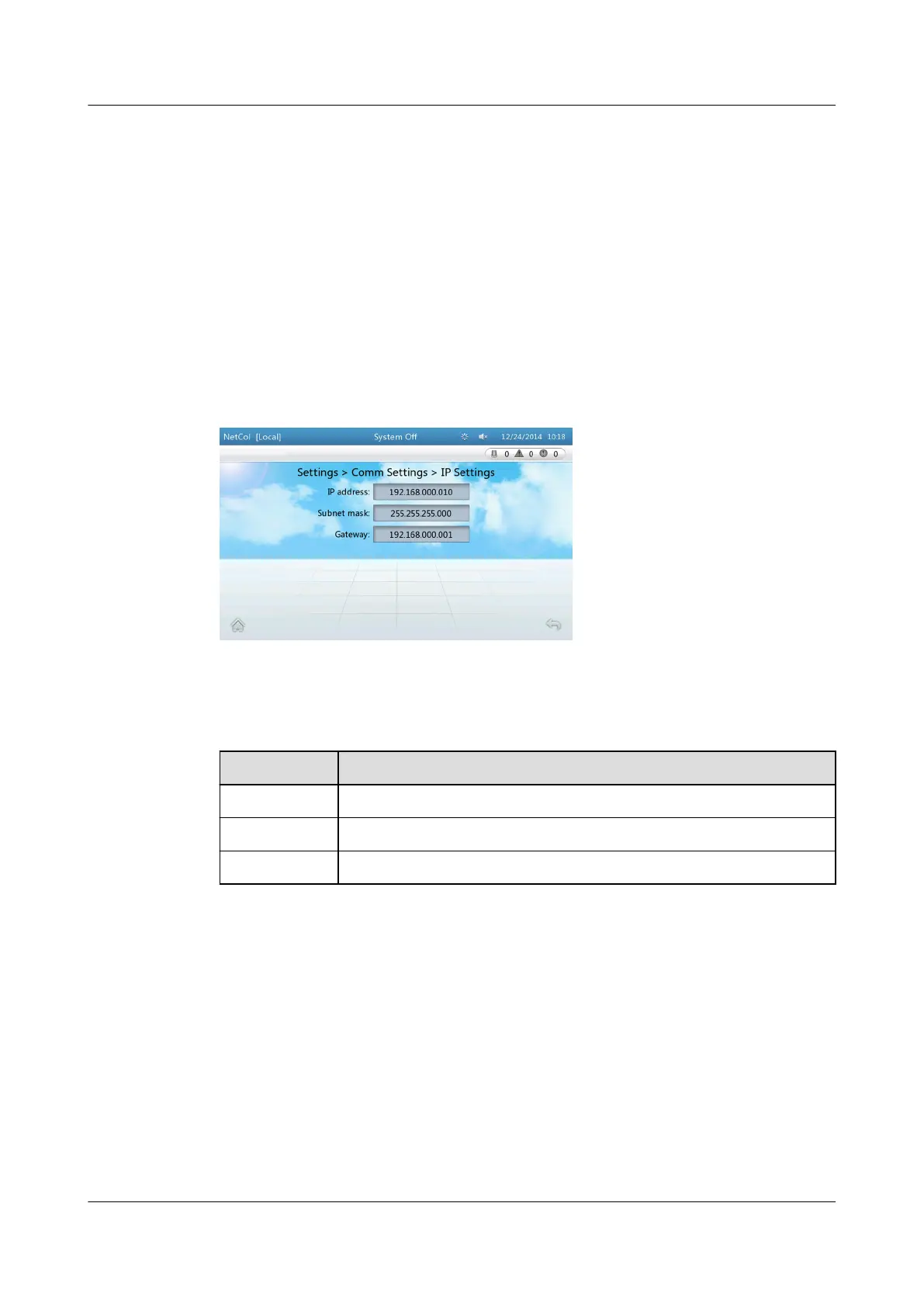
Step 1 On the home screen, choose Settings > Comm Settings > IP Settings. Figure 4-9
is displayed.
Figure 4-9 Setting the IP address, subnet mask, and gateway address
Step 2 Set the parameters by referring to Table 4-4.
Table 4-4 IP address settings
Parameter
Setting Method
IP address Set according to the actual plan
Subnet mask Set according to the actual plan
Gateway Set according to the actual plan
----End
4.5.2.5 Setting Communications Parameters (ModBus Settings)
Context
● When the smart cooling product monitoring system connects to the ECC800,
you do not manually set the Modbus and skip the operations in this section.
● To set communications parameters, log in as the Admin or Engineer user.
● If Connection mode is set to Server, one smart cooling product can be
accessed by a maximum of two element management system (EMS) clients
at the same time. If Connection mode is set to Client, a smart cooling
NetCol5000-A(025, 035) In-row Air Cooled Smart
Cooling Product
User Manual (600 mm Width) 4 ACC Introduction
Issue 17 (2020-10-22) Copyright © Huawei Technologies Co., Ltd. 95







 To Next Page