4.6.1.6 Querying System Parameters
Context
You can query the system parameters through two ways.
● Enter the Operating Info screen that displays the major system parameters
such as the current detected temperature, humidity, voltage.
● Enter the Device Details screen and then enter the menu of a
specic
component. All parameters for the component are displayed.
Procedure
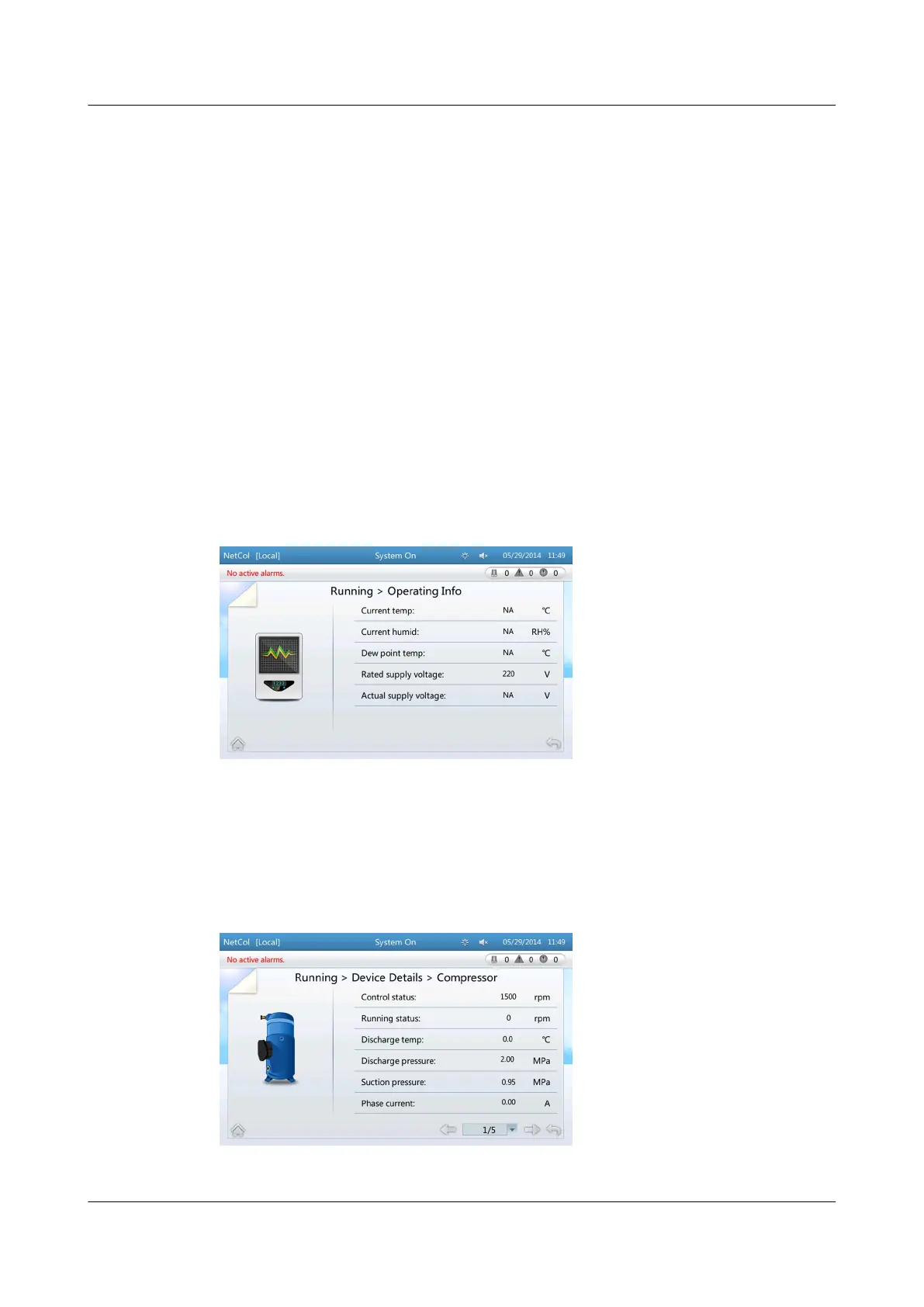
● When querying system parameters through Operating Info, choose Common
Functions > Operating Info, or Running > Operating Info on the home
screen, the related screen is displayed. Figure 4-26 shows the screen displayed
after choosing Running > Operating Info.
Figure 4-26 Operating info
● When viewing system parameters through Device Details (using the
compressor as an example), choose Running > Device Details > Compressor
on the home screen to view the compressor parameters, as shown in Figure
4-27.
Figure 4-27 Compressor parameters
NetCol5000-A(025, 035) In-row Air Cooled Smart
Cooling Product
User Manual (600 mm Width) 4 ACC Introduction
Issue 17 (2020-10-22) Copyright © Huawei Technologies Co., Ltd. 114







 To Next Page