4.6.1.5 Querying Component Status
Context
You can query component status in the following two ways.
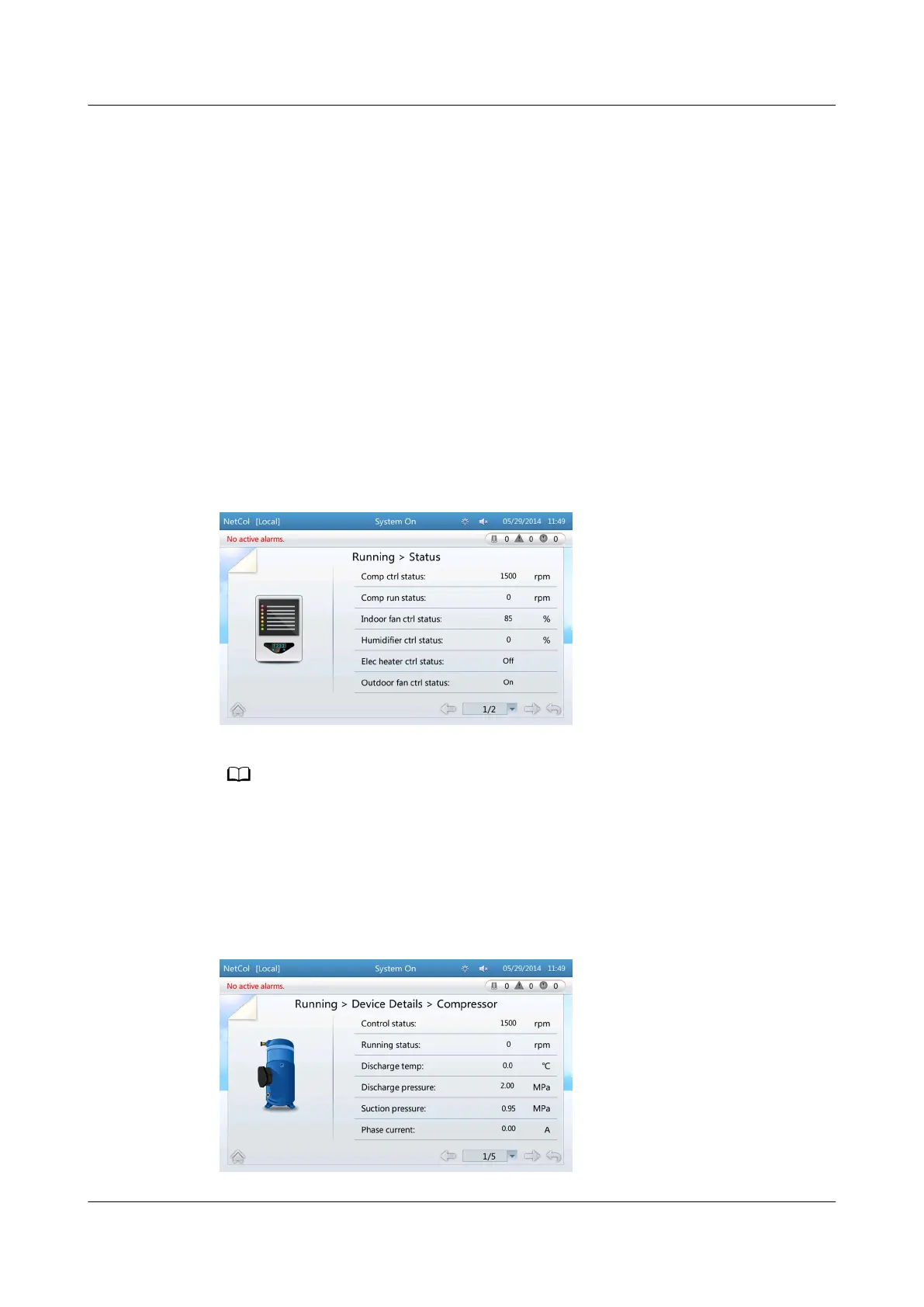
● Enter the Status screen. The control or running status of major components
such as the compressor, indoor fan, outdoor fan, electric heater, humidier,
and chilled water valve is displayed.
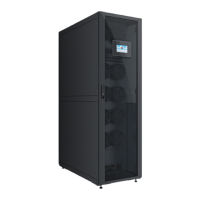
● Enter the Device Details screen and then enter the menu of a
specic
component. All parameters for the component are displayed.
Procedure
● When viewing the component status through Status, choose Common
Functions > Status or Running > Status on the home screen. The general
component status screen is displayed. Figure 4-24 shows the screen displayed
after choosing Running > Status.
Figure 4-24 General status
The actual number of devices is displayed on the screen. If two indoor fans are used, indoor
fan 1 and indoor fan 2 are displayed. This is also the case for other devices.
● When querying component status through Device Details (using the
compressor as an example), choose Running > Device Details > Compressor
on the home screen to query the status of the compressor and solenoid valve,
as shown in Figure 4-25.
Figure 4-25 Compressor running status
NetCol5000-A(025, 035) In-row Air Cooled Smart
Cooling Product
User Manual (600 mm Width) 4 ACC Introduction
Issue 17 (2020-10-22) Copyright © Huawei Technologies Co., Ltd. 113



 To Next Page