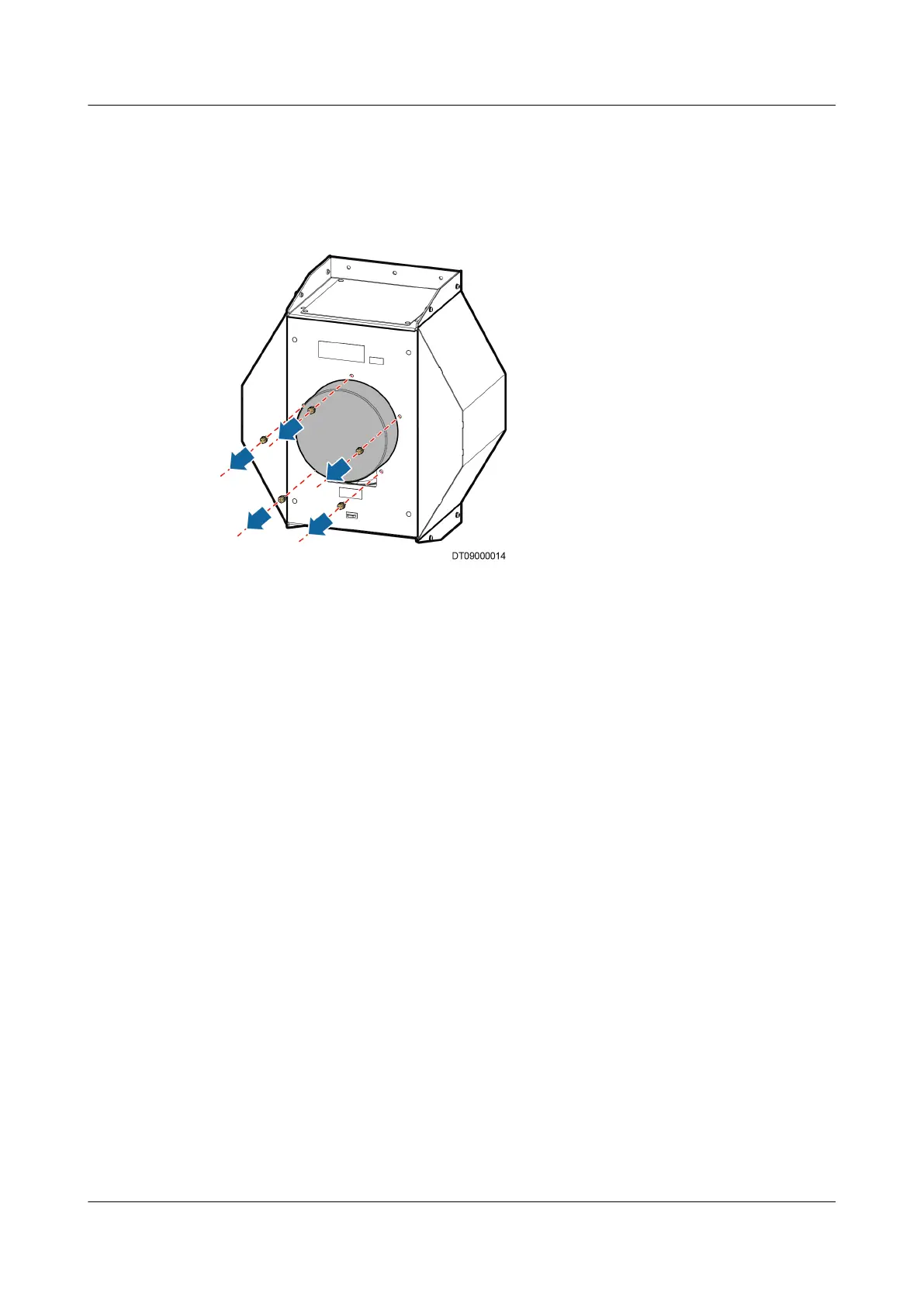
Step 5 Drag the indoor fan out of the unit. Two personnel are needed.
Step 6 Use a 10# solid wrench to remove the ve screws connecting the fan and air
bae and drag the fan out of the air bae, as shown in Figure 6-5.
Figure 6-5 Removing air bae
Step 7 Install a new indoor fan in an inverse order.
Step 8 Power on the fan and tap Maint > Diagnostic Mode > Enter to set the input
speed of the indoor fan to 30%. Ensure they work properly. Exit the diagnostic
mode.
Step 9 Tap Maint > Performance Maint to clear the corresponding indoor fan total
runtime.
----End
6.5.3 Replacing a Compressor
Prerequisites
● Recommended materials: Phillips screwdriver, two 45# adjustable wrenches,
45# and 50# torque wrenches, 13# and 30# solid wrenches or socket
wrenches, new compressor, dryer
lter, refrigerant reclaiming devices,
refrigerant charging devices, R410A refrigerant.
● Preparations: Switch
o the outside main power input.
NetCol5000-A(025, 035) In-row Air Cooled Smart
Cooling Product
User Manual (600 mm Width) 6 System Operation and Maintenance
Issue 17 (2020-10-22) Copyright © Huawei Technologies Co., Ltd. 207







 To Next Page