Step 5 Apply sealant on the outer side of the air valve connected to the pipe nut.
Step 6 Install the new high pressure switch and connect cables.
Step 7 Install the air lter and close the rear door.
Step 8 Power on the device and tap Startup on the home screen. Ensure that the smart
cooling product is running normally without any alarms.
----End
6.5.5 Replacing Compressor Drive
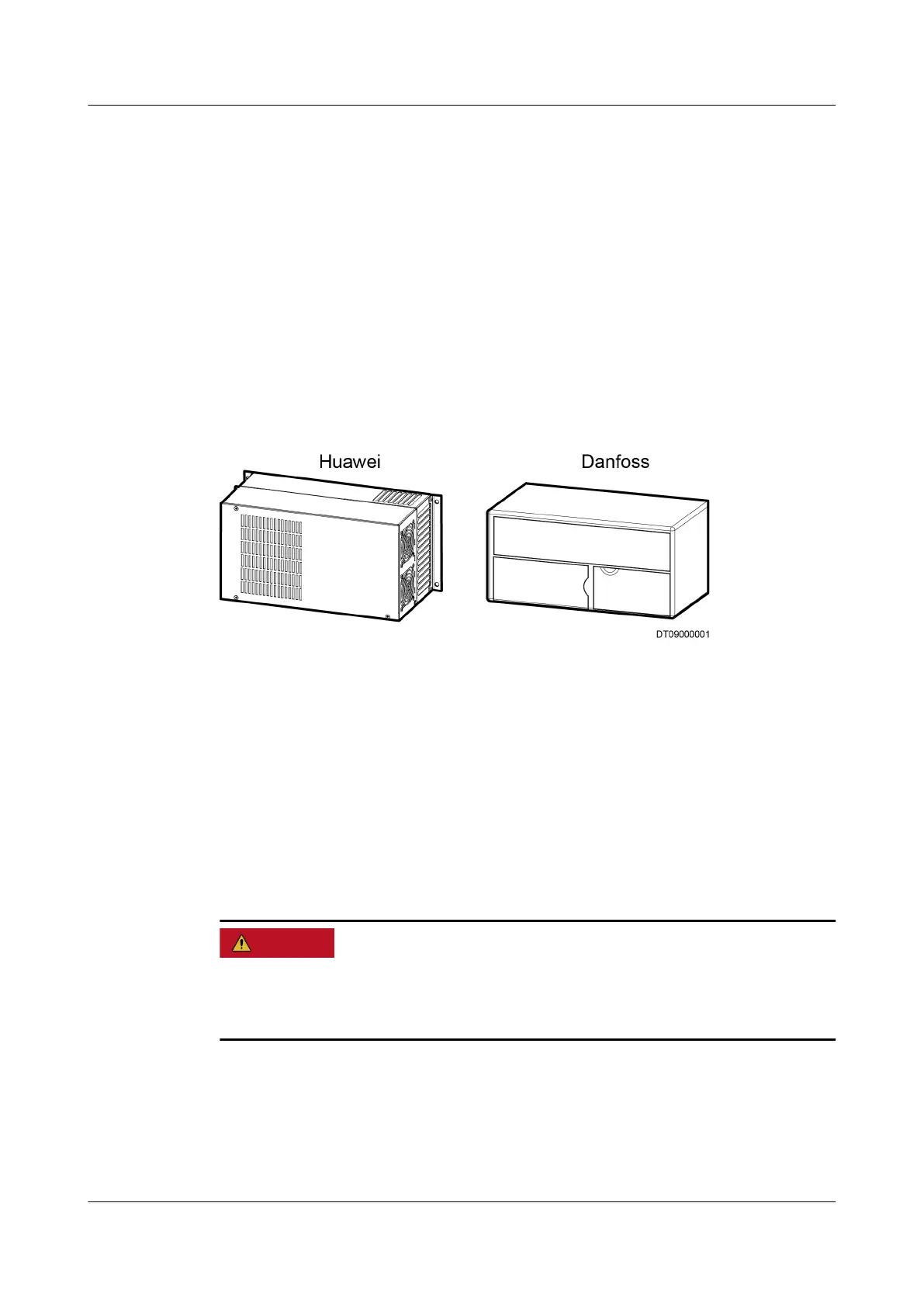
Two compressor drives, named "Huawei" and "Danfoss", are shown in Figure
6-10.
Figure 6-10 Compressor drives
6.5.5.1 Replacing a Huawei Compressor Drive
Prerequisites
● Recommended tools and materials: a Phillips screwdriver, a at-head
screwdriver (2 mm and 5 mm), diagonal pliers, cable ties, and a new
compressor drive. (The two mounting brackets in the
ttings are preinstalled.)
● Before the replacement: The circuit breaker for the external power supply has
been switched o.
Before checking and maintaining the NetCol5000-A, ensure that the power supply
to the NetCol5000-A is disconnected and the drive has been placed without
primary power supply for 10 minutes. Otherwise, electric shocks may occur.
Procedure
Step 1 Open the rear door, remove the air lter, and switch o main circuit breaker QF1
for the NetCol5000-A.
Step 2 Open the front door.
NetCol5000-A(025, 035) In-row Air Cooled Smart
Cooling Product
User Manual (600 mm Width) 6 System Operation and Maintenance
Issue 17 (2020-10-22) Copyright © Huawei Technologies Co., Ltd. 212







 To Next Page