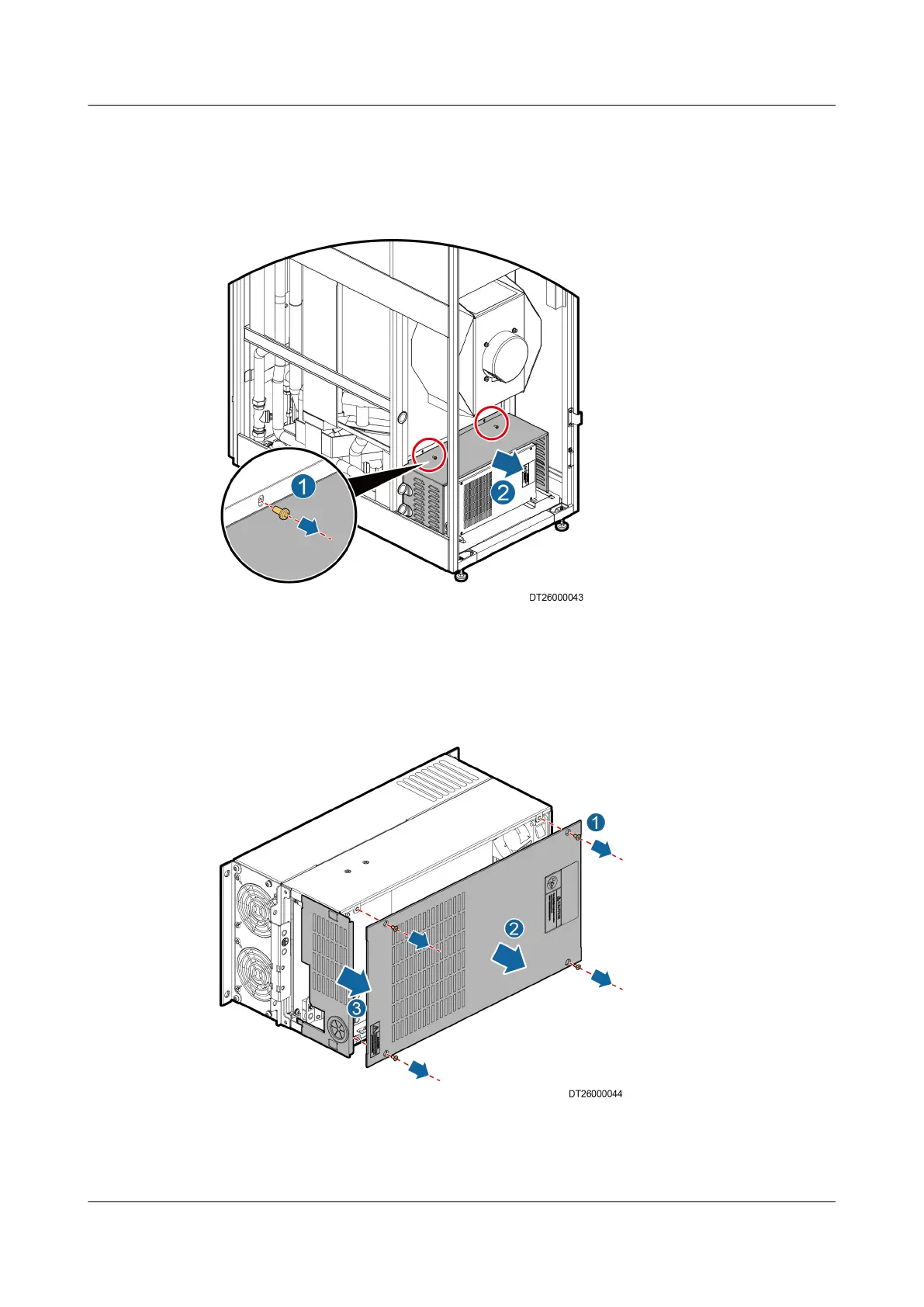
Step 3 Remove the mounting bracket screws on the U-shaped cover using a Phillips
screwdriver, and draw out the U-shaped cover in the horizontal direction, as
shown in Figure 6-11.
Figure 6-11 Removing the drive cover
Step 4 Remove the drive top cover and the bae plate of the upper chassis, as shown in
Figure 6-12.
Figure 6-12 Removing the drive top cover and the bae plate of the upper
chassis
1. Remove the four screws for securing the drive top cover, as shown by 1 in
Figure 6-12.
NetCol5000-A(025, 035) In-row Air Cooled Smart
Cooling Product
User Manual (600 mm Width) 6 System Operation and Maintenance
Issue 17 (2020-10-22) Copyright © Huawei Technologies Co., Ltd. 213







 To Next Page