PART REPLACEMENT
9
- 53 -
302.028
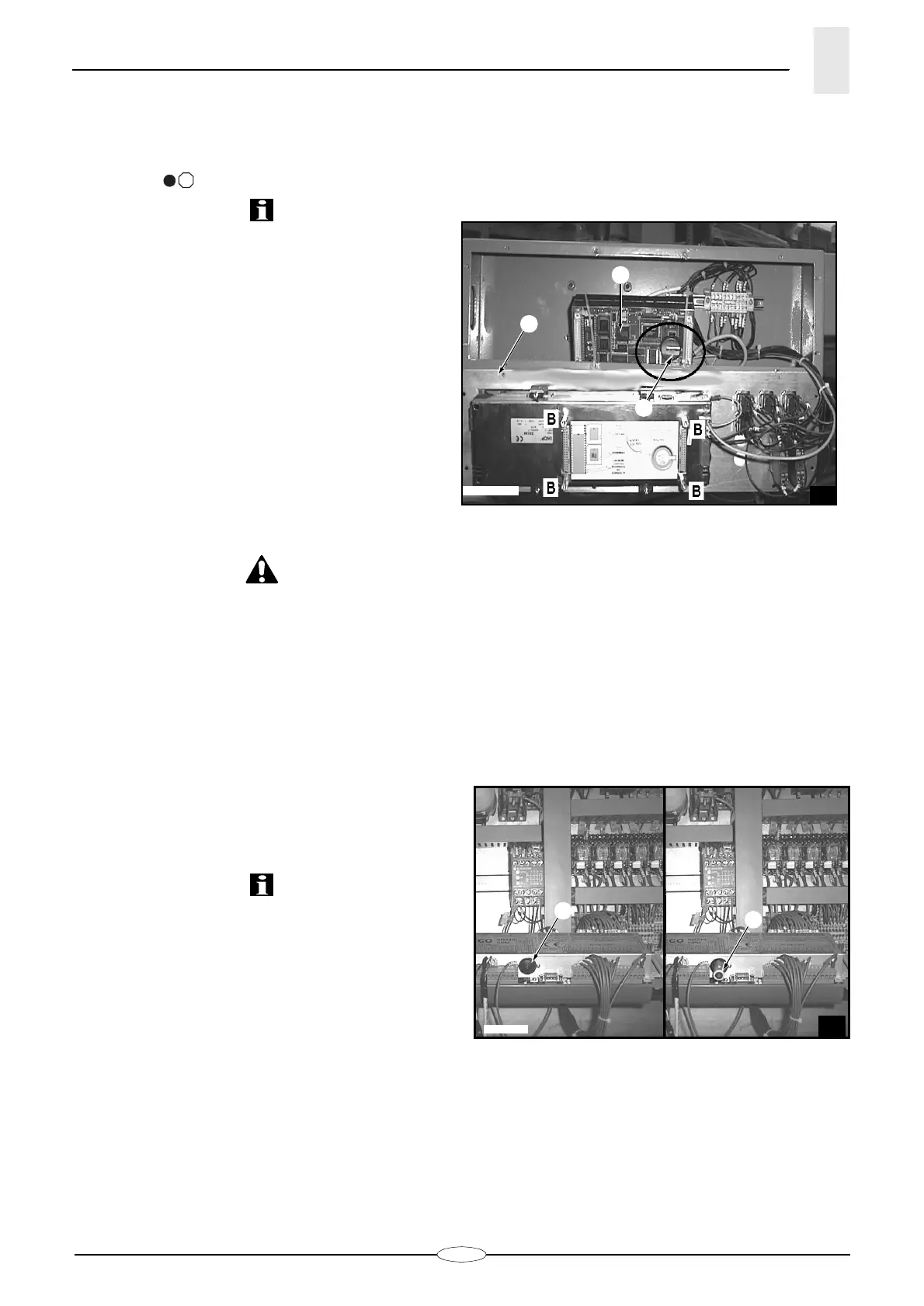
9.3. KEYBOARD BATTERY
REPLACEMENT
(fig. 3)
Replace the battery every year or when battery signal-
ling lamp
23-
sends a blinking red signal.
INFORMATION: If no replacement takes place, date
and hour disappear from the display.
Replace the battery as follows:
– Cut off the bar feeder supply.
– Unscrew the key-board’s panel
A
.
– With a screwdriver, loosen the 4 corner screws
B
in
the rear double housing
C
holding the communica-
tion ports.
– Remove the double rear housing
C
keeping it paral-
lel to the surface it was fastened to.
– Remove the battery
D
from its compartment.
– Insert the new battery (type CR2430 3 volts, lithium)
DANGER - WARNING: Battery explosion danger if
inserted with reversed polarity.
– Fix the double housing
C
to the panel again and
tighten the 4 screws
B
.
– Connect the bar feeder and check
that the battery charge is signalled.
9.4. SOSTITUZIONE BATTERIA PLC
(fig.4)
Replace the battery every year.
When the message "PLC battery exhausted" appears on
the display of the control panel, replace the battery
within a day. If no replacement takes place, the data of
the "PLC/CN software" are cancelled.
Replace the battery as follows:
– Loosen plug "
A
" and extract battery "
B
" from its
compartment.
– Insert new battery (type AA 3,6 volts, lithium) cor-
rectly and screw plug "
A
" tight.
?
3
28_087_0.bmp
D
A
C






 To Next Page